Installing the keyboard
Prerequisites
If you are replacing a component, remove the existing component before performing the installation procedure.
About this task
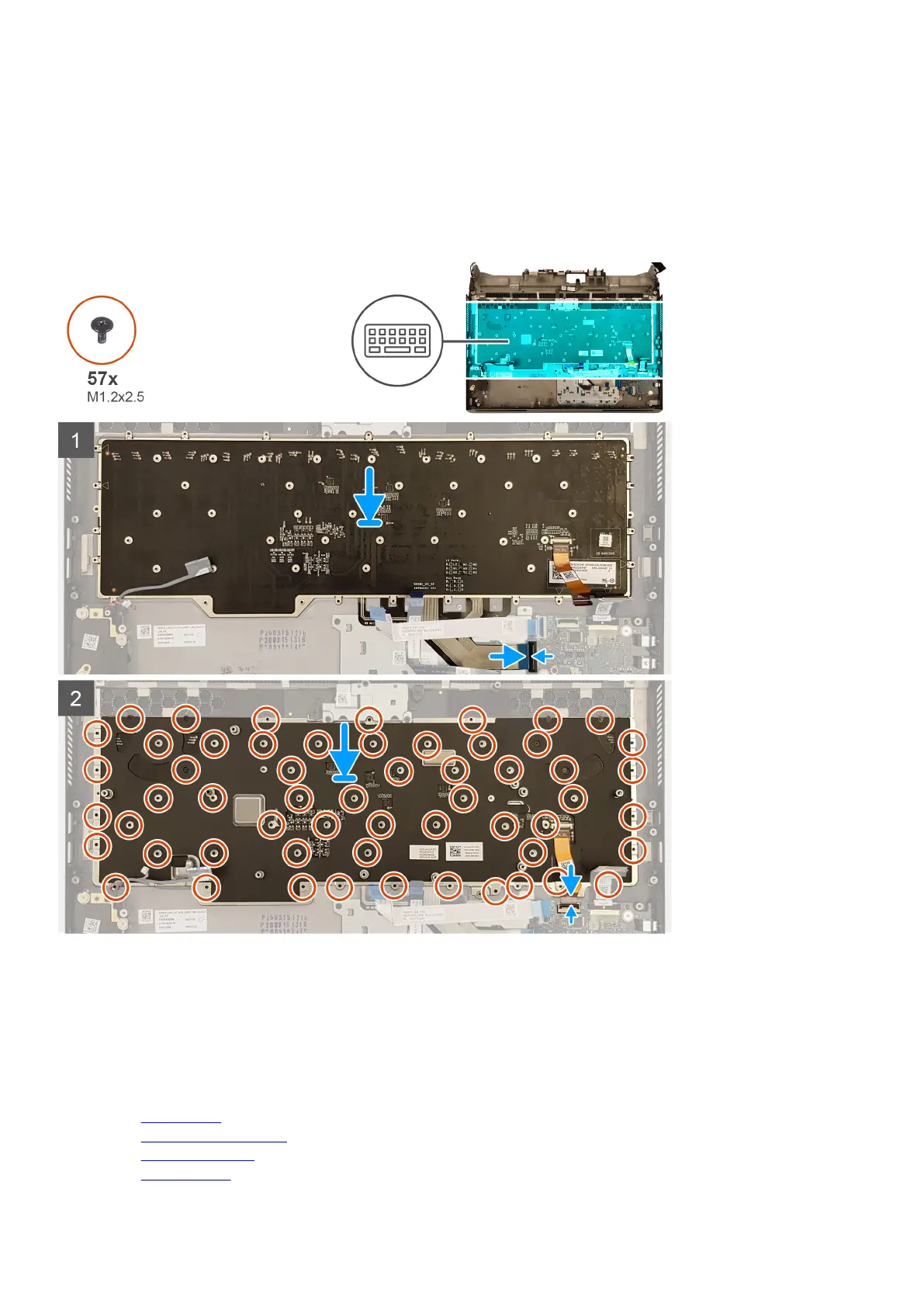
The following image indicates the location of the keyboard and provides a visual representation of the installation procedure.
Steps
1. Place the keyboard in the slots on the palm-rest assembly.
2. Replace the 57 screws (M1.2x2.5) that secure the keyboard bracket to the palm-rest assembly.
3. Connect the keyboard cable to the audio daughter-board and close the latch to secure the cable.
4. Connect the keyboard backlight cable to the audio daughter-board and close the latch to secure the cable.
Next steps
1. Install the system board.
2. Install the left power-adapter port.
3. Install the
heat-sink assembly.
4. Install the computer base.
75










 To Next Page