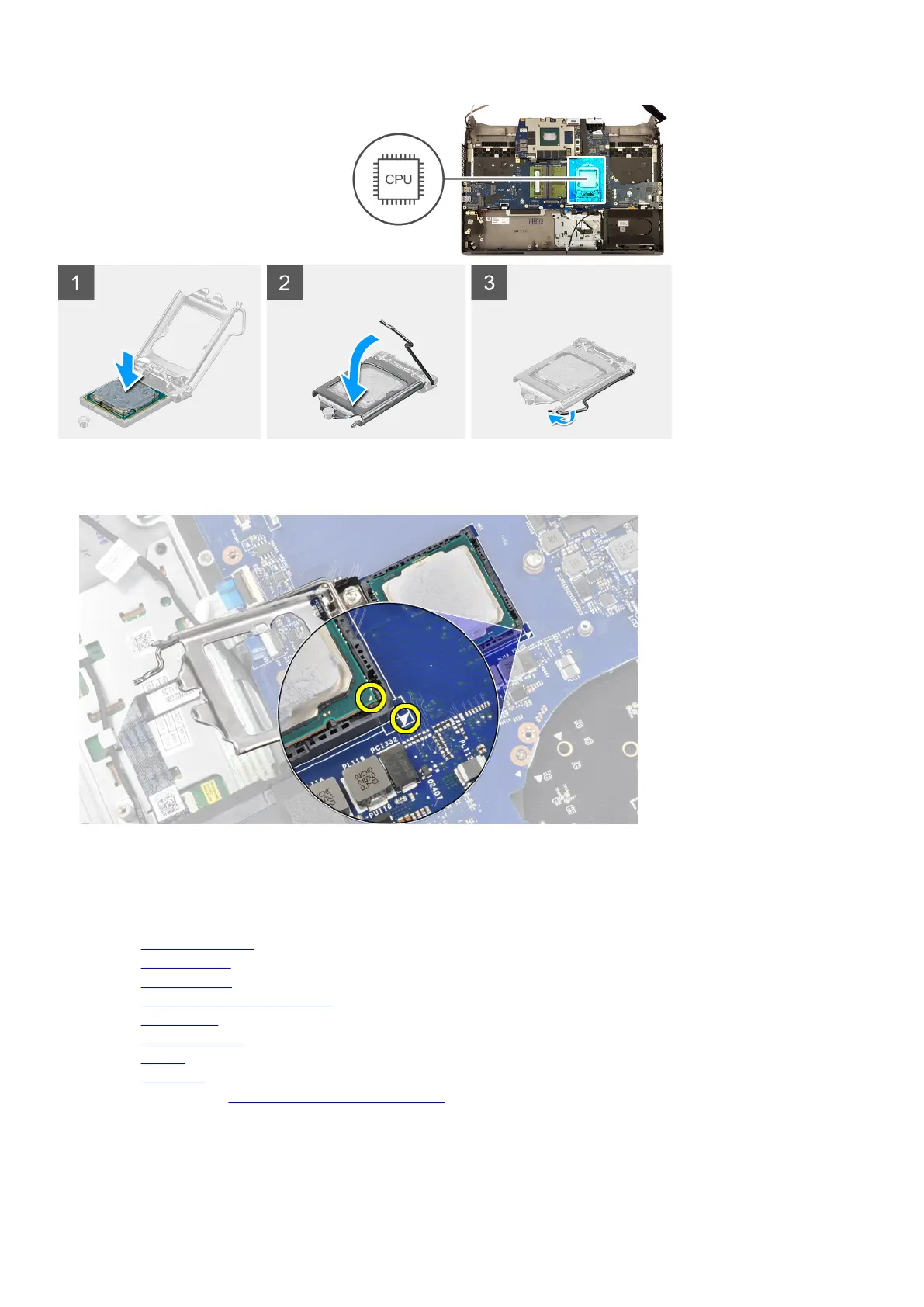
Steps
1. Align the triangle on the processor with the triangle on the processor socket.
2. Place the processor in the processor socket on the system board.
3. Close the processor cover.
4. Push the lever on the processor cover and lock it in place to secure the processor.
Next steps
1. Install the heat-sink assembly.
2. Install the computer base.
3. Install the rear-I/O cover.
4. Install the solid-state drive in M.2 slot one.
5. Install the
wireless card.
6. Install the memory modules.
7. Install the battery.
8. Install the base cover.
9. Follow the procedure in After working inside your computer.
61










 To Next Page