Steps
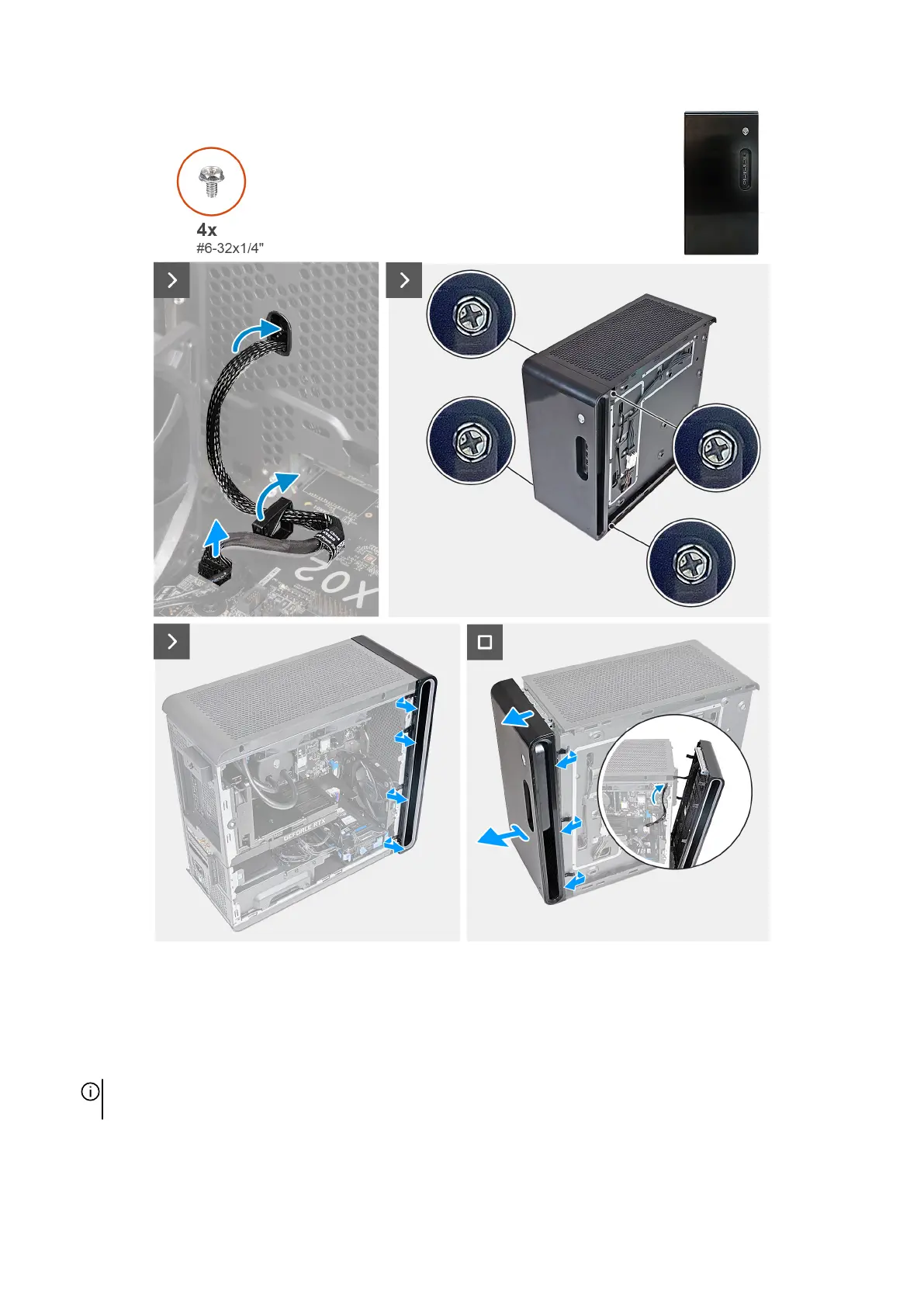
1. Place the computer in an upright position.
2. Disconnect the front I/O-panel cable from the system board.
3. Remove the four screws (#6-32x1/4") that secures the front bezel to the front panel.
4. Pull the tabs of the front bezel from the slots on the front panel.
NOTE: Start with tab on top, proceed to the tabs on the left of the front bezel, and then to the tabs on the right of the front
bezel.
5. Route the front I/O-panel cable through the slot on the front panel.
6. Pull the front bezel, together with the front I/O-panel cable, away from the chassis slowly.
41











 To Next Page