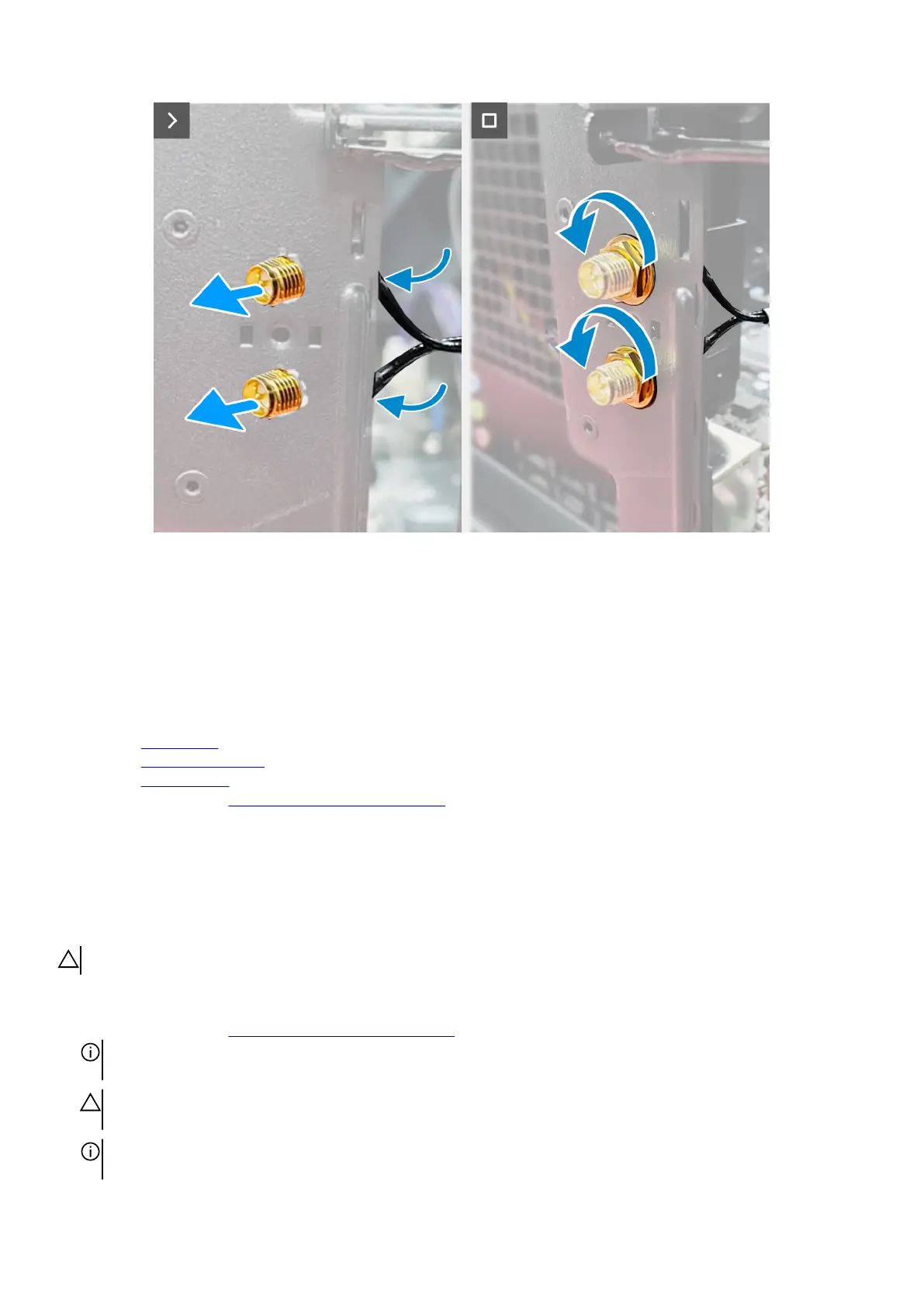
Steps
1. Align and place the SMA cable connector on the chassis.
2. Route the SMA cable under the PCIe x16 slot.
3. Insert the SMA cable to the securing clip on the system board.
4. Route the SMA cable assembly through the slot on the rear I/O.
5. Replace the washer and nuts that secure the SMA cable connector to the chassis.
Next steps
1. Install the
wireless card.
2. Install the single-graphics card.
3. Install the
left-side cover.
4. Follow the procedure in After working inside your computer.
VR heat sink
Removing the VR heat sink
CAUTION: The information in this removal section is intended for authorized service technicians only.
Prerequisites
1. Follow the procedure in Before working inside your computer.
NOTE: The heat sink may become hot during normal operation. Allow sufficient time for the heat sink to cool before you
touch it.
CAUTION: If either the processor or the heat sink is replaced, use the thermal grease that is provided in the kit to
ensure that thermal conductivity is achieved.
NOTE: Do not touch the heat transfer areas on the heat sink. The oils in your skin can reduce the heat transfer capability of
the thermal grease.
87











 To Next Page