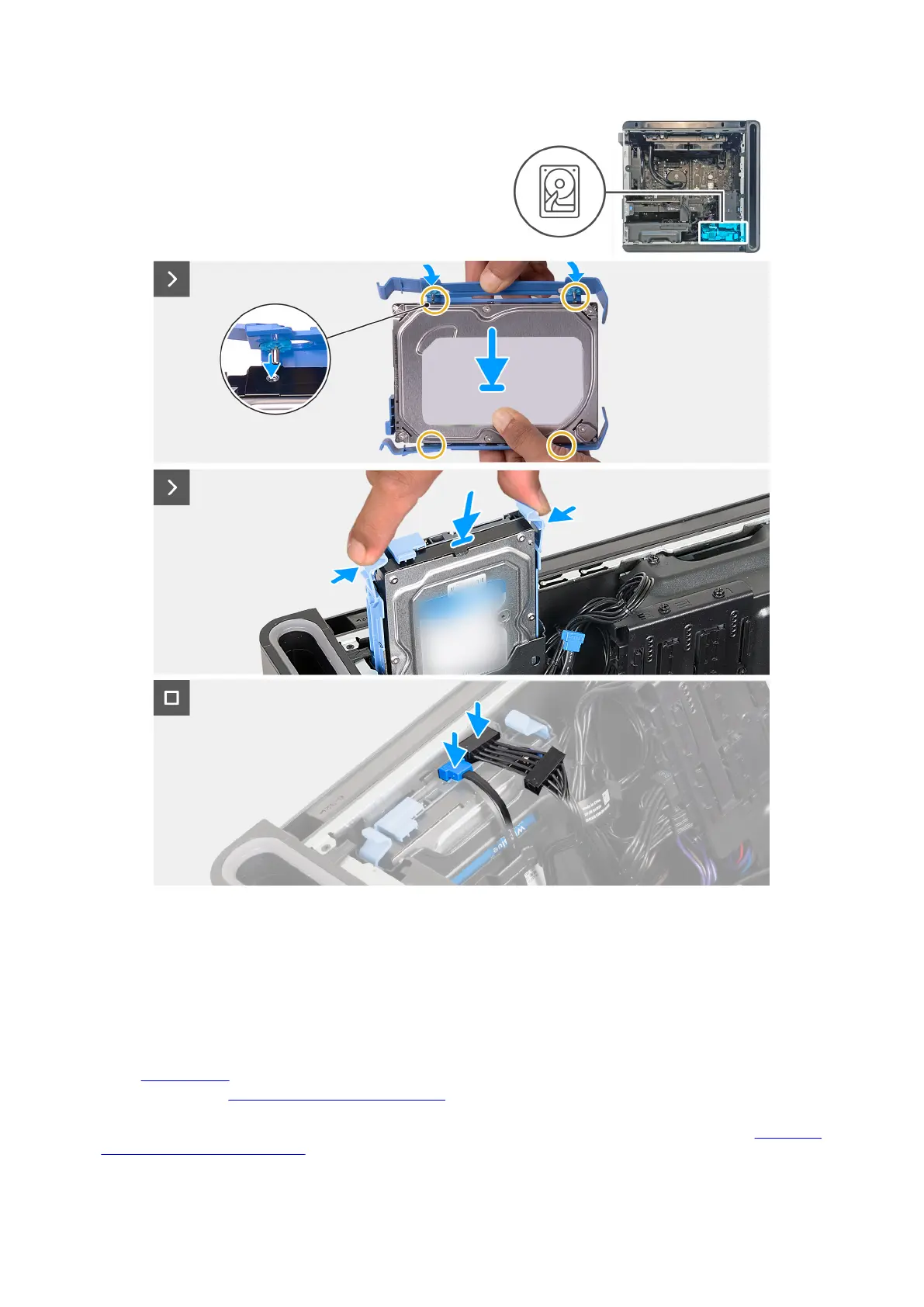
Steps
1. Align the hard drive with the pins on the hard-drive carrier.
2. Using the tabs on the opposite side, flex open the carrier to insert the pins on the other side.
3. Slide the hard-drive assembly into the hard-drive cage until it snaps into place.
4. Connect the data and power cables to the hard drive.
Next steps
1. Install the left-side cover.
2. Follow the procedure in After working inside your computer.
3. Verify if the storage device is installed correctly (optional):
a. If you are replacing a storage device which does not have the operating system installed, follow the steps in Identifying
storage device in device manager.
48











 To Next Page