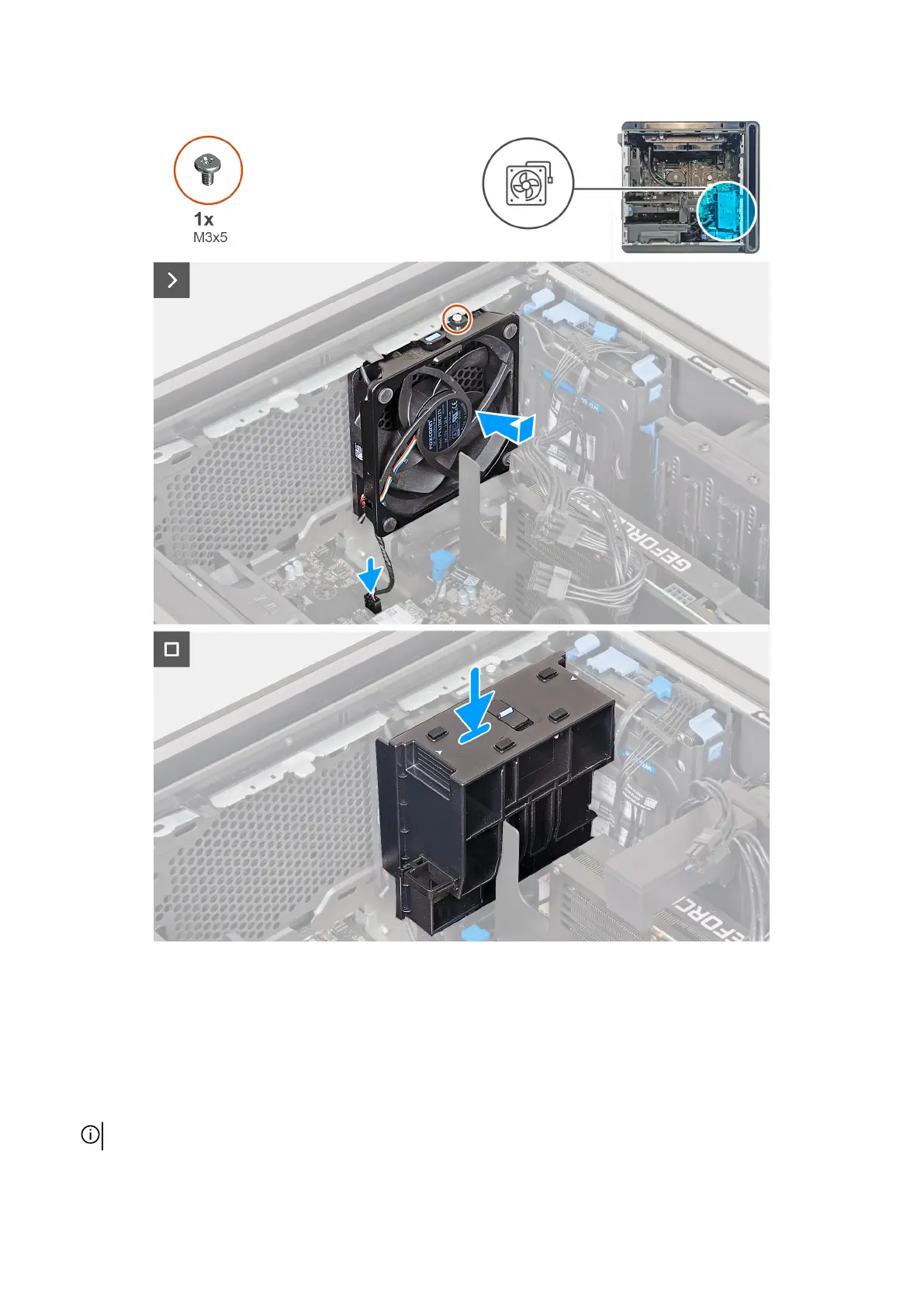
Steps
1. Lay the computer on its right side.
2. Align the tabs on the lower front-chassis fan with the slots on the chassis.
3. Slide and push the fan until the releasing clip snaps into position on the chassis.
4. Replace the screw (M3x5) that secures the lower front-chassis fan to the chassis.
5. Connect the lower front-chassis fan cable to the system board.
6. Replace the graphics-card end holder and slide the release latch to the lock position.
NOTE: Skip this step if your graphics card does not ship with a graphics-card end holder.
65











 To Next Page