42 Processor Heat-Sink
Replacing the Processor Heat-Sink
CAUTION: Incorrect alignment of the processor heat-sink can damage the
processor.
NOTE: The original thermal grease can be reused if the original processor
heat-sink is reinstalled. If the processor heat-sink is replaced, use the thermal
grease provided in the kit to ensure that thermal conductivity is achieved.
1
Follow the instructions in "Before You Begin" on page 9.
2
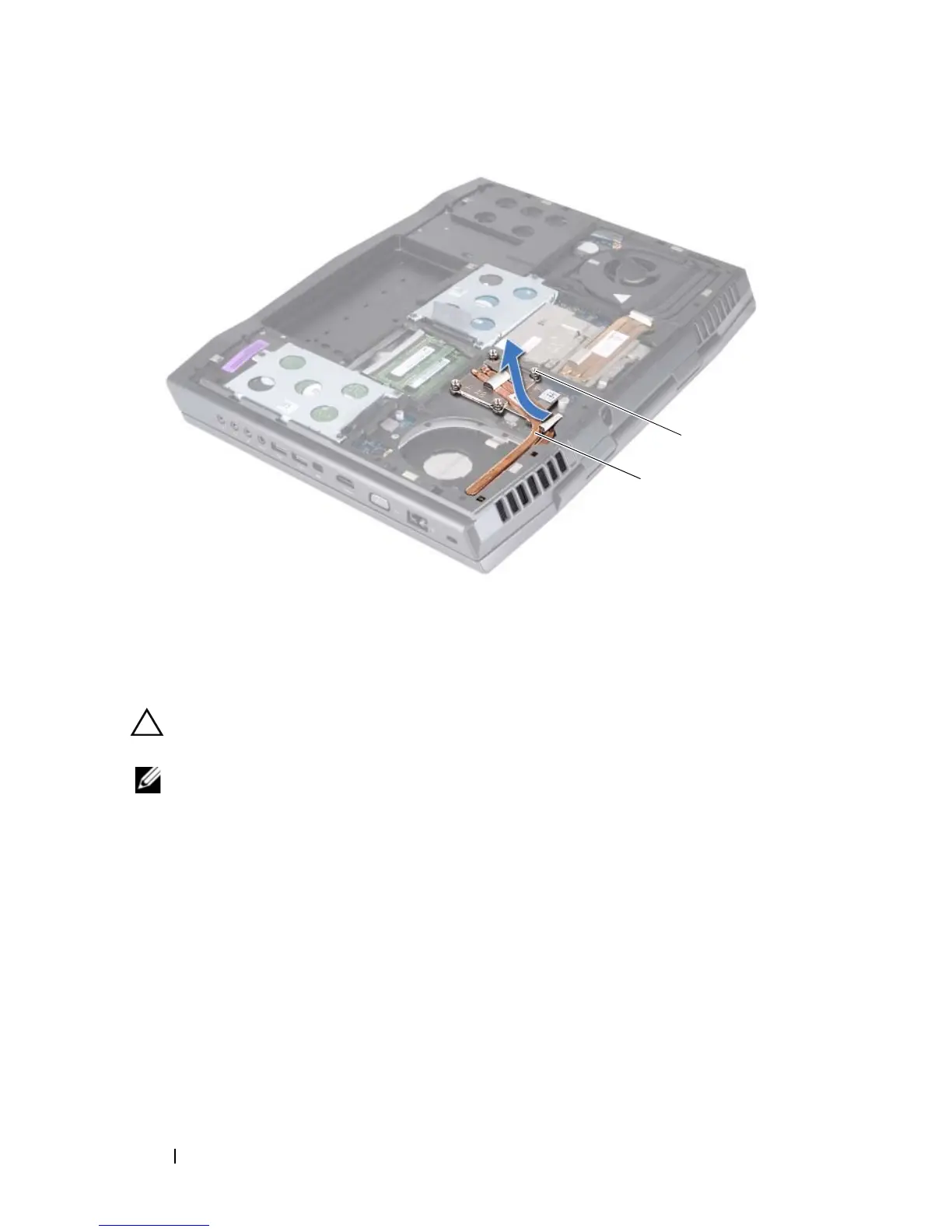
Slide the processor heat-sink in place.
3
Align the four captive screws on the processor heat-sink with the screw
holes on the system board and tighten the screws in sequential order
(indicated on the processor heat-sink).
4
Replace the processor heat-sink fan (see "Replacing the Processor
Heat-Sink Fan" on page 38).
5
Replace the compartment door (see "Replacing the Compartment Door"
on page 16).
1 processor heat-sink 2 captive screws (4)













 To Next Page