Palm Rest Assembly 81
13
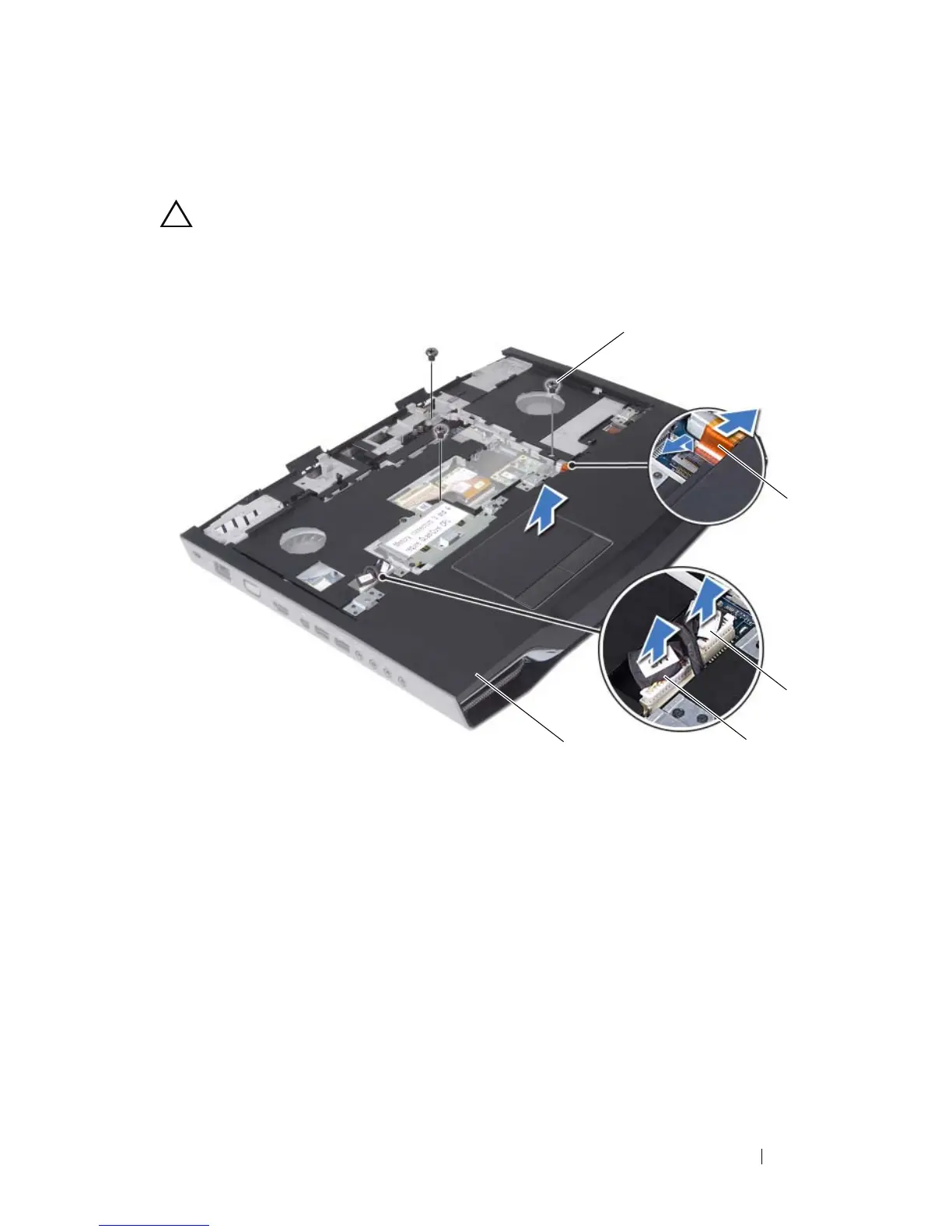
Carefully pry out the palm rest assembly along the rear edge and then ease
the palm rest assembly from the computer base.
CAUTION: Carefully separate the palm rest assembly from the computer base to
avoid damage to the palm rest assembly.
14
Lift the palm rest assembly off the computer base.
Replacing the Palm Rest Assembly
1
Follow the instructions in "Before You Begin" on page 9.
2
Align the screw holes on the palm rest assembly with the screw holes on
the computer base.
3
Replace the three screws that secure the palm rest assembly to the
computer base.
1 palm rest assembly 2 LVDS cable
3 touch pad cable 4 Media Card Reader cable
5 screws (3)













 To Next Page