Display Assembly 73
Replacing the Display Assembly
1
Follow the instructions in "Before You Begin" on page 9.
2
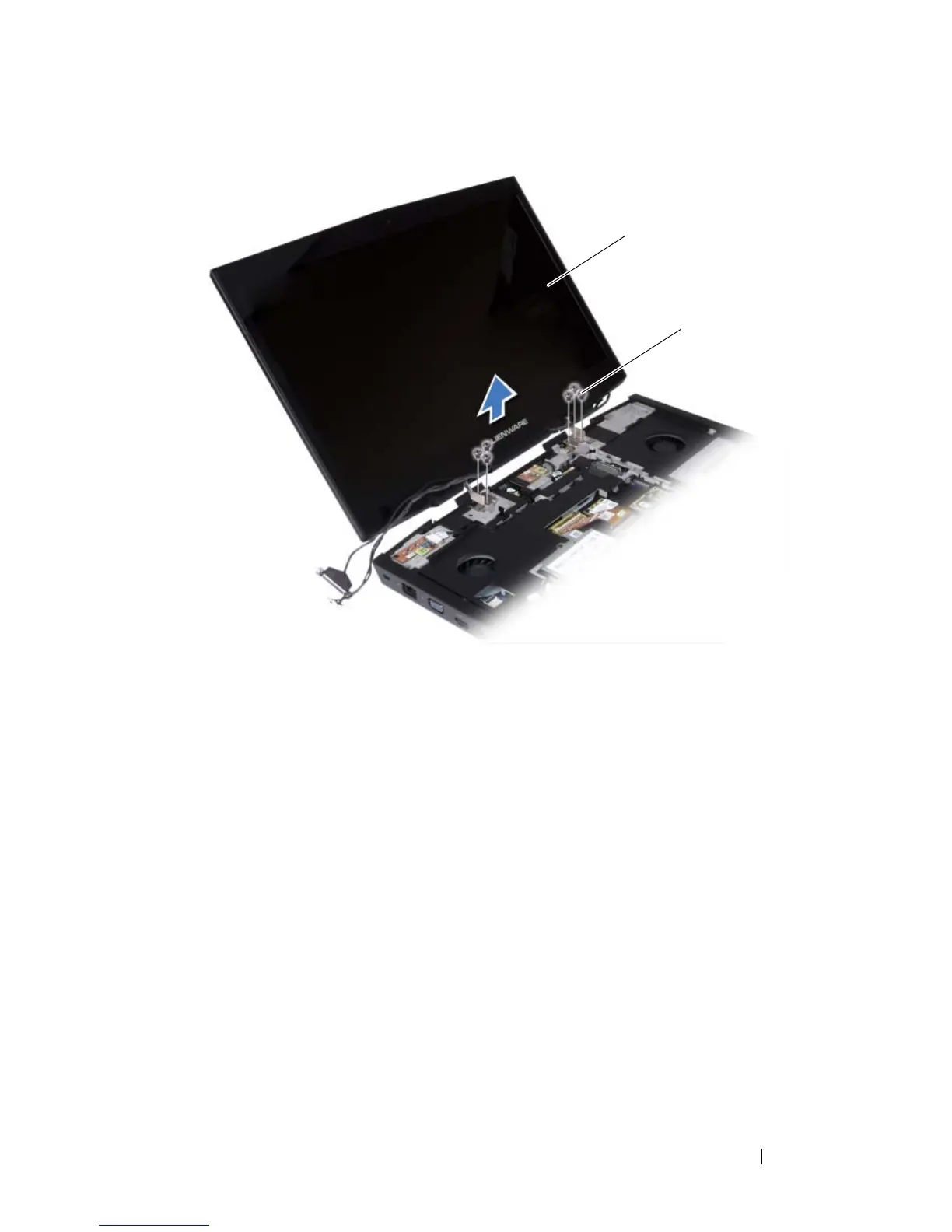
Place the display assembly in position and replace the six screws that
secure the display assembly to the computer base.
3
Route the display cable, camera cable, infrared cable, wirelessHD card
cable, and Mini-Card antenna cables through the routing guides on the
palm rest assembly.
4
Connect the display cable to the connector on the system board.
5
Tighten the two captive screws that secure the display cable to the system
board.
6
Connect the camera cable and infrared cable to the respective system
board connectors.
1 display assembly 2 screws (6)













 To Next Page