92 Optical Drive
11
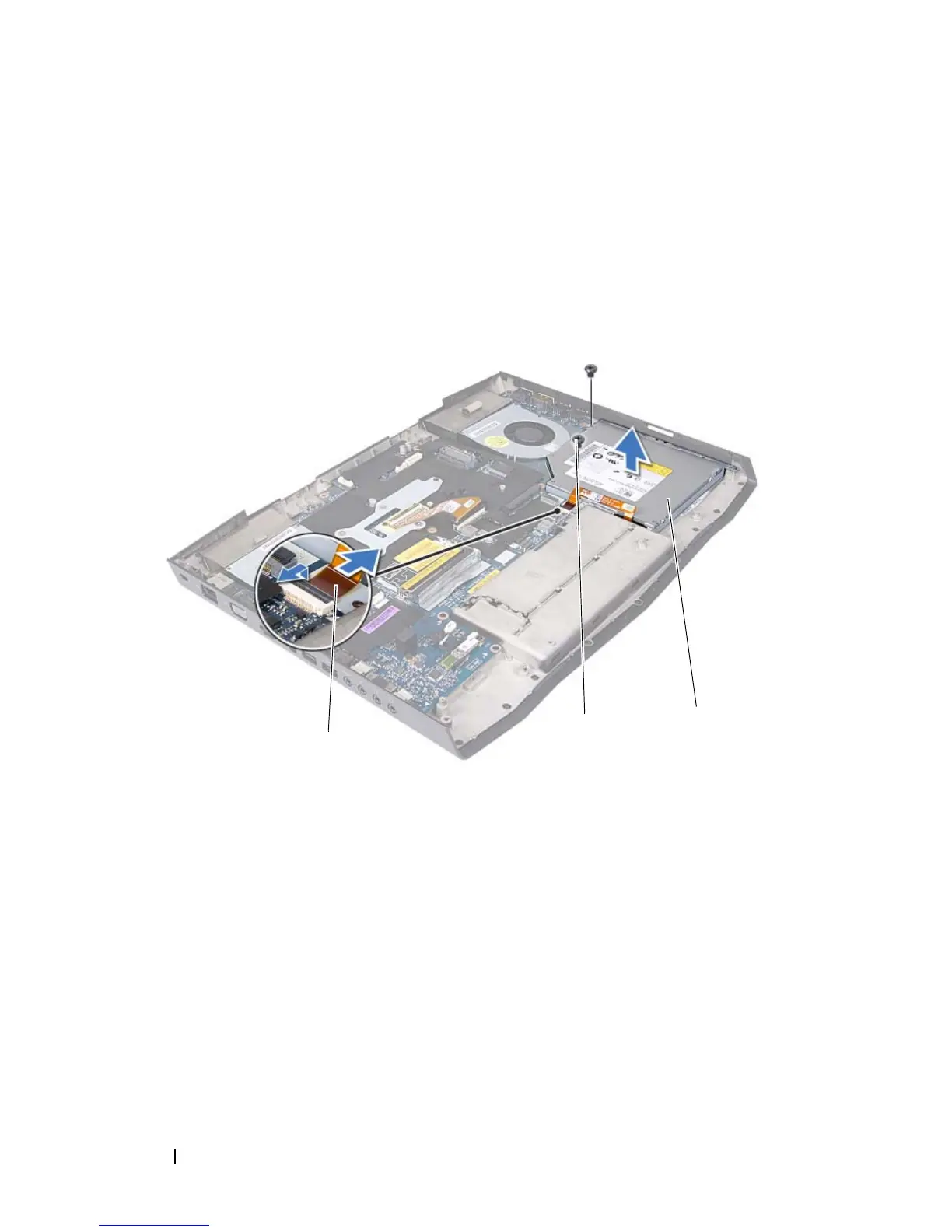
Lift the release latch on the connector on the system board and disconnect
the optical-drive cable from the connector on the system board.
12
Remove the two screws that secure the optical-drive assembly to the
computer base.
13
Lift the optical-drive assembly off the computer base.
14
Remove the five screws that secure the optical-drive bracket to the optical
drive.
1 optical-drive cable 2 screws (2)
3 optical drive













 To Next Page