Slow green blinking, amber off: No link established
Slow green blinking, slow amber blinking: Offline for firmware download
Fibre Channel
Port LEDs with
Qlogic Mezzanine
Card Installed
Green off, amber off: Power off
Green off, amber on: Online, 1 Gb or 2 Gb link
Green on, amber off: Online, 4 Gb link
Green off, amber flashing: I/O activity, 1 Gb or 2 Gb
Green flashing, amber off: I/O activity, 4 Gb
Green flashing and amber flashing at same time: Loss of synchronization
Green flashing and amber flashing at different intervals: Firmware error
Off/amber flashing (twice per second): Connection has lost synchronization
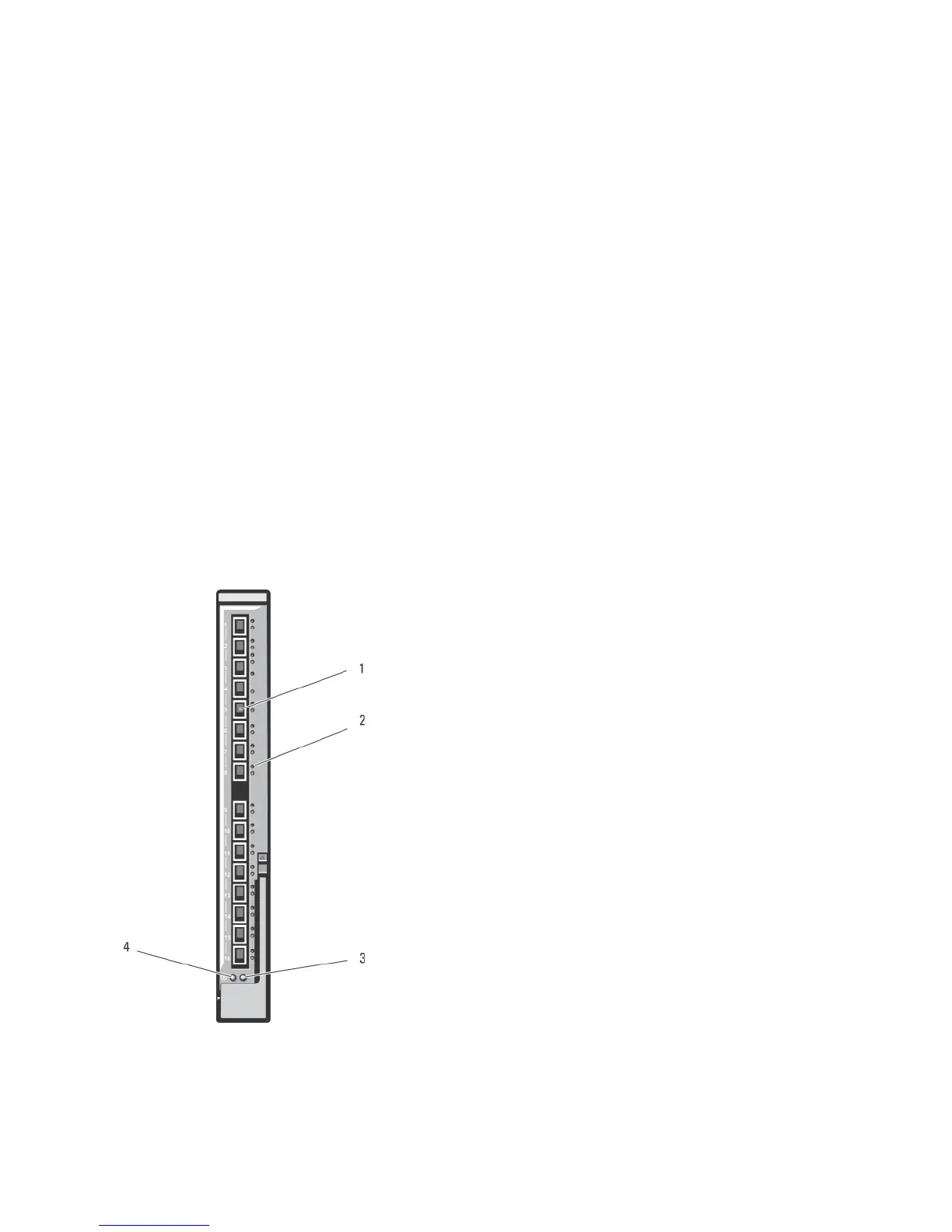
Dell 10 GbE KR Pass-Through I/O Module
The 10 GbE KR pass-through module supports 10 Gb connections and provides a direct connection between the optional
internal Ethernet KR mezzanine card or KR network daughter card in the blade and an external Ethernet device. This
module has 16 external SFP+ ports on the front panel and sixteen 10 GbE KR internal ports through the backplane. This
module enables you to use optical SFP+ (short reach or long reach) and direct-attached copper (DCA) SFP+ modules.
The Ethernet pass-through module is hot-swappable and may be installed in Fabric A, B, or C. The pass-through module
does not support 1G mezzanine or network daughter cards in blades.
Figure 33. Dell 10 GbE KR Pass-Through I/O Module
66














 To Next Page