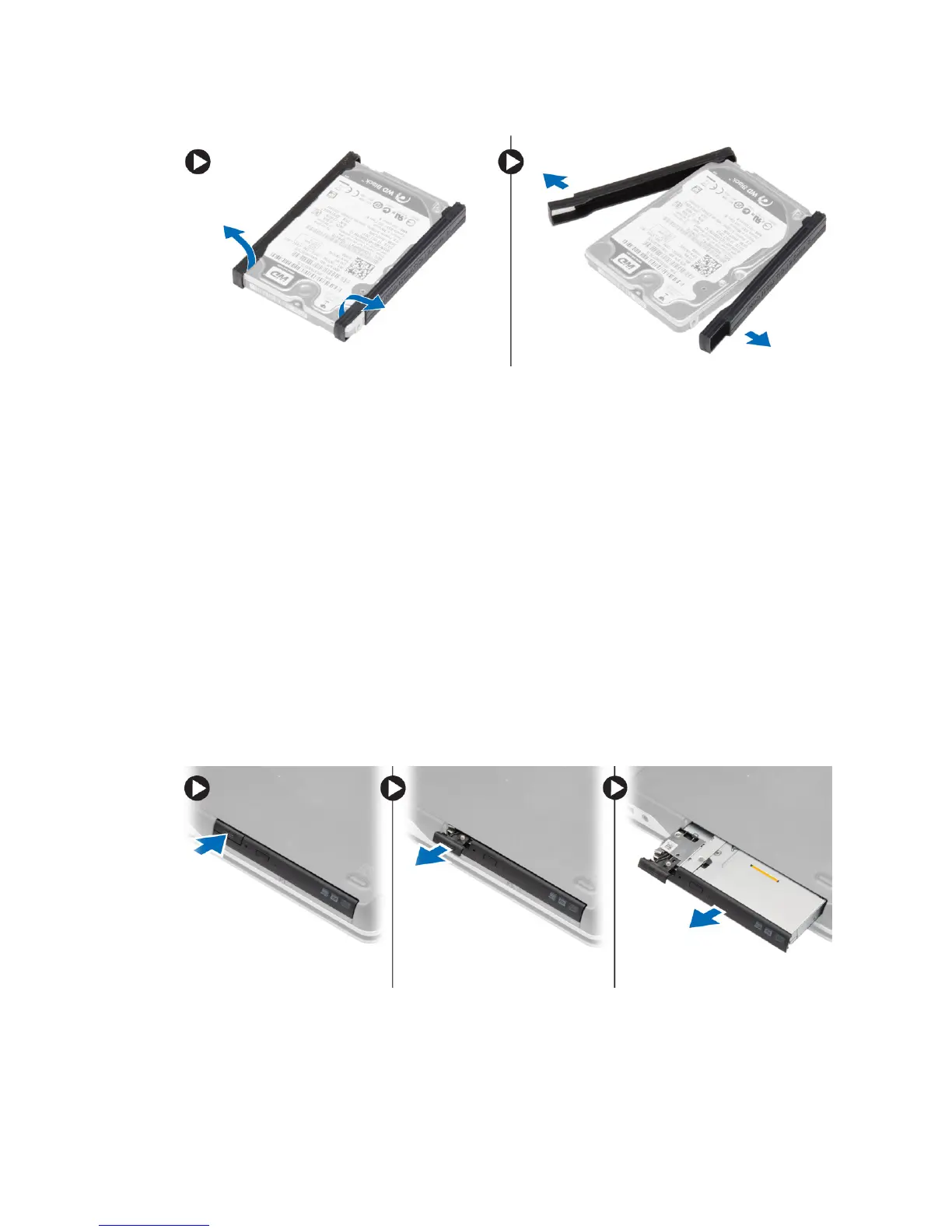
5. Flex the hard-drive isolation. Peel off the hard-drive isolation from the hard drive.
Installing the Hard Drive
1. Fix the hard-drive isolation on the hard drive.
2. Attach the hard-drive caddy to the hard drive.
3. Tighten the screws to secure the hard-drive caddy to the hard drive.
4. Slide the hard drive into the computer.
5. Tighten the screws to secure the hard drive to the computer.
6. Install the battery.
7. Follow the procedures in
After Working Inside Your Computer
.
Removing the Optical Drive
1. Follow the procedures in
Before Working Inside Your Computer
.
2. Remove the battery.
3. Perform the steps as shown in the illustration:
a. Press the optical-drive latch.
b. Release the optical drive.
c. Pull the optical drive from the computer.
16















 To Next Page