Installing the Power Connector
1. Place the power connector in its slot.
2. Connect the power-connector cable and tighten the screw that secures the power connector to the computer.
3. Route the camera cable and the LVDS cable that secures the power connector to the computer.
4. Tighten the screw to secure the power-connector bracket to the computer and connect the camera cable that
secures the power connector to the computer.
5. Install:
a. base cover
b. base corner cap (right)
c. battery
6. Follow the procedures in
After Working Inside Your Computer
.
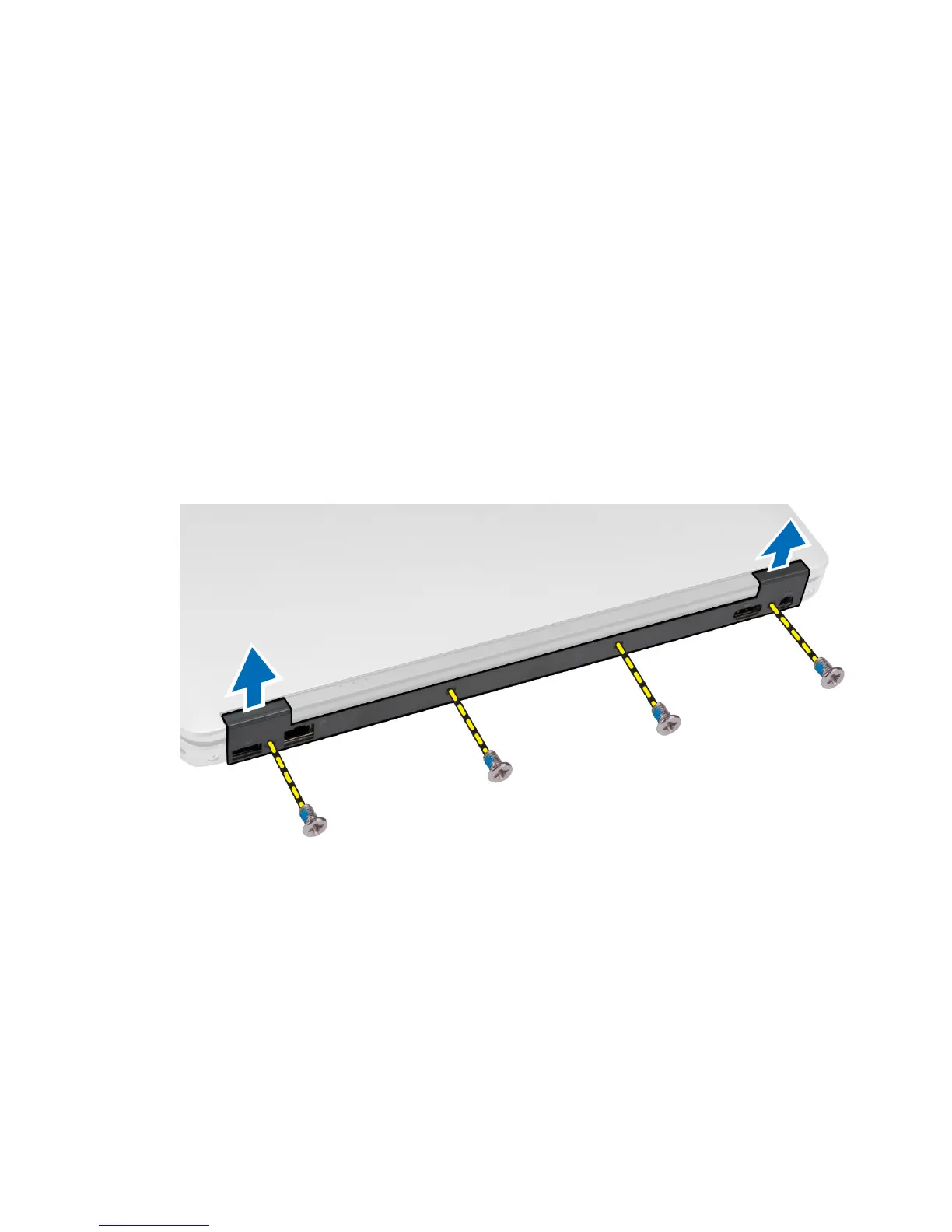
Removing the Display-Hinge Cover
1. Follow the procedures in
Before Working Inside Your Computer
.
2. Remove the battery.
3. Remove the screws that secure the display-hinge cover to the computer and remove it from the computer.
Installing the Display-Hinge Cover
1. Align the display-hinge cover with the screw holes.
2. Tighten the screws to secure the display-hinge cover to the computer.
3. Install the battery.
4. Follow the procedures in
After Working Inside Your Computer
.
28















 To Next Page