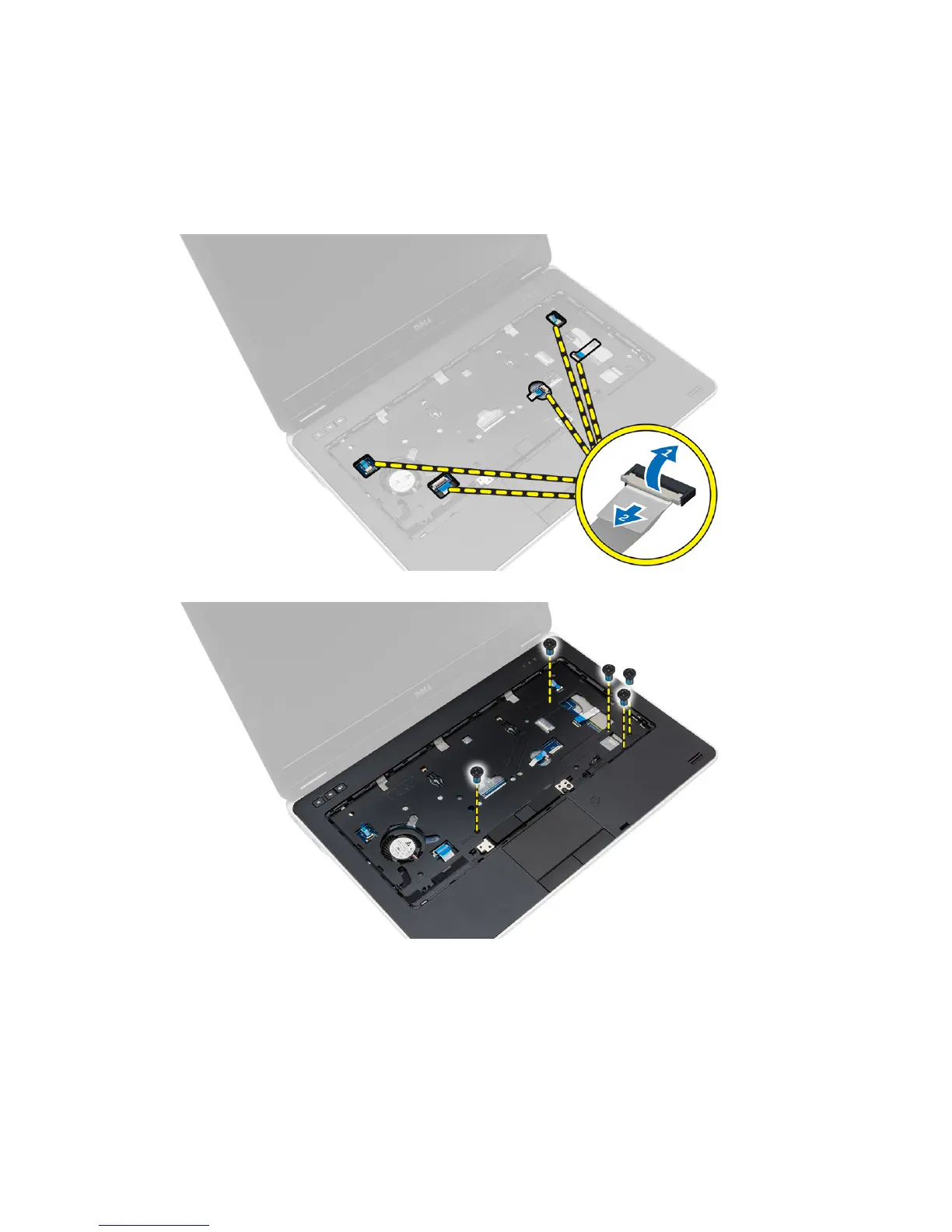
4. Flip the computer and disconnect the following cables:
a. media board
b. Unified Security Hub (USH) board
c. touchpad
d. Wi-Fi board
e. LED board
5. Remove the screws that secure the palmrest assembly to the computer.
Installing the Palmrest Assembly
1. Align the palmrest assembly to its original position in the computer and snap it into place.
2. Tighten the screws to secure the palmrest assembly to the computer.
30















 To Next Page