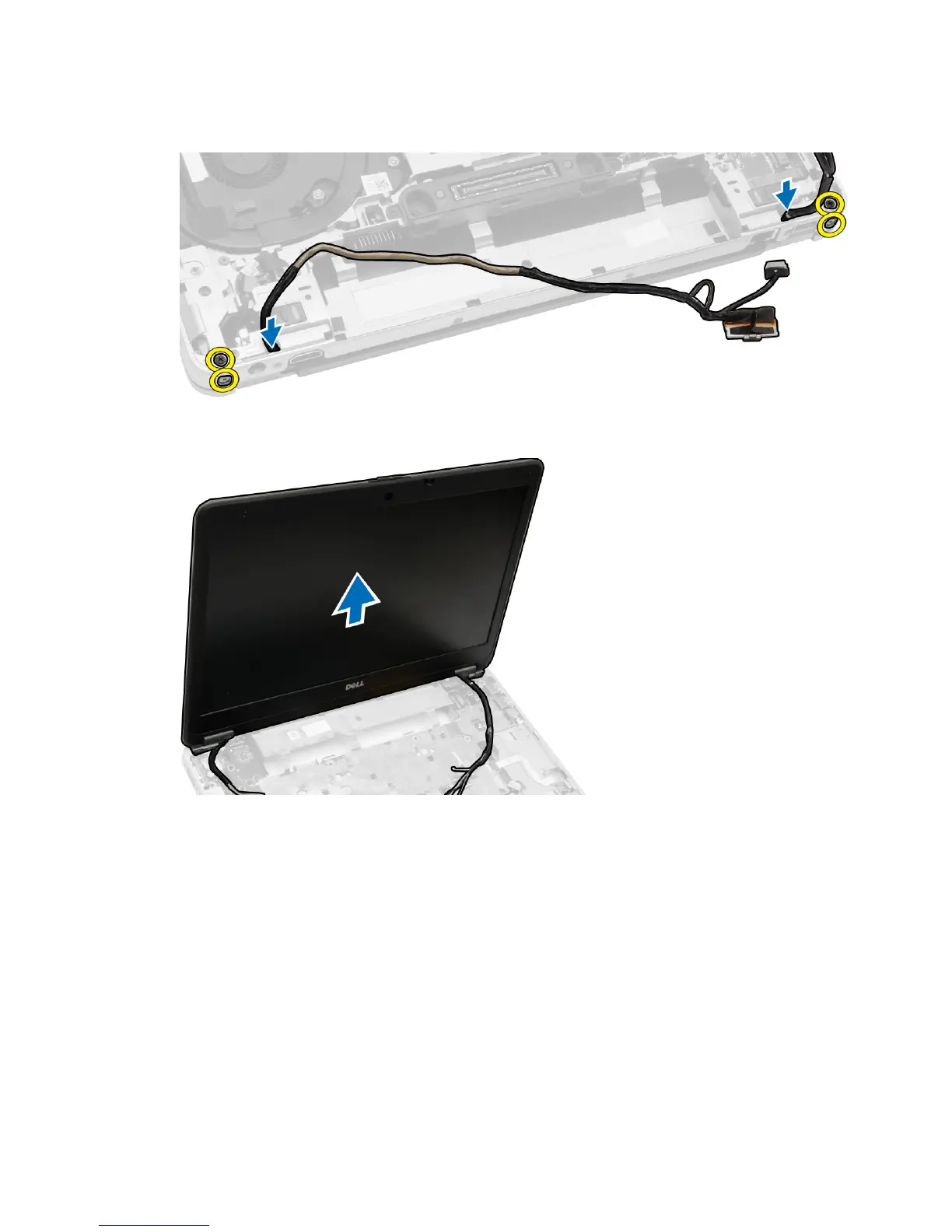
4. Remove the screws that secure the display assembly to the computer. Disconnect the LVDS cable and release the
LVDS cable and camera cable from the routing channel.
5. Remove the display assembly from the computer.
Installing the Display Assembly
1. Place the display assembly in its position on the computer.
2. Route the LVDS cable and the camera cable through the routing channel. Tighten the screws to secure the display
assembly.
3. Connect wireless antennas along their channels and connect them back to their respective wireless modules.
41















 To Next Page