
 Need help?
Do you have a question about the Dell OptiPlex 5055 Tower and is the answer not in the manual?
General safety guidelines and procedures for turning off the computer.
Steps to take before and after performing internal computer maintenance.
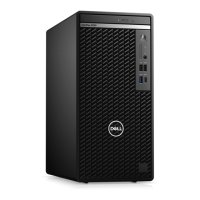
Visual identification of components on the front of the computer chassis.
Visual identification of components on the back of the computer chassis.
Procedures for removing and installing the computer's back cover.
Steps for removing and installing the front bezel and opening the front panel door.
Instructions for removing and installing 3.5-inch and 2.5-inch hard drives.
Procedures for removing and installing the optical drive.
Steps for removing and installing an M.2 PCIe SSD.
Steps for removing and installing the SD card reader.
Guidance on removing and installing memory modules.
Procedures for removing and installing the power supply unit.
Steps for removing and installing the processor and heat sink assembly.
Detailed instructions for removing and installing the system board.
Diagram and explanation of system board connectors and components.
Overview of Dell's system management tools and capabilities.
Information on AMD APUs, Ryzen CPUs, and their features.
Specifications for AMD Radeon R7 M450 and R5 M430 graphics cards.
Details on USB standards, speeds, and applications.
Information on DDR4 memory, its differences from DDR3, and error handling.
Explanation of ASPM for reducing hardware power usage.
How to access and use the boot menu and its available options.
Options for configuring system hardware, SATA, USB, and audio.
Steps for updating the system BIOS from Windows, USB, or F12 menu.
Interpreting power LED states and possible causes for issues.
Troubleshooting based on amber LED blinking patterns and error codes.
How to run pre-boot system assessment diagnostics for hardware checks.
Steps to find contact information and get support from Dell.
 General
| Form Factor | Tower |
|---|---|
| Optical Drive | Optional DVD-ROM or DVD+/-RW |
| RAM | Up to 32GB DDR4 |
| Storage | 2.5-inch or 3.5-inch HDD/SSD, M.2 SSD |
| Operating System | Windows 10 Pro |
| Graphics | Integrated AMD Radeon Graphics |
| Ports (Rear) | 4 x USB 3.1 Gen 1, 2 x USB 2.0, 1 x RJ-45, 1 x HDMI, 1 x DisplayPort |
| Network | Integrated Gigabit Ethernet |
| Dimensions | 350mm x 173mm x 274mm |
| Weight | 7.81 kg |
| Expansion Slots | 1 x PCIe x16, 1 x PCIe x1, 1 x PCI |







 To Next Page