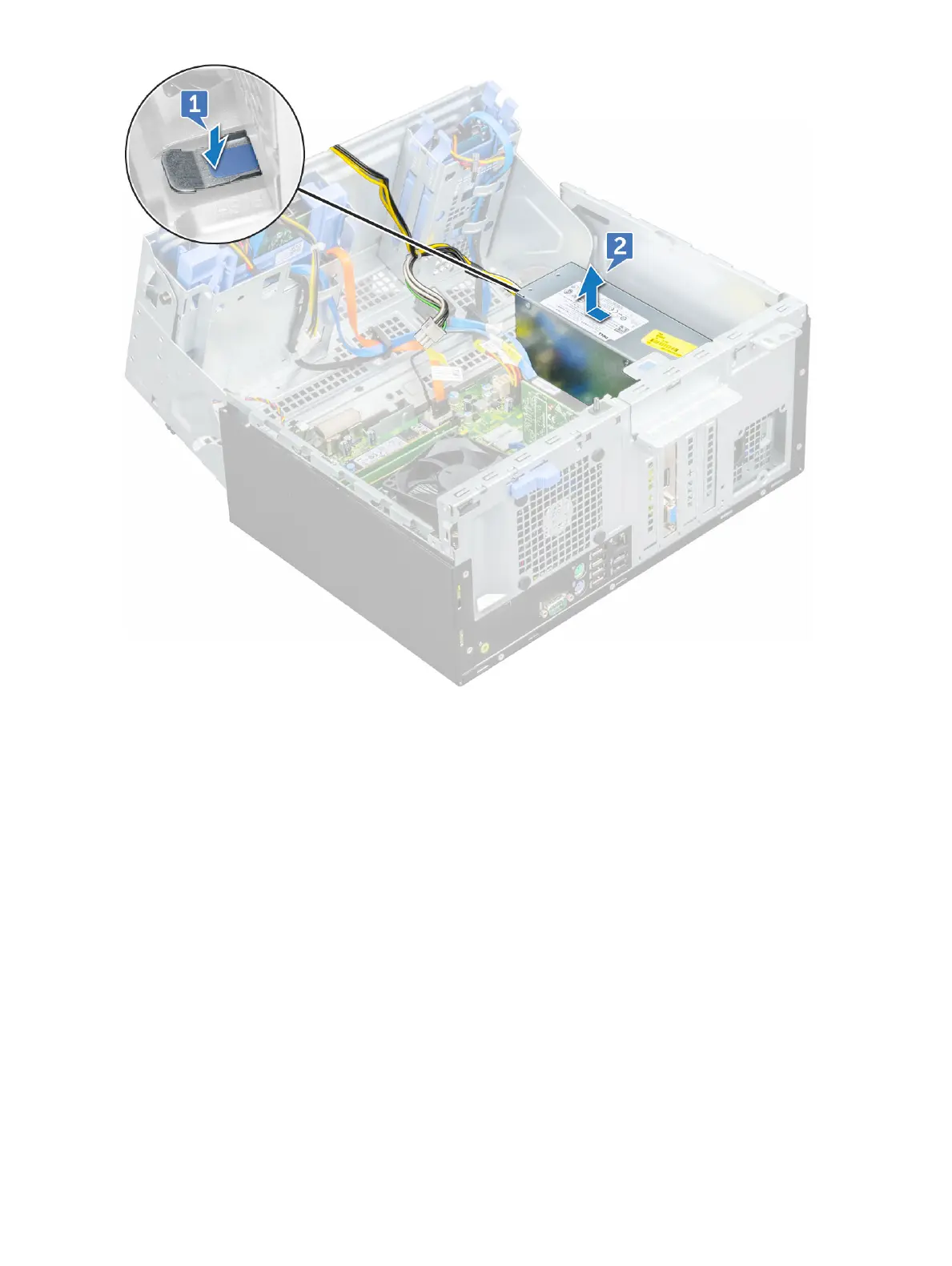
Installing power supply unit – PSU
1 Insert the PSU into the PSU slot and slide it toward the back of the computer until it clicks into place.
2 Replace the screws( 6+/-1) to secure the PSU to the computer.
3 Route the PSU cables through the retention clips.
4 Connect the PSU cables to the connectors on the system board.
5 Close the front panel door.
6 Install the:
a Front bezel
b Cover
7 Follow the procedure in After working inside your computer.
Intrusion switch
Disassembly and reassembly
29








 To Next Page