System board
Removing the system board
1 Follow the procedure in Before working inside your computer.
2 Remove the:
a Back cover
b Front bezel
3 Open the front panel door.
4 Remove the:
a Heat sink assembly
b Processor
c Expansion card
d Optional M.2 PCIe SSD card
e SD card reader
f Memory module
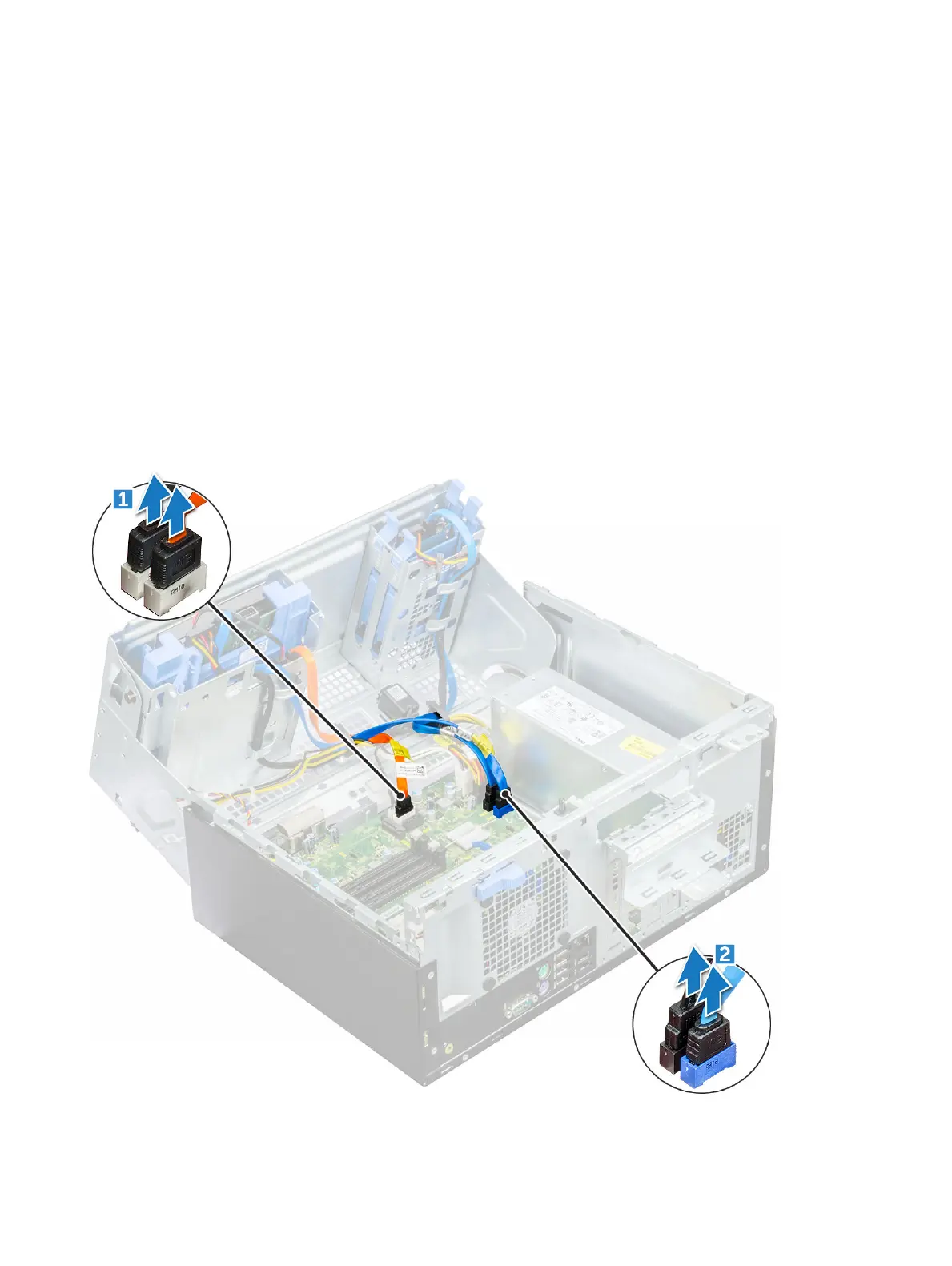
5 Disconnect the optical drive and hard drive cables [1,2] from the connectors on the system board.
6 Disconnect the following cables from the system board:
a PSU [1]
42
Disassembly and reassembly








 To Next Page