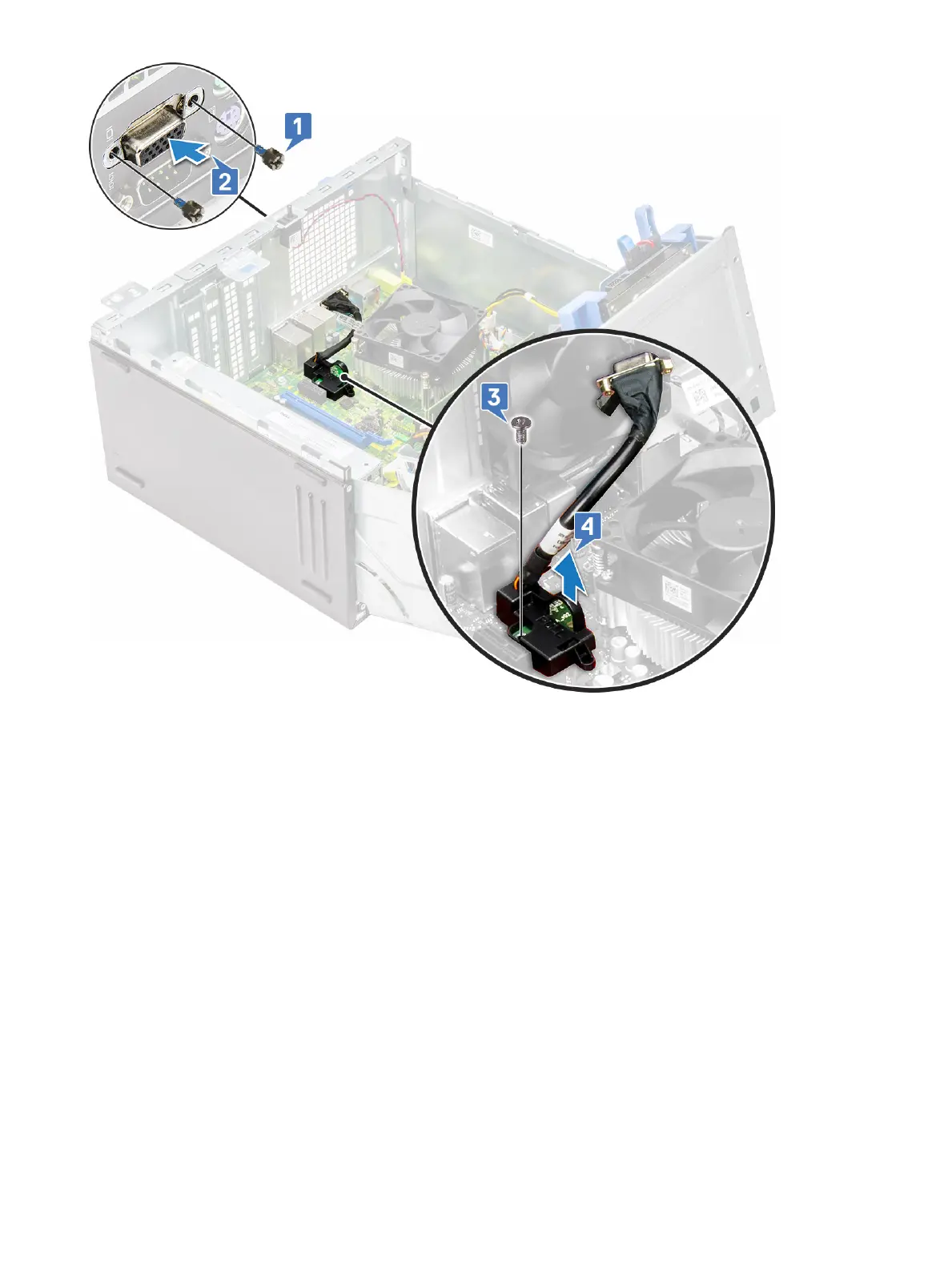
Installing the VGA daughter board
1 Align the VGA daughter board with the screw holder on the system board.
2 Tighten the screw to secure the VGA daughter board to the system board.
3 Insert the VGA connector into the slot at the back of the computer.
4 Tighten the screws to secure the VGA connector to the computer.
5 Close the Front Panel Door.
6 Install the:
a Bezel
b Back Cover
7 Follow the procedure in After working inside your computer.
Disassembly and reassembly
41








 To Next Page