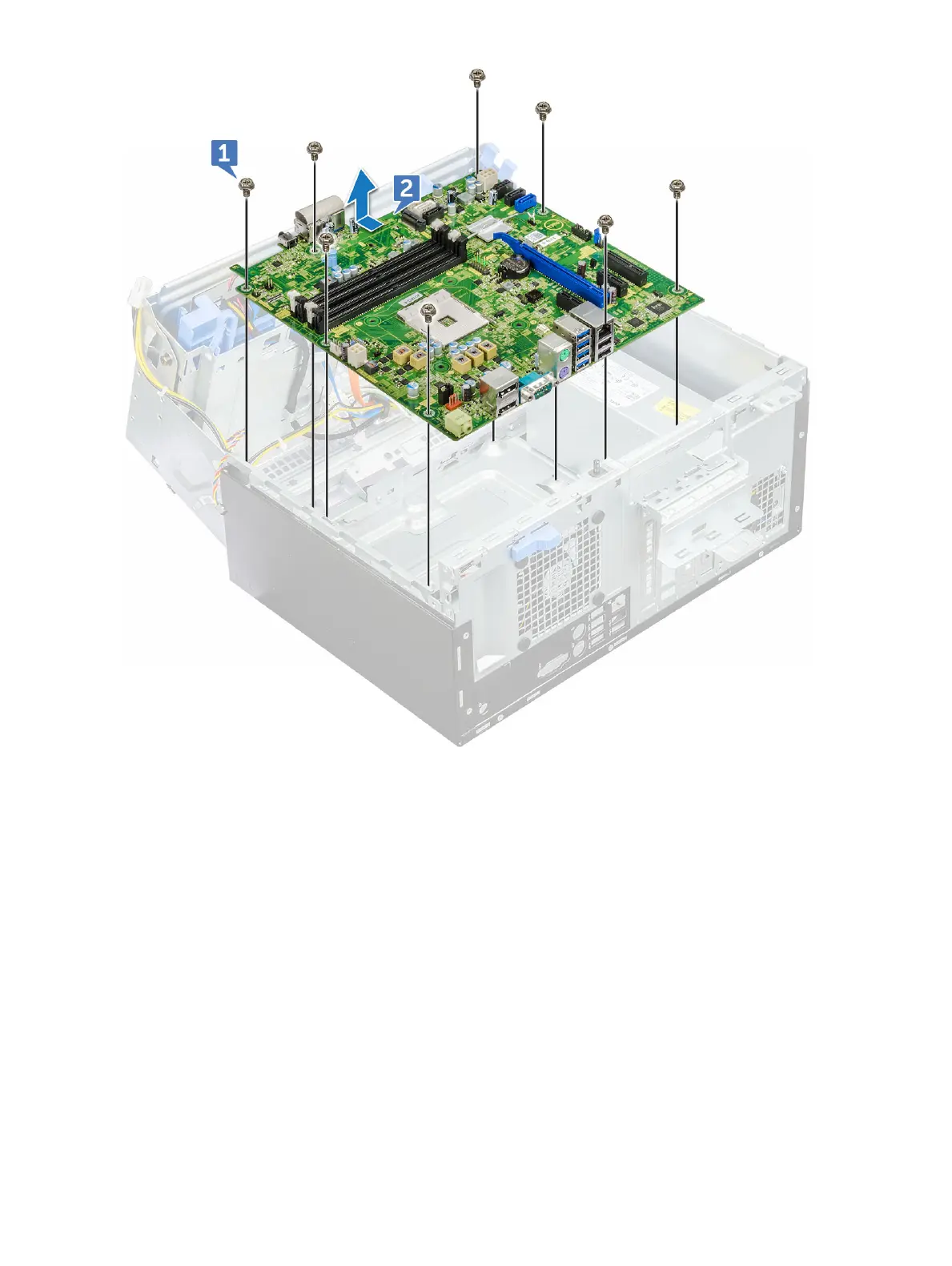
Installing the system board
1 Hold the system board by its edges and align it toward the back of the computer.
2 Lower the system board into the chassis until the connectors at the back of the system board align with the slots on the chassis, and
the screw holes on the system board align with the standos on the computer (1).
3 Replace the screws (6+/-1) to secure the system board to the computer.
4 Route all the cables through the routing clips.
5 Align the cables with the pins on connectors on the system board and connect the following cables to the system board:
a intrusion switch
b system fan
c power distribution for optical drive and hard drive
d PSU (2 cables)
e optical dive and hard drive cables (4 cables)
f speaker
g power switch
6 Secure the intrusion switch cable to the system fan with an adhesive tape.
Disassembly and reassembly
45








 To Next Page