SD card
Removing SD card reader
1 Follow the procedure in Before working inside your computer.
2 Remove the:
a Back cover
b Front bezel
3 Open the Front panel door.
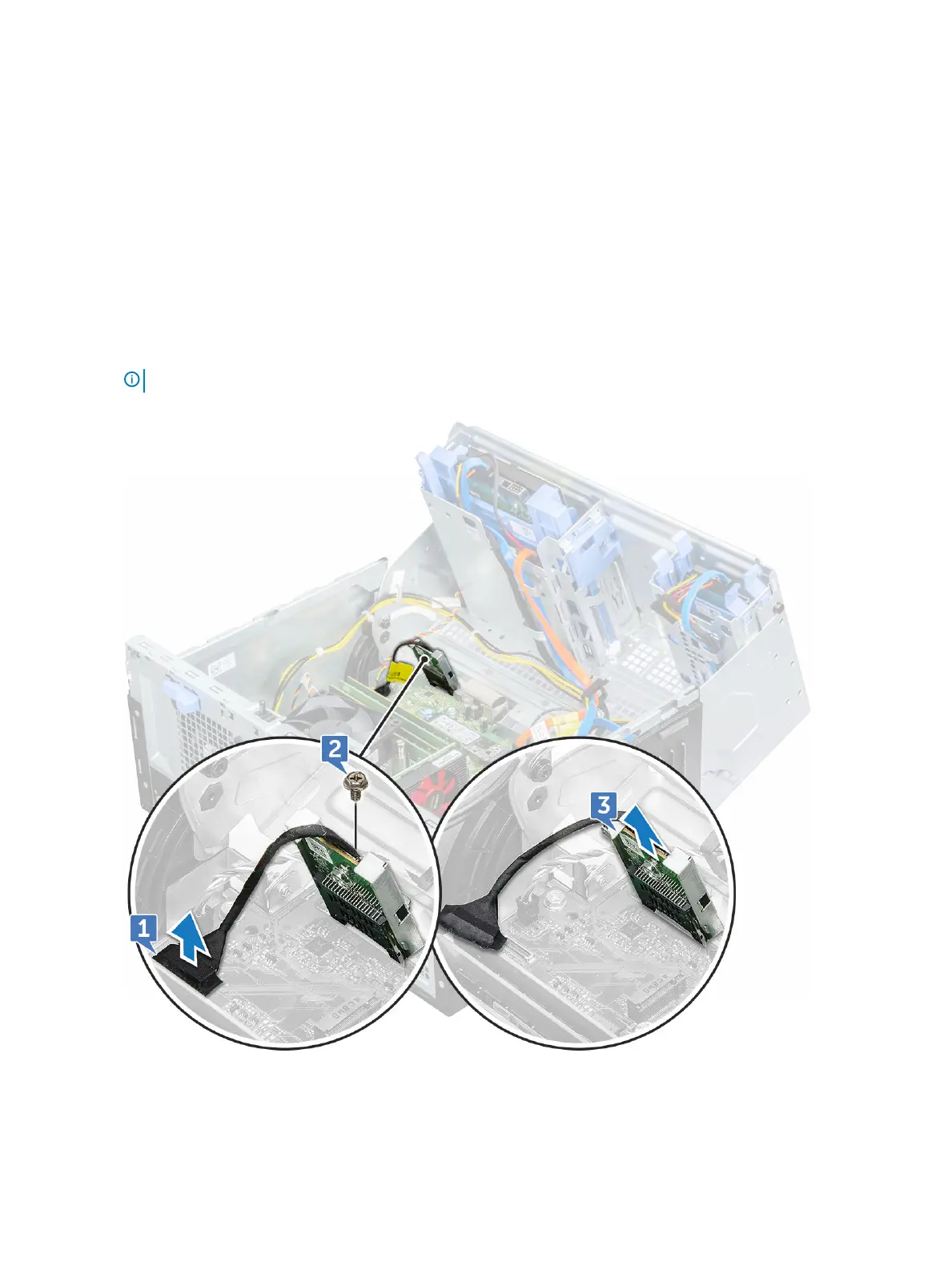
4 To remove the SD card reader:
a Disconnect the SD card reader cable from the connector on the system board [1].
b Remove the screw( 6+/-1) that secures the SD card reader to the front panel door [2].
NOTE: The screw is beneath the SD card.
c Lift the SD card reader out of the computer [3].
24 Disassembly and reassembly








 To Next Page