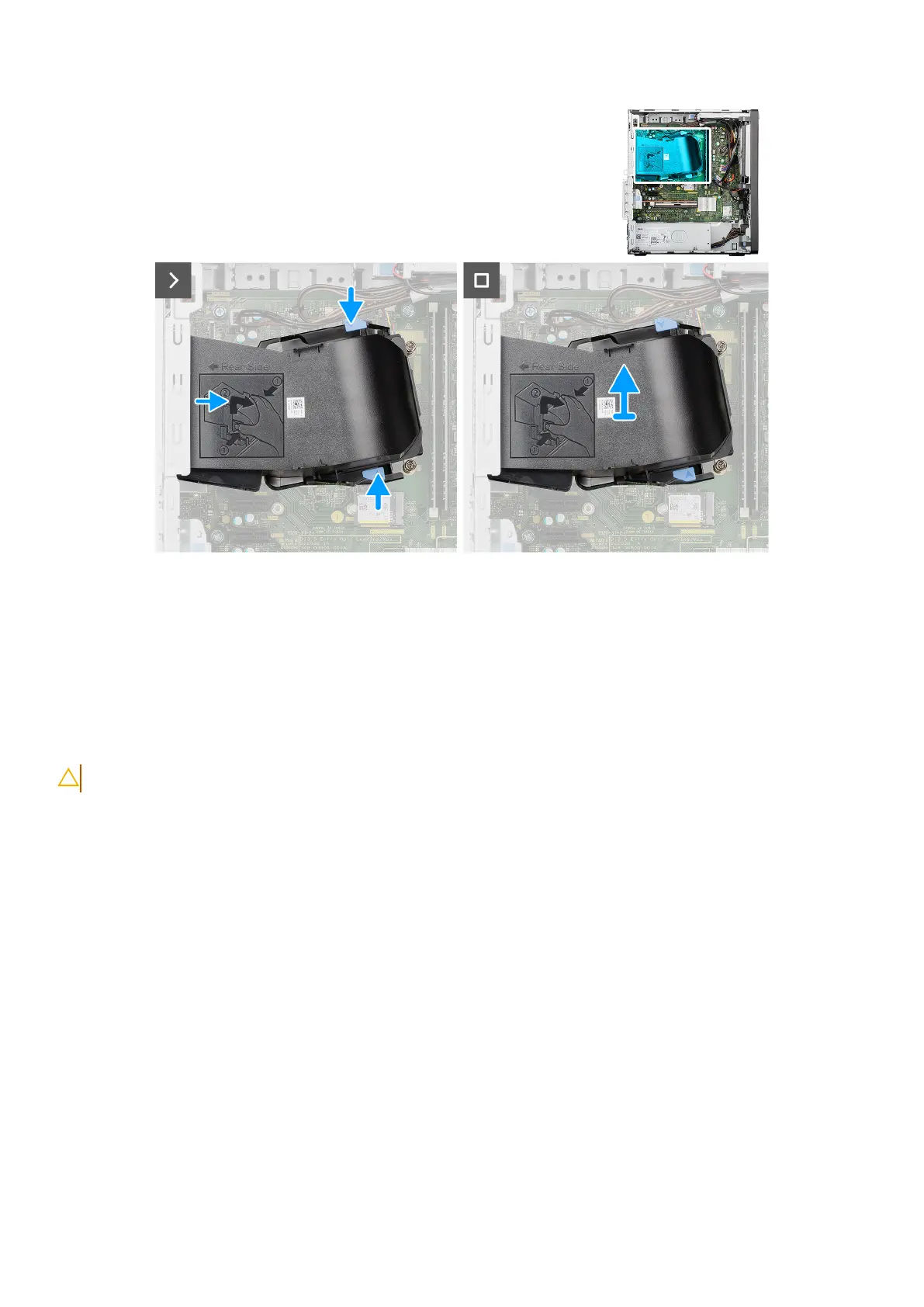
Figure 60. Removing the fan duct
Steps
1. Press the retention tabs on both sides of the fan duct to release it.
2. Pull the fan duct away from the back panel of the chassis.
3. Lift the fan duct off the system board.
Installing the fan duct
CAUTION: The information in this installation section is intended for authorized service technicians only.
Prerequisites
If you are replacing a component, remove the existing component before performing the installation procedure.
About this task
The following images indicate the location of the fan duct and provide a visual representation of the installation procedure.
86
Removing and installing Field Replaceable Units (FRUs)














 To Next Page