EasyManua.ls Logo

Dell Precision 3570 - User Manual

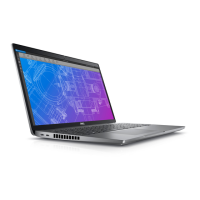
Dell Precision 3570
129 pages
Print Icon
To Next Page IconTo Next Page
Loading...
Precision 3570
Service Manual
Regulatory Model: P104F
Regulatory Type: P104F005
March 2022
Rev. A00

Table of Contents

Other manuals for Dell Precision 3570

Questions and Answers

  • M
    Michael MeyerSep 5, 2025
    What to do if Dell Precision 3570 Laptop BIOS Recovery image not found?
    • G
      garyballardSep 5, 2025
      If the BIOS Recovery image is not found on your Dell Laptop, flash the latest BIOS version. If the issue persists, replace the system board.
  • E
    Erin MartinezSep 5, 2025
    What to do if Dell Precision 3570 BIOS Recovery image found but invalid?
    • C
      Christopher WilsonSep 6, 2025
      If the BIOS Recovery image is found but invalid on your Dell Laptop, flash the latest BIOS version. If the issue persists, replace the system board.
  • B
    Brent Smith MDSep 6, 2025
    What to do if LCD power rail failure on Dell Precision 3570 Laptop?
    • J
      Julie HortonSep 6, 2025
      If the battery status LED on your Dell Laptop flashes error code [2,8], it indicates an LCD power rail failure. Replace the system board.
  • K
    Karen YorkSep 7, 2025
    What to do if there is TPM detection failure on Dell Precision 3570?
    • J
      Jeffrey HillSep 7, 2025
      If there is a TPM detection failure on your Dell Laptop, replace the system board.

Dell Precision 3570 Specifications

General IconGeneral
StorageUp to 2TB PCIe NVMe SSD
Processor12th Gen Intel Core i5, i7, or i9
Display15.6-inch FHD (1920 x 1080)
GraphicsIntel Iris Xe Graphics or NVIDIA T550
MemoryUp to 64GB DDR5
Operating SystemWindows 11 Pro
PortsHDMI 2.0
WirelessIntel Wi-Fi 6E AX211, Bluetooth 5.2
Dimensions357.8mm x 233.3mm

Related product manuals