74 Managing and Recovering a Remote System
www.dell.com | support.dell.com
Other Options
The Server Control page provides buttons (see Table 4-22) in the top-right corner of the page.
Using the SEL
The System Event Log (SEL) page displays system-critical events that occur on the managed
system. The SEL is generated by the Baseboard Management Controller (BMC) on the
managed system and by the DRAC 4 if you have configured it to monitor any managed system
events. This page displays the date, time, and a description of each event generated by the BMC
and other instrumentation on the managed system. You can configure the DRAC 4 to send
email or SNMP alerts when specified events occur.
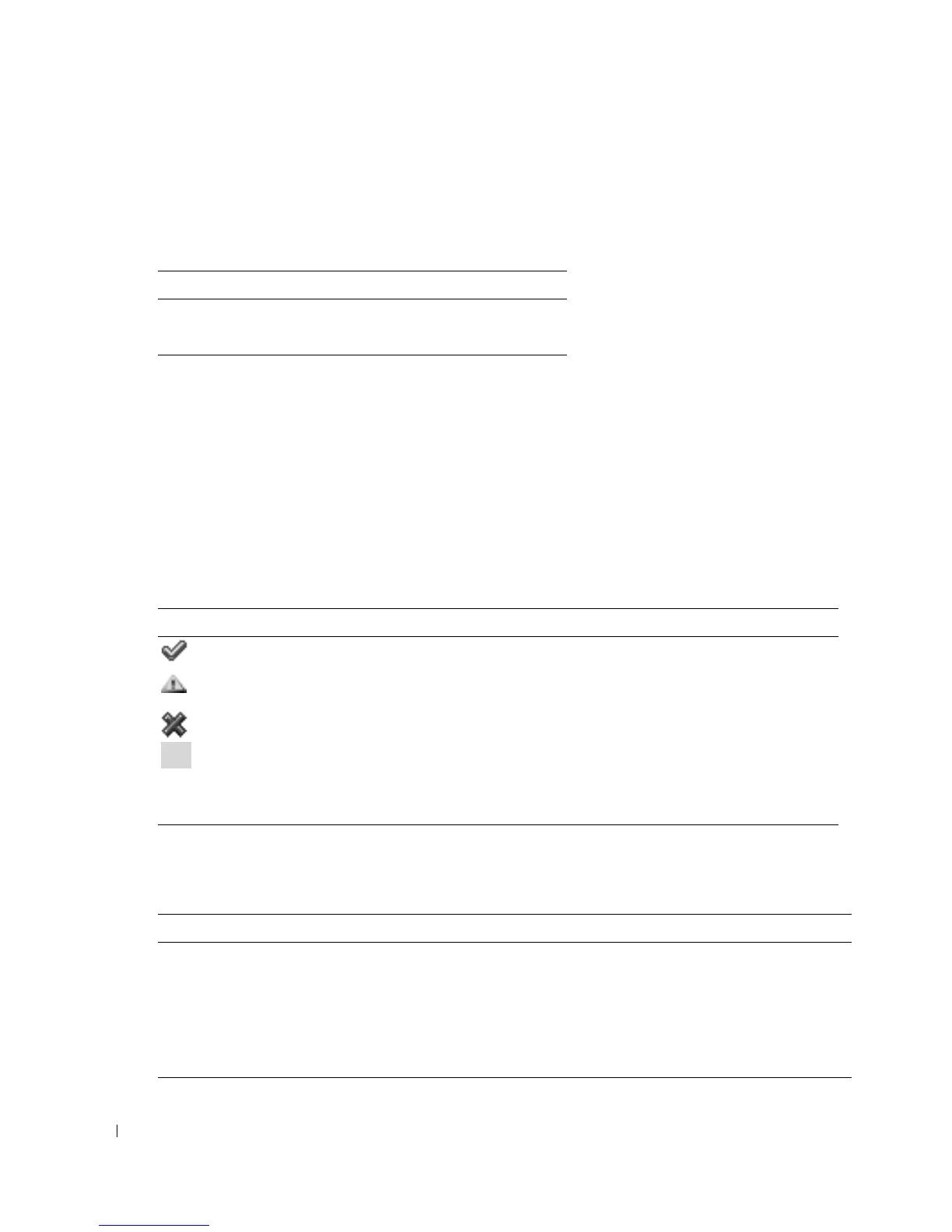
The SEL displays the event severity and provides other information as shown in Table 4-23.
The SEL provides buttons (see Table 4-24) in the top-right corner of the page.
Table 4-22. Server Control Page Buttons (Top Right)
Button Action
Print Prints the Server Control page
Refresh Reloads the Server Control page
Table 4-23. Status Indicator Icons
Icon Description
A green check mark indicates a healthy (normal) status condition.
A yellow triangle containing an exclamation point indicates a warning (noncritical)
status
condition.
A red X indicates a critical (failure) status condition.
A blank space indicates that the status is unknown.
Date/Time The date and time that the event occurred
Description A brief description of the event
Table 4-24. SEL Buttons (Top Right)
Button Action
Print Prints the SEL.
Clear Log Clears the SEL.
NOTE: The Clear Log button appears only if you have Clear Logs permission.
Save As Opens a pop-up window that enables you to save the SEL to a directory of your choice.
Refresh Reloads the SEL page.



 To Next Page