Using the DRAC 4 With Microsoft
®
Active Directory 89
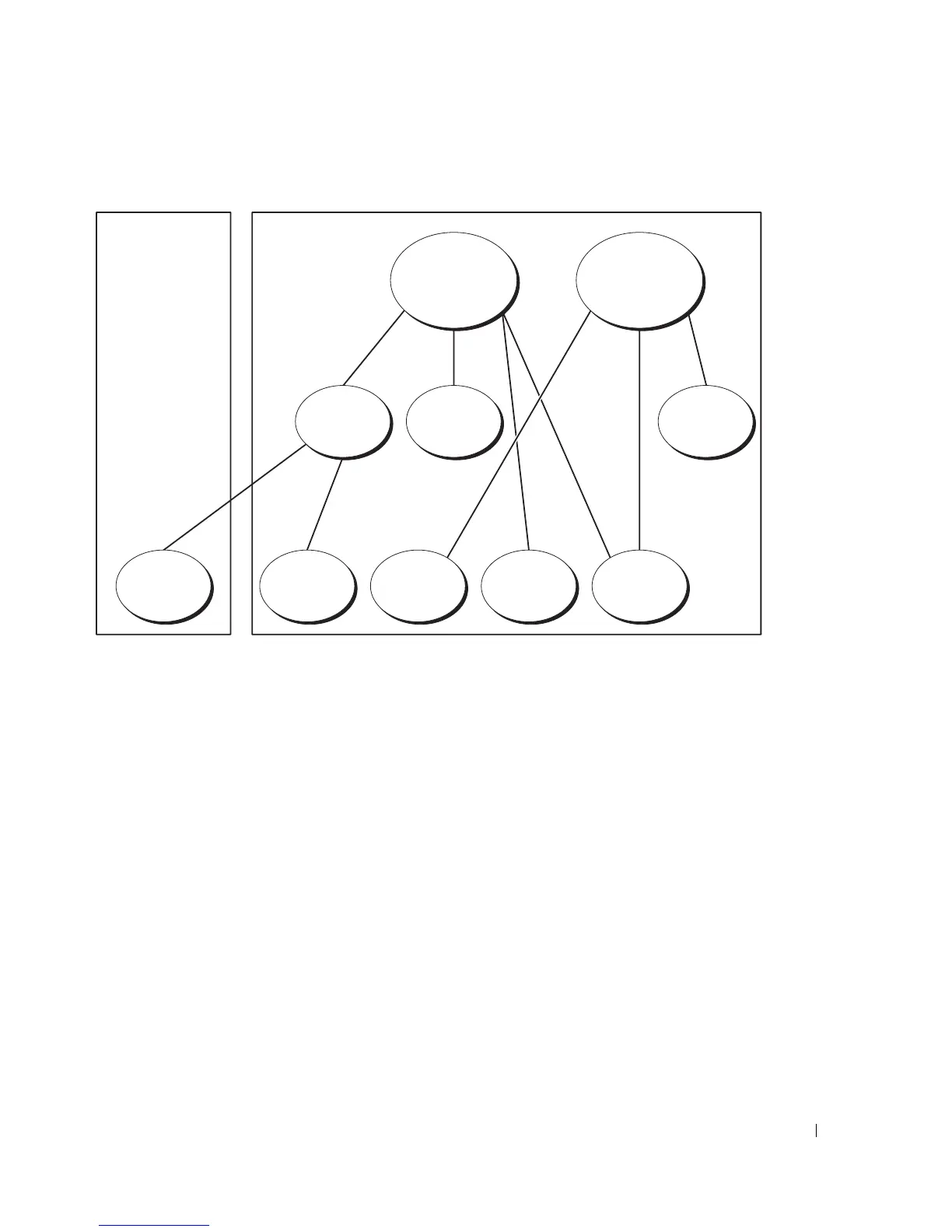
Figure 5-3. Setting Up Active Directory Objects in Multiple Domains
To set up the objects for the multiple domain scenario, perform the following tasks:
1
Ensure that the domain forest function is in Native or Windows 2003 mode.
2
Create two Association Objects, AO1 (of Universal scope) and AO2, in any domain.
The figure shows the objects in Domain2.
3
Create two RAC Device Objects, RAC1 and RAC2, to represent the two DRAC 4 cards.
4
Create two Privilege Objects, Priv1 and Priv2, in which Priv1 has all privileges (administrator)
and Priv2 has login privileges.
5
Group user1 and user2 into Group1. The group scope of Group1 must be Universal.
6
Add Group1 as Members in Association Object 1 (AO1), Priv1 as Privilege Objects in AO1,
and RAC1, RAC2 as RAC Devices in AO1.
7
Add user3 as Members in Association Object 2 (AO2), Priv2 as Privilege Objects in AO2, and
RAC2 as RAC Devices in AO2.
AO1 AO2
Priv2Priv1Group1
RAC2RAC1User3User2User1
Domain2Domain1



 To Next Page