Chapter 5 Wiring
31
2
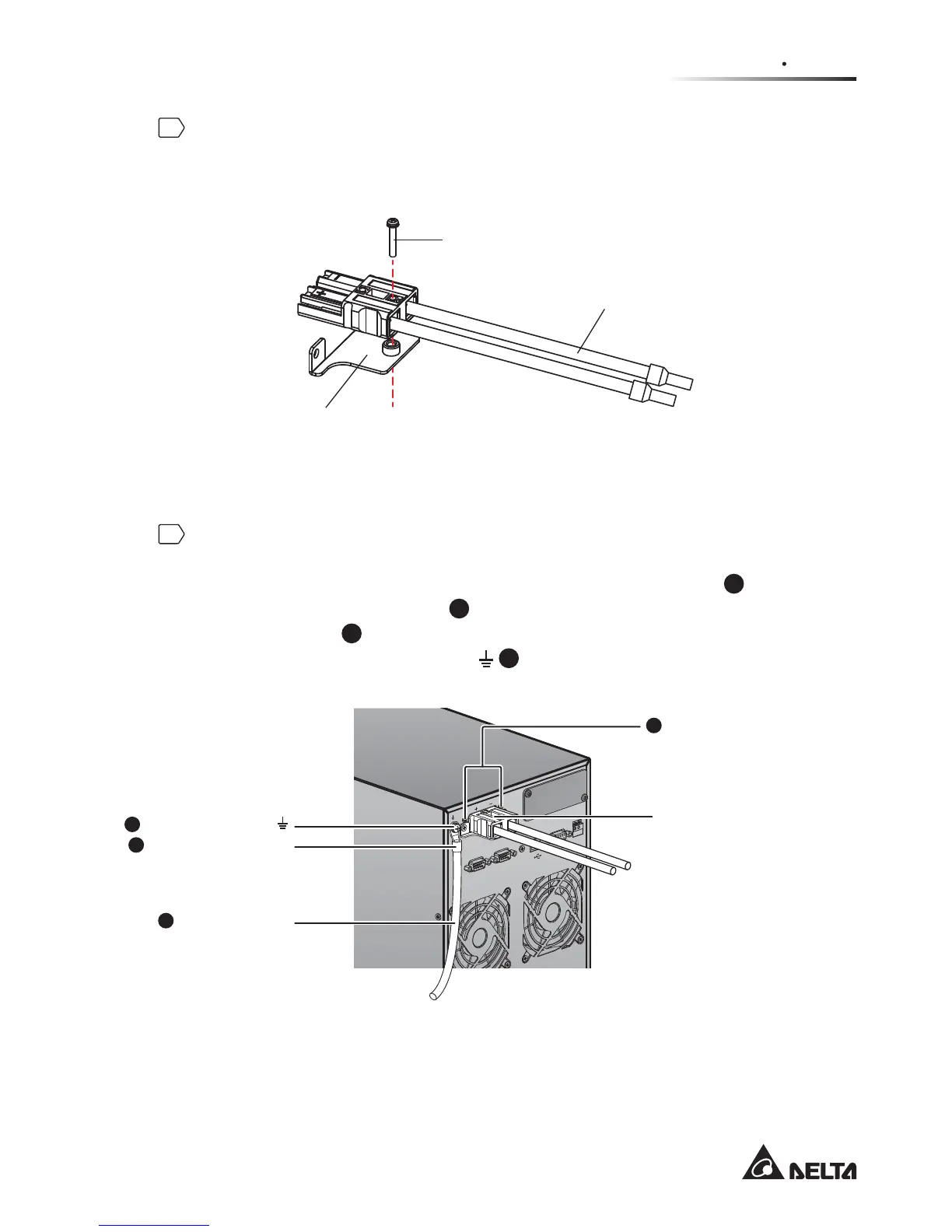
Use the provided battery cable holder’s screw (total: 2; the other is the
spare part) to install the battery cable holder (provided) on the battery cable
SURYLGHG3OHDVHUHIHUWRWKHIROORZLQJ¿JXUH
)LJXUH,QVWDOOWKH%DWWHU\&DEOH+ROGHURQWKH%DWWHU\&DEOH
Battery Cable
Holder’s Screw
Battery Cable
Battery Cable
Holder
3
Insert the battery cable into the external battery connector and use the
two screws that were removed from the external battery connector’s
SDQHOWR¿UPO\¿[WKHEDWWHU\FDEOHKROGHURQWKHRXWHUFDVLQJ
1
. Use the
provided CU terminal (type A)
2
to connect with the external battery pack’s
grounding cable
3
, and connect the CU terminal (type A) to the external
battery pack’s grounding terminal
4
.
)LJXUH%DWWHU\&DEOH&RQQHFWLRQ
R
S-23
2
R
EP
OR
EP
O
P
A
R
A
LL
E
L
P
A
R
A
LL
E
L
E
X
T
E
RNA
L
BA
T
T
. CO
NNE
CT
O
R
240
Vdc.
48A
SM
AR
T
S
L
O
T
CU Terminal (Type A)
Grounding Cable
Two Screws Firmly Fix
the Battery Cable Holder
on the Outer Casing
Battery Cable Holder
Grounding Terminal
1
2
3
4








 To Next Page