IADJUSTMENT I
Microcomputer
built
in the
unit,
comprises service program
to
facilitate servo adjustment
by
pushing operation
button.
1.
Start
service program
(1)
Turn
power switch
OFF.
(2)
Shortcircuit
jumpers
J37,
J39
on servo P.W.B. (2U-2007)
(Caution) Do
not
touch
other
jumpers.
(3)
Turn
power switch ON.
(Service program starts, and displays
track
number D:)
(Caution)
• When service program started normal operation
of
buttons
will
be
defeated.
2. Service program
function
Button
Function
Description
A
OPEN/CLOSE
Opens
or
closes the disc holder.
•
Opens
or
closes
only
when disc
is
stopped.
-
•
Operate
other
keys after open or close.
• STOP Stops system
function.
•
Displays
track
number
c:
:.
•
Push
when adjustment completed,
or
do
it
again.
~
PLAY
Starts focus servo and disc
•
Push
when adjust tracking offset.
turns.
•
When completed, displays track number
Dc'
.
Starts focus servo, tracking
•
When
PLAY
button
is
pushed, starts tracking servo and
II
PAUSE servo, slide servo, spindle
slide servo.
,-,
:'
servo.
•
When completed, track number!..I_' .
Other
button
No
normal operation.
•
Do
not
operate
buttons
other than above.
•
If
misoperated, immediately
turn
power switch
OFF.
(Caution)
• Do
not
use
remote
control
during
service program mode.
3.
Adjustment
(1) Prior
to
start adjustment
Before adjusting laser P.U. and spindle
motor,
be
sure
adjust
turntable
height
at
the
time
of
turntable assembly.
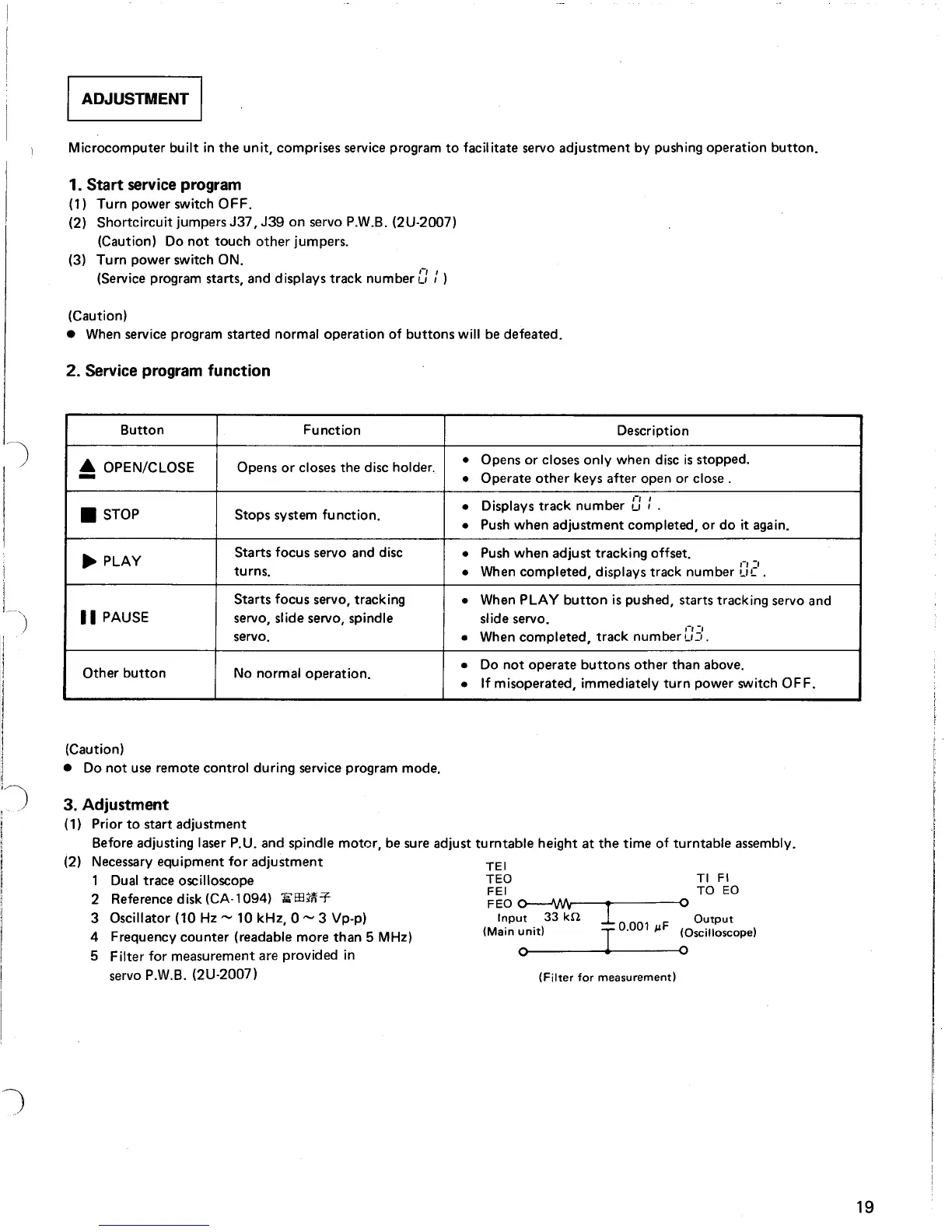
(2) Necessary equipment
for
adjustment TEl
1 Dual trace oscilloscope
TEO
TI
FI
2
Referencedisk(CA-l094)
'i"EE?rif-
=~6
~
TO
EO
3 Oscillator (10 Hz - 10 kHz, 0 - 3 Vp-p)
I~put
.
33
kn.
.1
0 001 jlF
O~tPut
4 Frequency counter (readable
m~re
t~an
5 MHz)
(Main
Unit)
I .
(Oscilloscope)
5
Filter
for
measurement are provided
In
0 0
servo P.W.B. (2U-2007) (Filter for
measurement)
19



 To Next Page