46
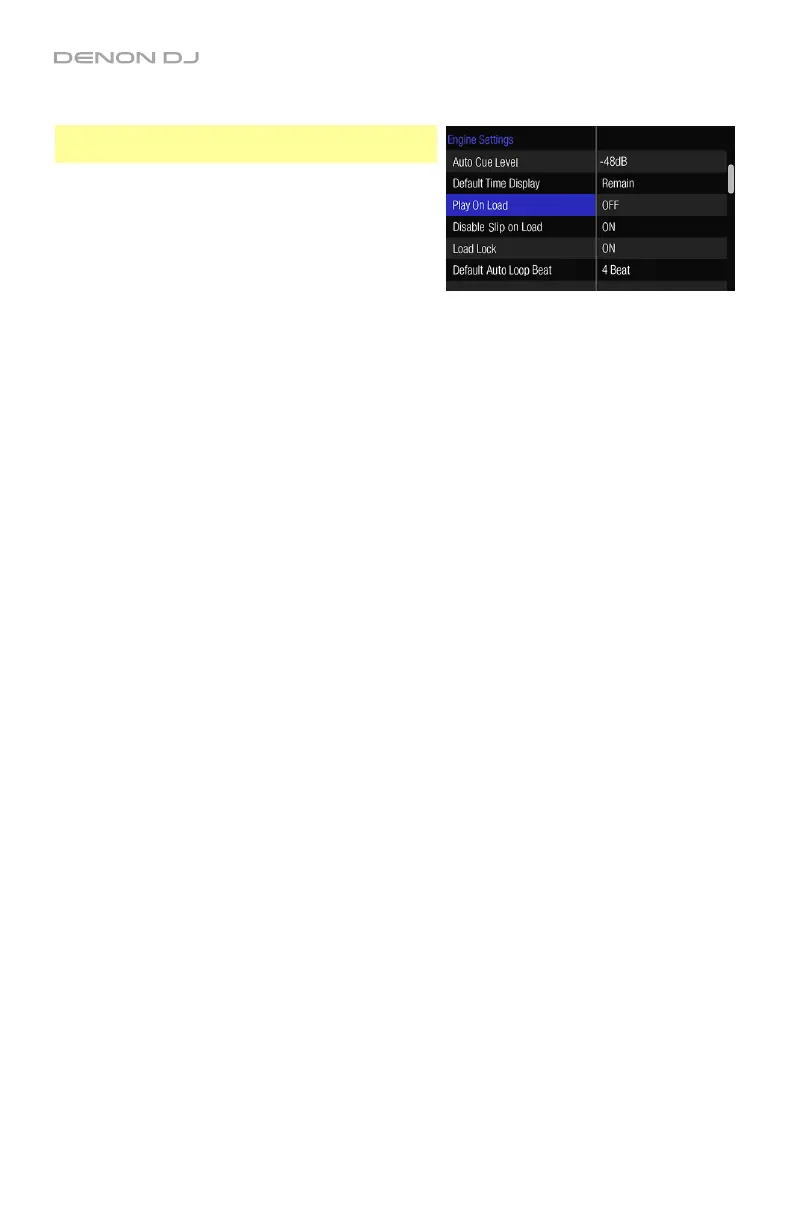
Engine Settings
Important: These settings affect only how MCX8000
functions while using Engine.
• Auto Cue Level: This setting determines the
location of the initial cue point at the start of a
track. The initial cue point will be placed where
the track’s signal level first exceeds -48dB,
-54dB, or -60dB. When set to Off, the initial cue
point will be placed at the very start of the track.
• Default Time Display: This setting determines
whether the Time field in Performance View
shows the Remaining Time or Elapsed Time
by default. (You can press Time to switch
between these settings.)
• Play On Load: When this setting is On, a track
will always automatically start playing when you
load it to a deck. When this setting is Off, a
track will load to a deck and remain stopped
until you manually start playback.
• Disable Slip on Load: When this setting is On,
loading a track to a deck will deactivate the Slip
function (if it is active) on that deck. When this
setting is Off, the Slip function will remain
activated or deactivated; you must press the
Slip button to activate or deactivate it manually.
• Load Lock: This setting determines if the Load
Lock feature is on or off by default. See Using
Engine > Playing Tracks to learn about this.
• Default Auto Loop Beat: This setting determines
the default length of an auto-loop.
• Hot Cue Mode: This setting determines how
the pads function while in Cue Mode:
o Momentary: Pressing and holding a pad
will play the track from the assigned hot
cue point. When you release the pad, the
audio playhead will return to the hot cue
point and playback will stop.
o Trigger: Pressing a pad once will play the
track from the assigned hot cue point.


 To Next Page