EasyManua.ls Logo

Denon RCD-N7 - User Manual

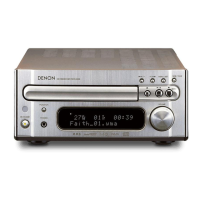
Denon RCD-N7
58 pages
Print Icon
To Next Page IconTo Next Page
Loading...
NETWORK CD RECEIVER
RCD-N7
Owners Manual
Bedienungsanleitung
Manuel de l’Utilisateur
Manuale delle istruzioni
Manual del usuario
Gebruiksaanwijzing
Bruksanvisning
1.RCDN7E2ENG5th0831.inddF11.RCDN7E2ENG5th0831.inddF1 2010/09/0115:09:512010/09/0115:09:51

Table of Contents

Other manuals for Denon RCD-N7

Questions and Answers

  • C
    Carrie CarterAug 31, 2025
    How to fix 'Server is not found' or connection issues on my Denon Receiver?
    • M
      millerjenniferAug 31, 2025
      If your Denon Receiver displays 'Server is not found' or has connection issues, check the computer’s or router’s firewall settings. Ensure the computer is powered on and the server is running. Also, verify the set’s IP address.
  • B
    Brian YangSep 12, 2025
    Why is a specific part of a disc not playing on my Denon Receiver?
    • D
      David SpencerSep 12, 2025
      If a specific part of a disc isn't playing on your Denon Receiver, the disc may be dirty or scratched. Wipe the disc clean or replace it.
  • F
    Frank Garcia Jr.Aug 30, 2025
    Why does my Denon Receiver not operate properly?
    • H
      holly67Aug 30, 2025
      The set may not operate properly because external noise or interference is causing the set to malfunction. Reset the microprocessor.
  • J
    johnsondominiqueSep 13, 2025
    Why is there continuous noise when receiving FM programs on my Denon Car Receiver?
    • K
      Kevin HessSep 13, 2025
      Continuous noise during FM program reception on your Denon Car Receiver can occur if the antenna cable isn't properly connected. Ensure the antenna cable is securely connected. If the issue persists, consider connecting an outdoor antenna.
  • R
    Renee ElliottSep 12, 2025
    Why can't my Denon Receiver play MP3 and WMA files?
    • B
      Brett SheltonSep 12, 2025
      If your Denon Receiver can't play MP3 and WMA files, the file formats, extensions, or settings used when the disc was created may not be compatible with the unit. Create discs with compatible file formats, extensions, or settings.
  • J
    Jeremy SchmidtSep 17, 2025
    Why can't I connect to the network with my Denon Car Receiver?
    • D
      David OsborneSep 17, 2025
      If you're unable to connect your Denon Car Receiver to the network, it could be due to several reasons: * The SSID and network key (WEP) settings might be incorrect, so ensure they match the unit's settings. * The reception might be poor, so shorten the distance from the wireless LAN access point, remove obstacles, and try reconnecting. * Overlapping channels from multiple networks can interfere, so adjust the access point's channel settings or connect with a network cable. * The router power may be off, so turn it on.
  • J
    Joseph LoveSep 23, 2025
    What to do if the server is not found, or it is not possible to connect to the server with my Denon Car Receiver?
    • A
      Anna LloydSep 23, 2025
      If the server is not found, or it is not possible to connect to the server with your Denon Car Receiver, check the following: * The computer’s or router’s firewall is activated; check the firewall settings. * The computer’s power is not turned on; turn on the power. * The server is not running; launch the server. * The set’s IP address is wrong; check the set’s IP address.
  • J
    Jessica MeadowsAug 27, 2025
    How to fix a Denon Receiver that does not work properly when the remote control is operated?
    • C
      Carol ConnerAug 27, 2025
      If your Denon Receiver isn't responding to the remote control, consider the following: * Replace worn batteries with new ones. * Ensure you are operating the remote within the specified range. * Remove any obstacles between the main unit and the remote. * Verify the batteries are inserted correctly, matching the polarity marks. * Move the set away from strong light sources that may interfere with the remote control sensor.
  • R
    Rebekah CombsAug 26, 2025
    What to do if my Denon Receiver display is lit but no sound is produced?
    • S
      Sean LoweryAug 26, 2025
      There are several reasons why your Denon Receiver might have a lit display but no sound: * The input source may be incorrect; select the appropriate input source. * The volume control may be set too low; turn the volume up. * MUTING may be activated; switch off MUTING.
  • C
    Catherine TaylorAug 25, 2025
    Why does my Denon Receiver power off suddenly and POWER indicator flashes red (0.25 second intervals)?
    • K
      kariwoodAug 26, 2025
      Turn off the power and contact a DENON service center.

Summary

IMPORTANT SAFETY INSTRUCTIONS

Risk of Electric Shock Warning

Warning about opening the unit to avoid electric shock hazard.

Fire and Electric Shock Warning

Warning to prevent fire or electric shock by avoiding rain or moisture.

NOTE ON USE

General Warnings

Various warnings and precautions for product usage and handling.

IMPORTANT NOTICE: DO NOT MODIFY THIS PRODUCT

CAUTION

Safety precautions related to antenna placement and co-location.

Getting Started

Cautions on Handling

Provides important precautions for handling the unit and its power.

Connections

Connecting to a Home Network (LAN)

Basic Operations

Operations Possible During Playback

CD Playback

MP3 and WMA Files Playback

Tuner Playback

Tuning and Presetting Radio Stations

How to tune into stations, auto-preset FM, and name presets.

iPod Playback

iPod Connection and Operation

How to connect and play music from an iPod.

USB Memory Device Playback

USB Device Connection and Playback

Steps for connecting and playing files from USB devices.

Network Audio Playback

Internet Radio and Music Server Operations

How to operate internet radio and play files from a music server.

Music Server Operations and Last.fm Listening

How to operate music servers and listen to Last.fm stations.

Listening to Napster

Steps to access and play music from the Napster service.

Listening to Internet Radio

Detailed steps to access and play internet radio stations.

Portable Audio Player Playback

Advanced Operations

Setting the Timer [Timer]

Adjusting the Clock Automatically [Clock]

Automatic and Manual Clock Adjustment

Procedures for auto/manual clock setting, time zones, and daylight saving.

Setting the Network [Network]

Wired LAN Connection Setup

Steps for connecting to a network via a wired Ethernet cable.

Party Mode Function

Party Mode Setup and Operation

How to set up, start, and cancel party mode, and join as attendee.

Setting the Others [Other]

Firmware Update

Procedure for checking and updating the unit's firmware.

Network Audio

Specifications

Denon RCD-N7 Specifications

General IconGeneral
Frequency range5 - 20000 Hz
RMS rated power65 W
Pre-out channels1 SW
Input sensitivity200 mV
Pre-out connectivityYes
Audio output channels2.0 channels
Signal-to-Noise Ratio (SNR)100 dB
Total Harmonic Distortion (THD)0.7 %
Dynamic power per channel (4 Ohm)80 W
Power output per channel (20-20KHz@8 Ohm)- W
Audio (L/R) in2
Digital audio optical in1
Headphone connectivity3.5 mm
Connectivity technologyWired & Wireless
Speakers connectivity typeBinding post
Audio formats supportedAAC, FLAC, MP3, WMA
Image formats supportedJPG
Video formats supportedAVI, WMV
AM band range522 - 1611 kHz
FM band range87.5 - 108 MHz
Supported radio bandsAM, FM
Preset stations quantity99
Internet radio services supportedLast.fm, Napster
Optical drive typeCD player
Disc types supportedCD, CD-R, CD-RW
DisplayOLED
Product colorSilver
Audio decodersNot supported
Volume controlRotary
Apple docking compatibilityiPhone, iPod
Number of products included1 pc(s)
AC input voltage230 V
AC input frequency50 Hz
Power consumption (standby)0.4 W
Weight and Dimensions IconWeight and Dimensions
Depth299 mm
Width280 mm
Height112 mm
Weight4300 g

Related product manuals