10
BHT-604Q
1.2.3 BHT Screen
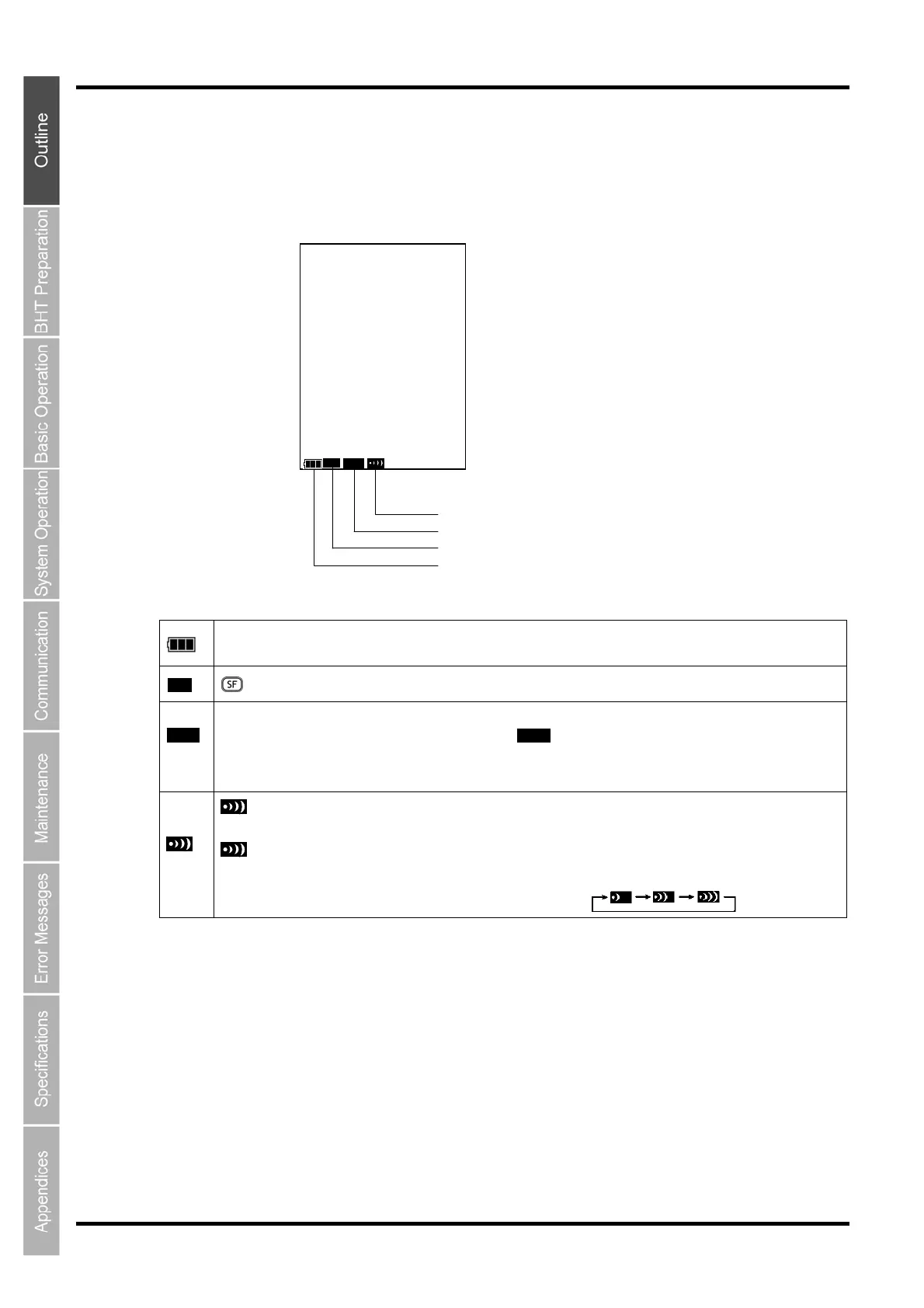
If the system display is set to ON at the system settings or in the user program, icons display at the bottom
of the screen (default) indicating the key shift status, alphabet entry status, and status of the link with the
CU-611.
SF ALP
Link status with CU-611
lphabet entry status
Key shift status
Battery icon
This is the battery icon.
Indicates the current battery power level.
Displays when the SF key is pressed and the keys are in the shift status.
When the SF and the BS keys are pressed while set to alphabet entry mode at the user program, the entry mode
changes from “numeric entry” to “alphabet entry” and displays.
Alphabet entry is used when performing FTP settings.
Refer to “Chapter 7.2.1 Numeric, Alphabet Entry of Programmer’s manual” for more information.
displays when a link is established with the CU-611.
When an attempt is made to perform communication with the CU-611 when no link has been established, the
icon flashes.
When there is no response from the CU-611, when waiting for the link with the CU-611 to be established, or when
waiting for the link to be disengaged, the icon displays in the order .
SF
ALP
ALP



 To Next Page