20
BHT-604Q
2.4 Initial Setup
Turn ON the power after inserting the fully charged battery cartridge into the BHT.
The date and time are not set at the time of purchase. You are required to set the date and time when turning ON the
power for the first time.
Also follow the below procedure when resetting the date and time
1. Press the Power key ( ) to turn ON the BHT.
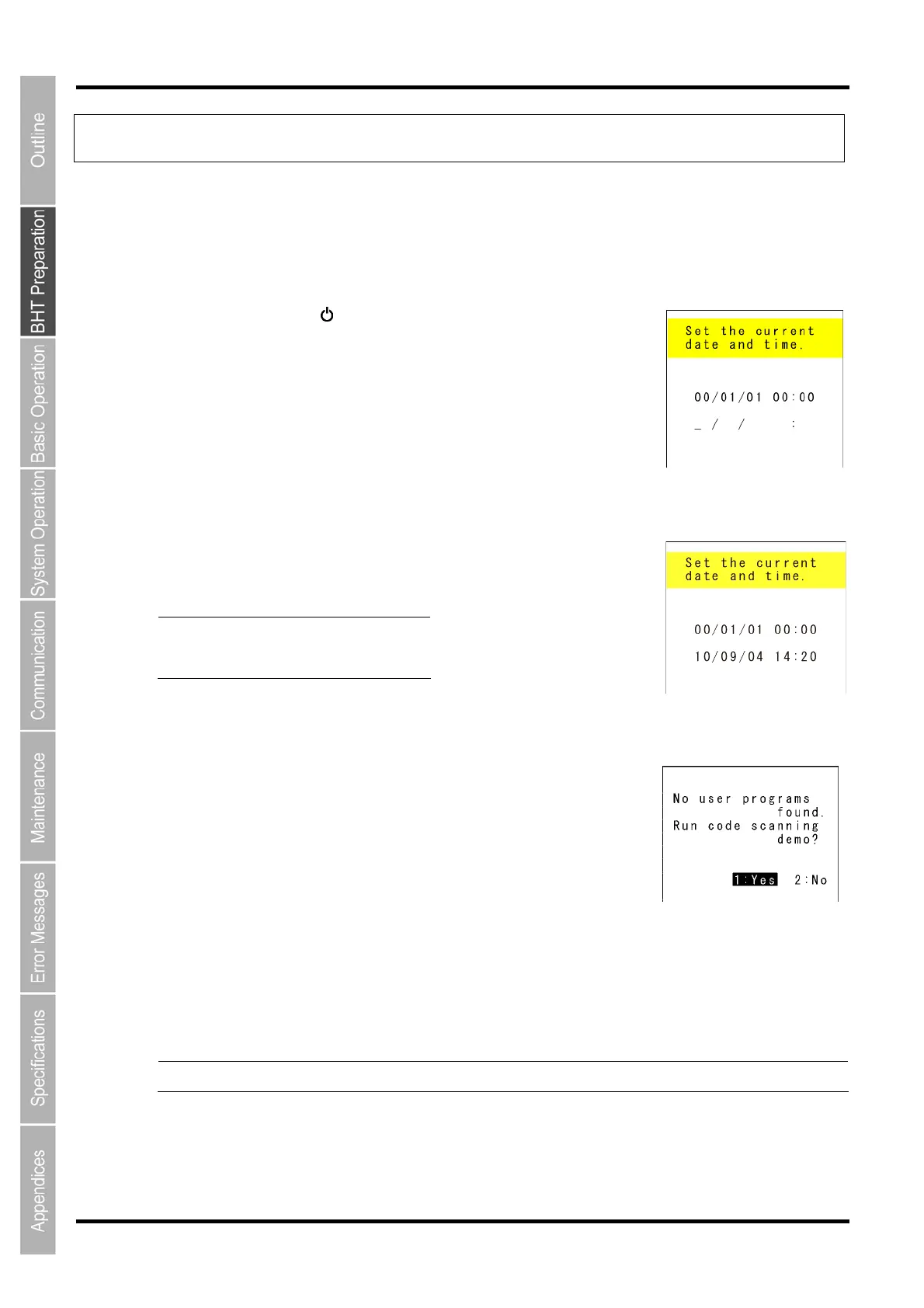
The screen right displays.
2. Enter the date and time using the numeric keys.
[Ex.] : September 4, 2010, 14:20
Point Enter the last two digits fo
the year, and enter the time
in 24-hour clock format.
3. Press the ENT key to set the date and time.
The screen right displays when the date and time are set.
4. Press the numeric key 1 and the ENT key. Then, select [1:Yes].
A scanning demo commences.
The scanning demo is a program that allows codes to be read without a user program. Press the trigger
switch to enable code reading.
Refer to "Chapter 3 Basic Operation" – “3.1 Reading Codes or 2D Codes” when reading codes
Point The power turns OFF by selecting [2:No].



 To Next Page