53
2D Code Handy Terminal
4.5.2
Downloading Files (DOWNLOAD Menu)
Download files to the BHT user area from other devices such as the host computer
- Point -
If a file with the same name as one already used in the user area of the target memory in
the BHT is downloaded, the newly downloaded file replaces the old one.
If an auto-start execution program has not been specified (See 4.5.5 [1] Setting the
auto-start execution program), the directory management program will execute the first
managed program from among the programs (.PD4) downloaded to the BHT when the
BHT power is turned ON. (Program displayed at the top of the “EXECUTE PROGRAM”
menu) Take this into account when determining the file download order.
Refer to “4.3 Executing User Programs” for details.
Use the following procedure to download files.
1. Select “2: DOWNLOAD” at the SYSTEM MENU and then press the ENT
key.
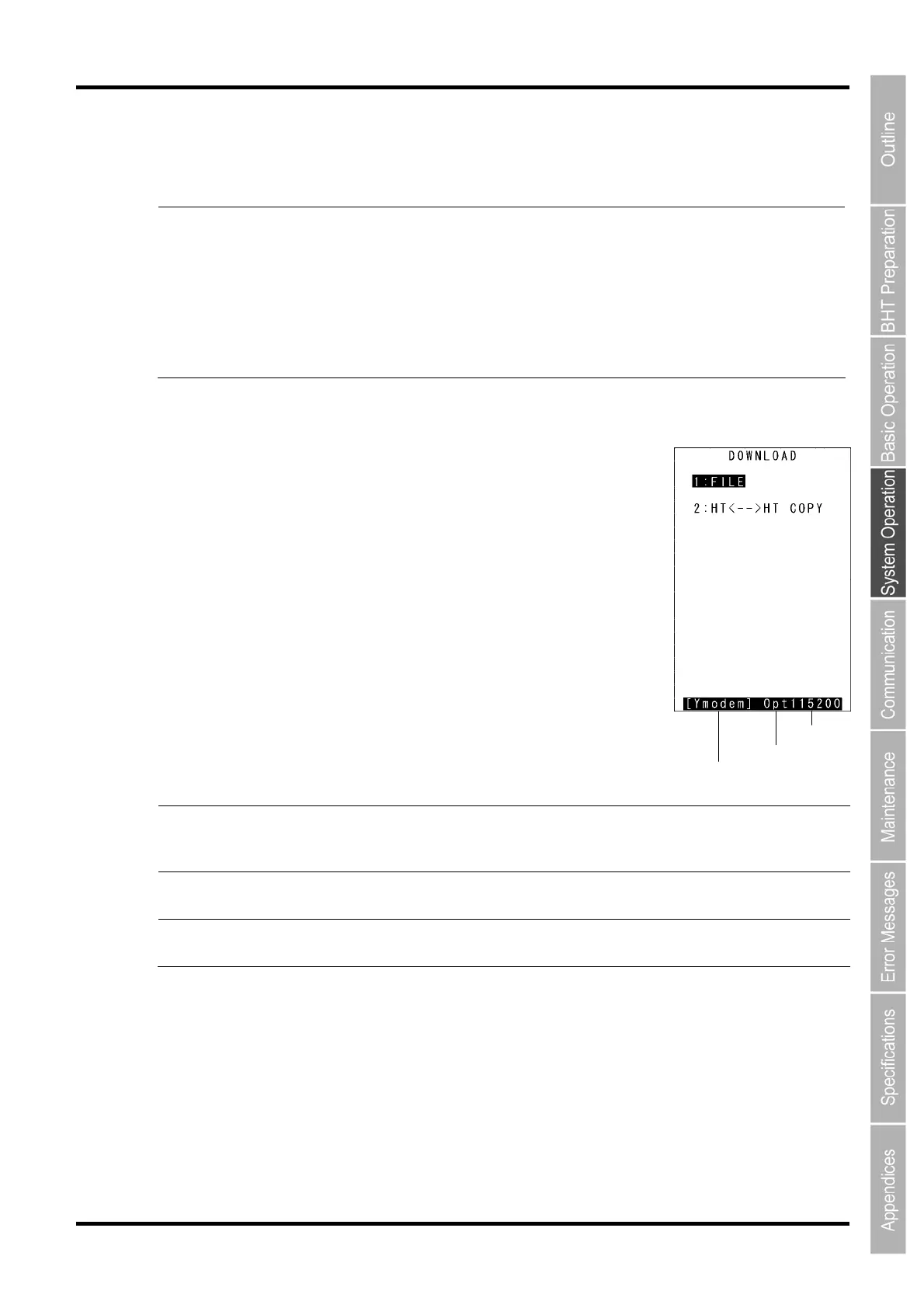
The screen displays as shown on the right.
“1: FILE”:
Select to download a specific file.
“2: HT<-->HT COPY”:
Select to download a file from another BHT.
Refer to “4.5.4 Copying Files between 2 BHT Units” for details.
Press the C key to return to the SYSTEM MENU.
The current communication settings display at the bottom of the screen.
Interface
used
Copy speed
Communication protocol type
Communicatio
n protocol
type
Ymodem
BHT
-
Ir
BHT
p
Ymodem protocol
BHT-Ir protocol
BHT protocol
Interface used Opt
Con
Infrared interface
Connector interface
Copy speed 300 to 460800 Transmission speed corresponding to each
protocol
Refer to “4.5.5 System Environment Settings (SET SYSTEM Menu)” for details of communication
environment settings.



 To Next Page