29
2D Code Handy Terminal
3.4 Changing the Default Settings
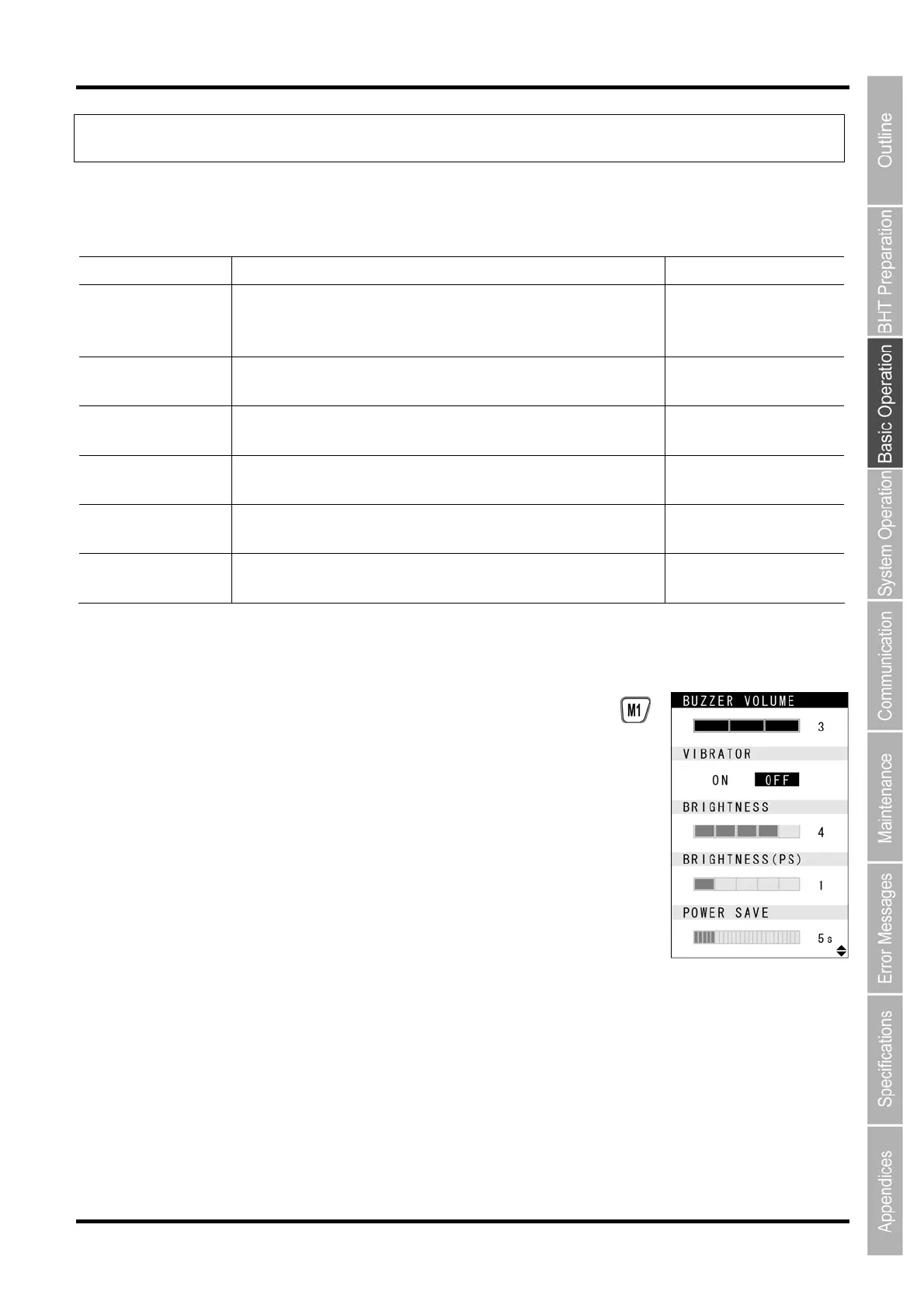
The buzzer volume, vibrator, LCD screen brightness, power save settings and key backlight can be changed at the
MENU screen.
Item Details Setting
BUZZER VOLUME
Used to set the volume of the buzzer that notifies the user when
code reading is complete.
The volume can be adjusted in 4 levels: Hi, Lo, Mid and Mute.
Mute
→
Lo
→
Mid
→
Hi
VIBRATOR
Used to turn ON/OFF the vibrator that notifies the user when
code reading is complete.
ON, OFF
BRIGHTNESS
Used to set the backlight brightness of the LCD screen. The
brightness can be adjusted in 5 levels.
Levels 1 to 5
BRIGHTNESS(PS)
Used to set the backlight brightness of the LCD screen during
power save mode. The brightness can be adjusted in 6 levels.
Levels 0 to 5
POWER SAVE
Used to set the time until the LCD screen backlight is dimmed
when not in use in order to save power.
1-second units
(max. 30 seconds)
KEY BACKLIGHT Used to turn ON/OFF the keypad backlight. ON, OFF
3.1.1 Procedure
1. Hold down magic key M1 for at least 1 second.
The MENU screen displays



 To Next Page