130
BHT-604Q
4.5.14
Updating the Sy
1.
e right.
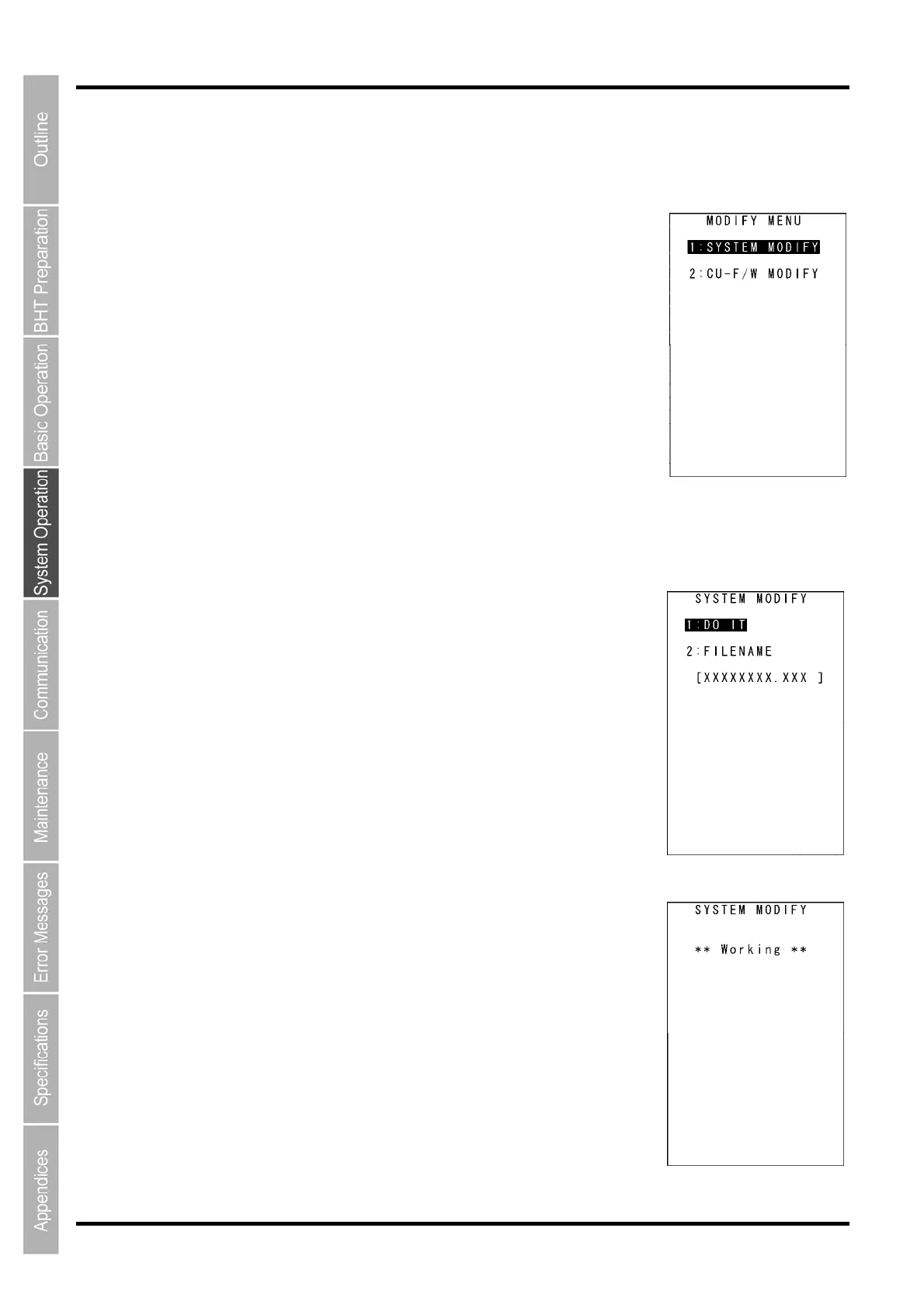
: SYSTEM MODIFY]: Updates the BHT system.
: CU-F/W MODIFY]: Updates the CU-611 system.
efer to the following section for details of the above items.
ress the C key to return to the SYSTEM MENU.
[1]
Update the BHT system after downloading the BHT system update file.
1. se the cursor keys ([▲] [▼]) or numerical key ([1]) to highlight
: SYSTEM MODIFY] and then press the ENT key.
he screen displays as shown on the right.
the downloaded BHT update file name differs from this file name, specify
e correct file name using the procedure on the following page.
: DO IT]:
Updates the BHT system.
e to be used for updating the BHT system.
2.
ss the ENT key.
he screen shown displays
as shown on the right and the BHT system is
pdated.
pon completion of the update, the BHT power turns OFF automatically.
stem (MODIFY MENU)
Use the following procedure to update the system.
Press the dot key while holding down the SF key at the SYSTEM ME
NU.
The MODIFY MENU screen displays as shown on th
[1
[2
R
P
Updating the BHT s
ystem
(Refer to section “4.2.1 Updating the BHT System” for details.)
U
[1
T
If
th
[1
[2: FILENAME]:
Displays the filenam
Press the C key to return to the SYSTEM PARAMETER menu.
Use the cursor keys ([▲] [▼]) or numerical key ([1]) to highlight
[1: DO IT] and then pre
T
u
U



 To Next Page