47
2D Code Handy Terminal
Setting Value Selection
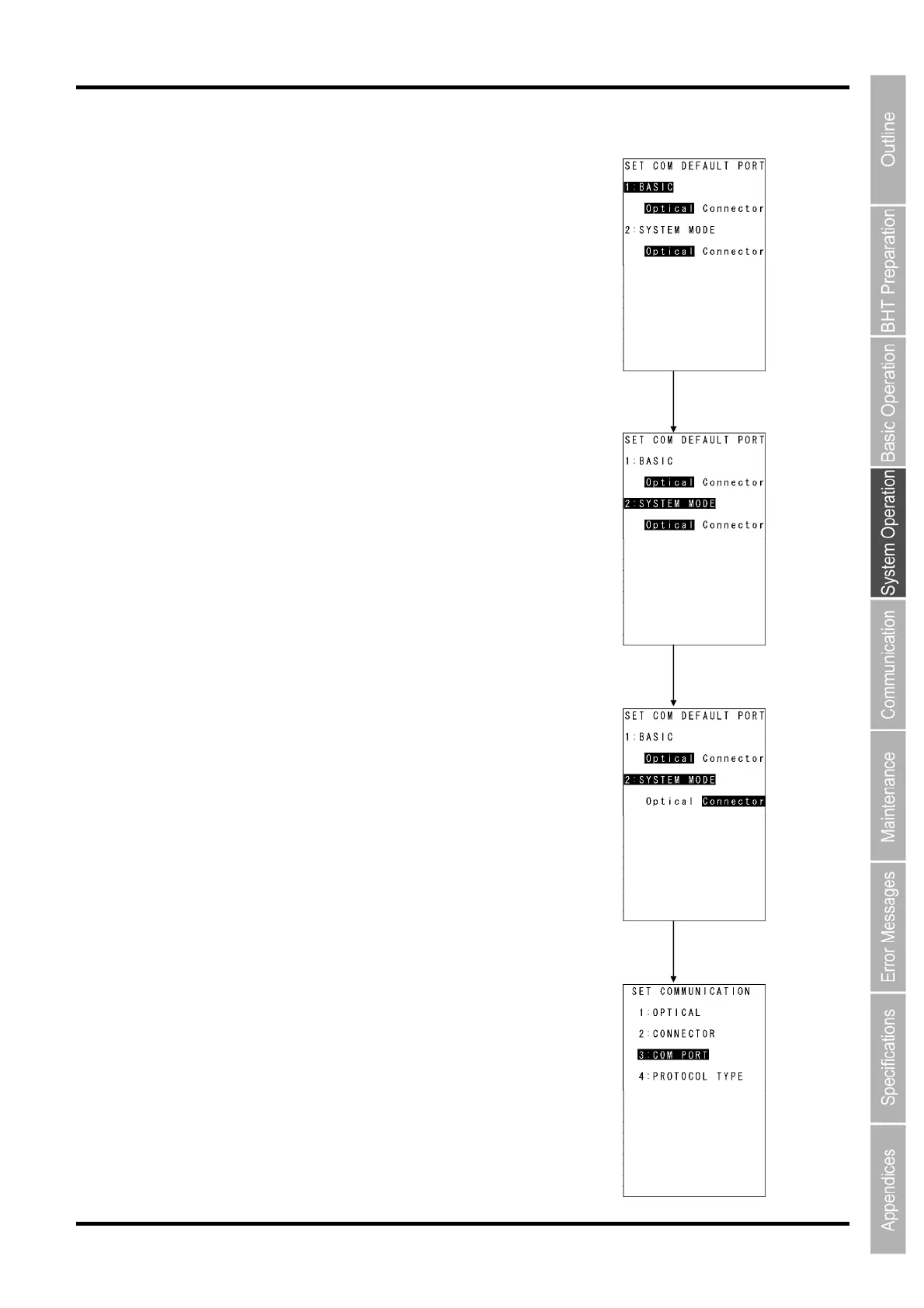
Operation example
Use the following procedure to select setting values.
1. Press the numerical key corresponding to the item to be selected.
Alternatively, press the cursor keys ([▲] [▼]) to select the item.
The selected item will be highlighted.
2. Select the setting value with the cursor keys ([◄] [►]).
3. Press the ENT key.
The selected setting value will be set.
Select the setting item with the
[2] key or [▲]/[▼] keys.
Select the setting value with the
cursor keys ([◄] [►]).
ENT key



 To Next Page