65
2D Code Handy Terminal
4. Simultaneously press the SF key and “1: MESSAGE” at the SET
DISPLAY menu.
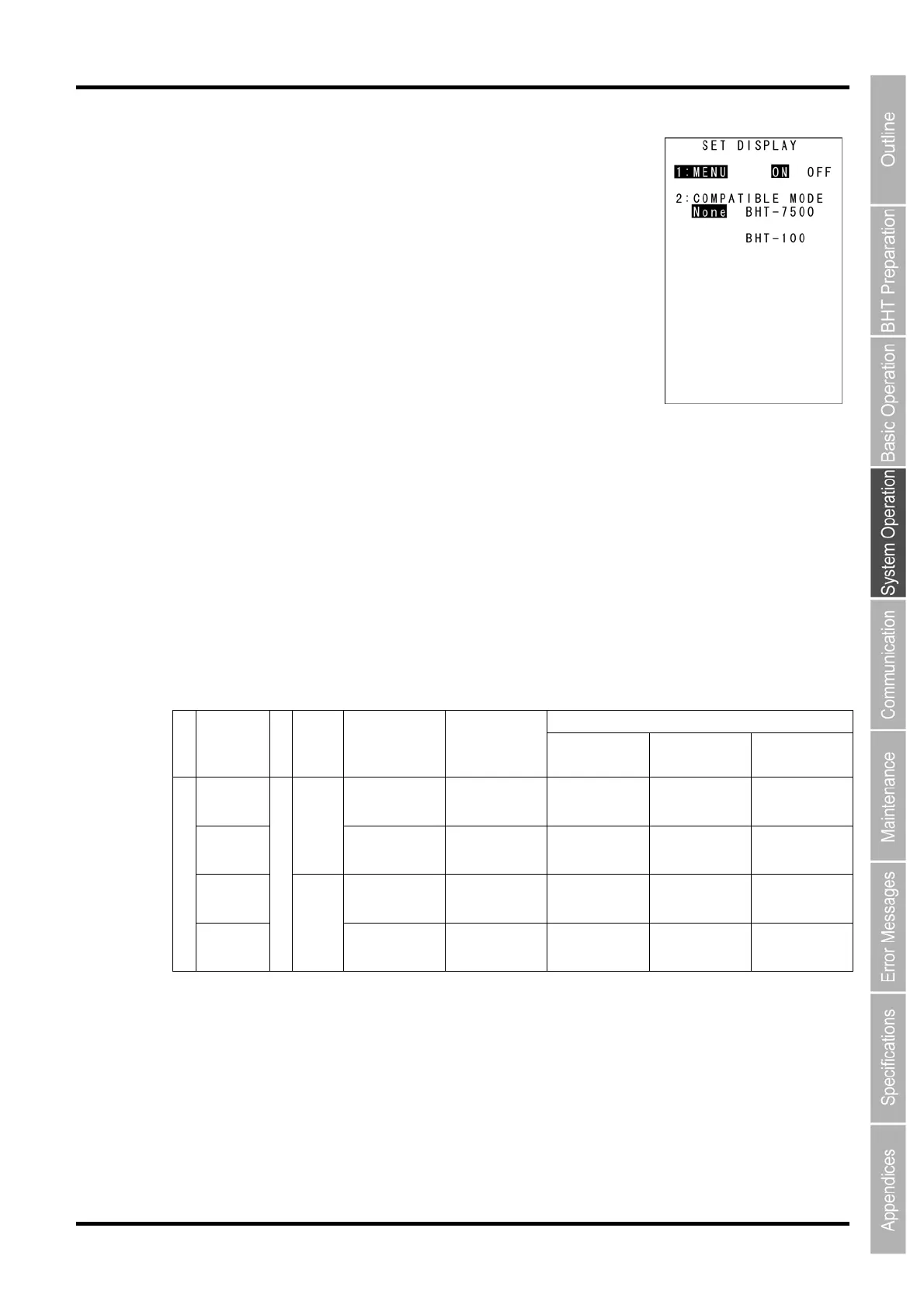
The SET DISPLAY menu screen displays as shown on the right.
The highlighted settings will be the current settings.
5. Use the cursor keys ([▲] [▼]) or numerical keys ([1] [2]) to highlight “1:
MENU” or “ 2: COMPATIBLE MODE”.
6. Highlight the target setting with the cursor keys ([◄] [►]) and press the ENT
key.
Press the C key to return to the SET SYSTEM menu.
“1: MENU”:
Sets whether to permit or prohibit menu screens (beeper volume, vibrator, screen brightness, power
saving, key backlight settings) being started up while applications are running.
“ON”: Permits menu screen display.
“OFF”: Prohibits menu screen display.
“2: COMPATIBLE MODE”:
Sets compatible mode for screen display between the BHT-100 and BHT-7500.
This allows BHT-100 Series and BHT-7500 Series application programs to be used at the BHT-604Q
without changing or correcting the font size.
BHT-604Q
BHT-7500 BHT-100
BHT-7500
Mode
BHT-100
Mode
Normal Mode
Standard
font
26 x 20 char.
(6 x 8 dots)
16 x 25 char.
(12 x 12 dots)
26 x 26 char.
(9 x 12 dots)
20 x 26 char.
(12 x 12 dots)
20 x 20 char.
(12 x 16 dots)
Small
font
ANK
mode
26 x 26 char.
(6 x 6 dots)
16 x 25 char.
(12 x 12 dots)
26 x 26 char.
(9 x 12 dots)
20 x 26 char.
(12 x 12 dots)
20 x 20 char.
(12 x 16 dots)
Standard
font
10 x 10 char.
(16 x 16dots)
12 x 19 char.
(16 x 16 dots)
10 x 13 char.
(24 x 24 dots)
15 x 20 char.
(16 x 16 dots)
8 x 10 char.
(30 x 30 dots)
Font size
Small
font
Screen mode
Kanji
mode
13 x 13 char.
(12 x 12 dots)
16 x 25 char.
(12 x 12 dots)
13 x 17 char.
(18 x 18 dots)
20 x 26 char.
(12 x 12 dots)
10 x 13 char.
(24 x 24 dots)



 To Next Page