68
BHT-604Q
“3: DECODE LEVEL”
Set the decode level (code reading tolerance level).
Press [
] to decrease the setting value and [ ] to increase the setting value.
Decode level entry range: 1 - 9 (default: 4)
Setting a lower value improves the reading rate but increases the risk of incorrectly reading poor quality
codes (split or dirty codes). Conversely, setting a higher value reduces the reading rate but decreases the
risk of such errors.
“4: OPTION DATA”
If set to ON when 2D codes are read, option data for the 2D codes such as the model and the
error-correcting level are added to the end of the reading data.
- Point - These settings are enabled even when system mode reading tests are not being carried out.
Do not change these settings unless necessary.
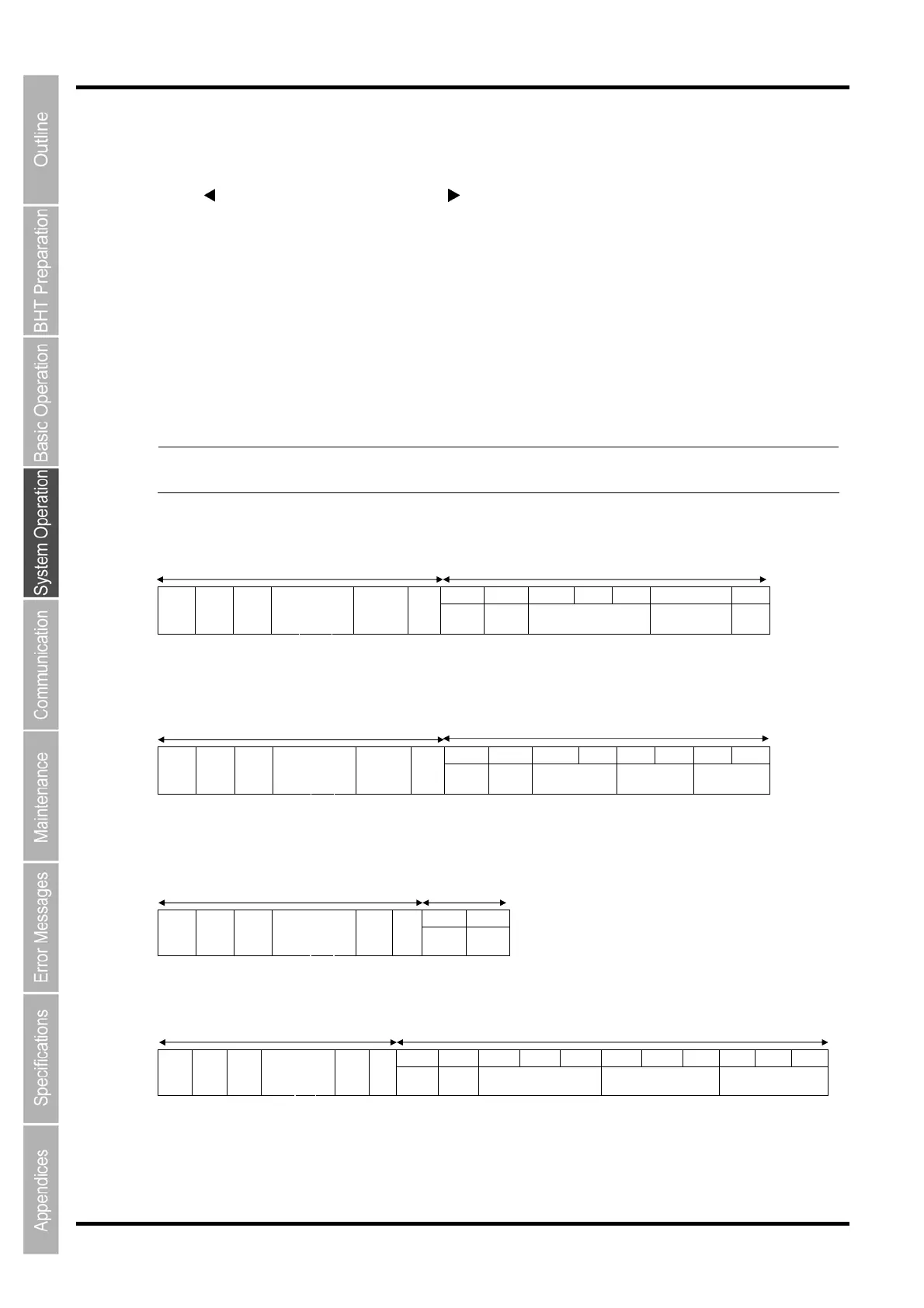
■Option data formats
・QR code
N+1 N+2 N+3 N+4 N+5 N+6 N+7
1 2 3 N—1 N
“Q”
Model Version
Error-correcting
level
Mask
(Ex.) When read code is “QR code, Model 2, Version 5, Error-correcting level M, Mask number 6”
(Reading data)... Q2v05M6
・PDF417
Readng data
Option data
Reading data
Option data
N+1 N+2 N+3 N+4 N+5 N+6 N+7 N+8
1 2 3 N—1 N
“Y”
Model
Error-correcting
level
Lines Digits
(Ex.) When read code is “PDF417 code, Error-correcting level 4, Lines: 12, Digits: 2” (Reading data)...
Y1041202
・Maxi Code
N+1N+2
1 2 3 N—1 N
“X”
Mode
(Ex.) When read code is “Maxi code, Mode 4” (Reading data)... X4
・Data Matrix
Option data
Reading data
Option data
Reading data
N+1 N+2 N+3 N+4 N+5 N+6 N+7 N+8 N+9 N+10 N+11
1 2 3 N—1 N
“Z”
Model Error-correcting level Longitudinal cells Lateral cells
(Ex.) When read code is “data matrix, Error-correcting level ECC200, Longitudinal cells: 10, Lateral cells:
10”...z0200010010



 To Next Page