82
BHT-604Q
[9] Setting the TCP/IP, FTP and DHCP
Use the following procedure to change the TCP/IP, FTP and DHCP settings.
1. Select “9: TCP/IP” at the SET SYSTEM menu and then press the ENT key.
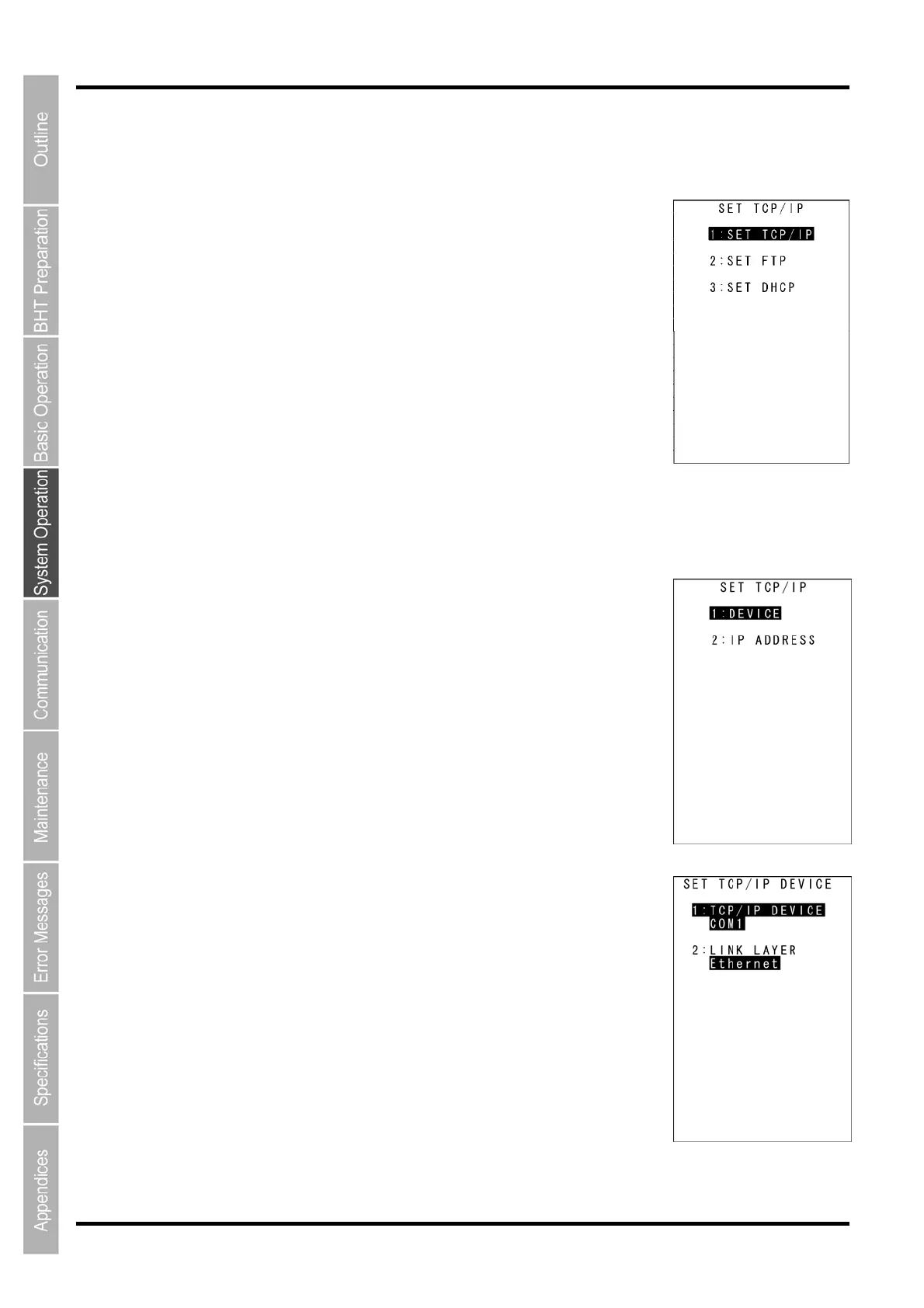
The SET TCP/IP menu screen displays as shown on the right.
2. Use the cursor keys ([▲] [▼]) or numerical keys ([1] [2] [3]) to highlight the
item to be set, and then press the ENT key.
“1: SET TCP/IP”: Changes the TCP/IP setting.
“2: SET FTP”: Changes the FTP setting.
“3: SET DHCP”: Changes the DHCP setting.
Refer to the following section for details of the above items.
Press the C key to return to the SET SYSTEM menu.
“1: SET TCP/IP”: Setting the TCP/IP
1. Select “1: SET TCP/IP” at the SET TCP/IP menu and then press the ENT
key.
The SET TCP/IP menu screen displays as shown on the right.
2. Use the cursor keys ([▲] [▼]) or numerical keys ([1] [2]) to highlight the item
to be set, and then press the ENT key.
Press the C key to return to the SET TCP/IP menu.
“1: DEVICE”: Setting the T
CP/IP device
Select “1:
DEVICE” at the
SET TCP/IP
menu to display the screen
on the
right where the current settings are displayed.
“1: TCP/IP DEVICE”: TCP/IP communication device
“2: LINK LAYER”: Link layer
Press the C key to return to the SET TCP/IP menu.



 To Next Page