86
BHT-604Q
Setting the DHCP
1. Select “3: SET DHCP” at the SET TCP/IP menu and then press the ENT
key.
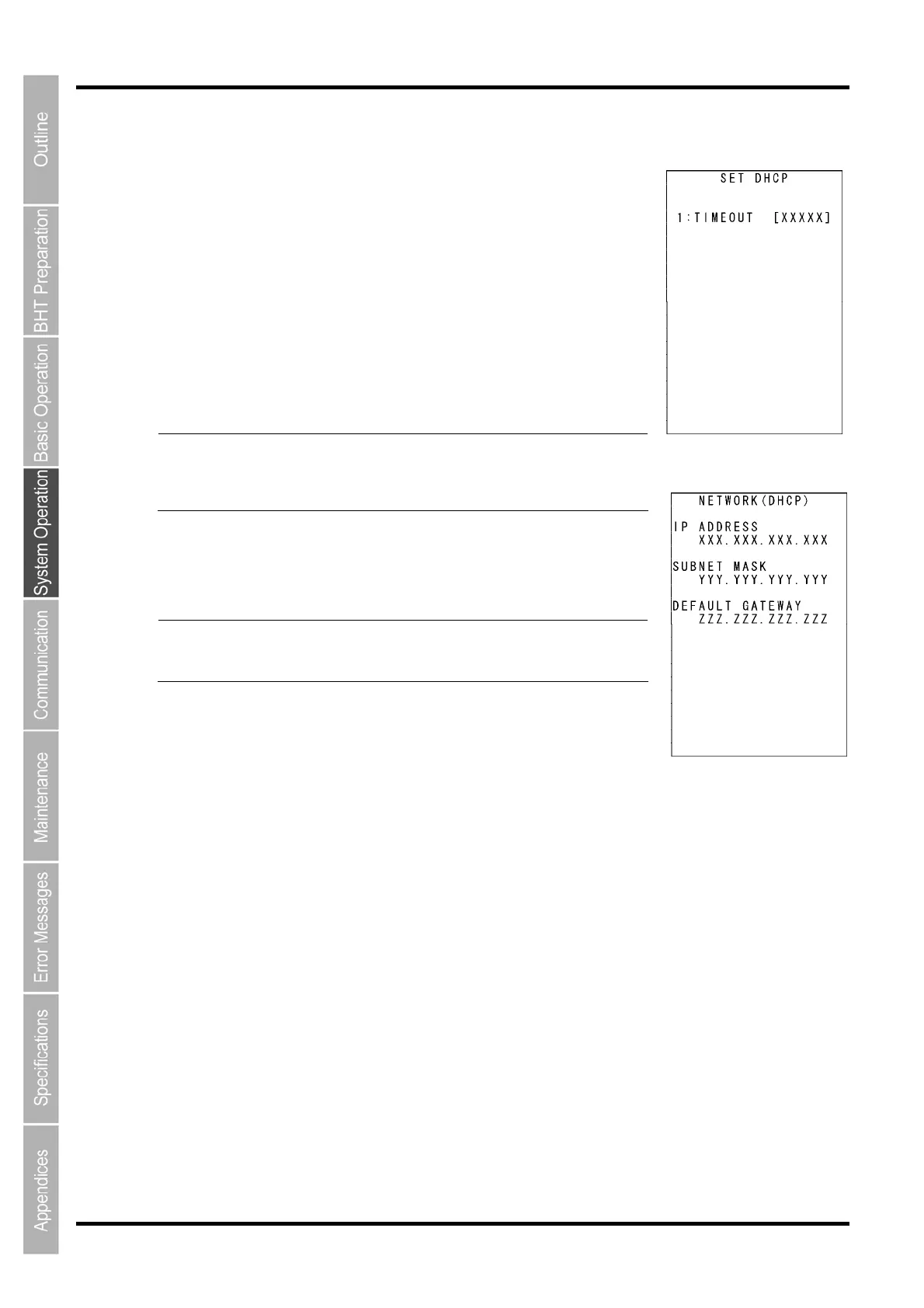
The SET DHCP screen displays as shown on the right.
Press the C k
ey to return to the SET TCP/IP menu.
Press the dot key while holding down the SF key at the SET DHCP menu
to display the NETWORK (DHCP) screen (acquisition check screen for IP
address at DHCP).
Press the C key at the NETWORK (DHCP) screen to return to the SET
DHCP screen.
If the acquired IP configuration is displayed when the IP
address, subn
et mask or default gatewa
y is set to a value
other than “0.0.0.0”, the DHCP does not display on the screen
shown on the right.
- Point -
[C]key [SF]+[.]key
“1: TIMEOUT”:
Sets the timeout for acquiring the IP configuration from the DHCP
Server. The entry range is from 00001 to 32767 seconds.
Up to 32767 seconds can be entered, but in actual operation,
a ma
ximum of
190 seconds is available since the number o
retries and retry intervals are determined by the system.
- Point -
To set the DHCP:
(1) Press the ENT key.
(2) The mode changes to entry mode and the cursor displays, allowing the
setting to be entered with the numerical keys.
To delete a single character, press the BS key. To delete the entire entry,
press the C key.
Enter the desired value, and then press the ENT key. (3)
Press the C key to return to the SET FTP menu.



 To Next Page