BHT-805B
4.5.8 System Information (SYSTEM INFORMATION Menu)
[1] Displaying the BHT system information
Use the following procedure to display the BHT system information.
1. Select “6: VERSION” at the SYSTEM MENU and then press
the ENT key.
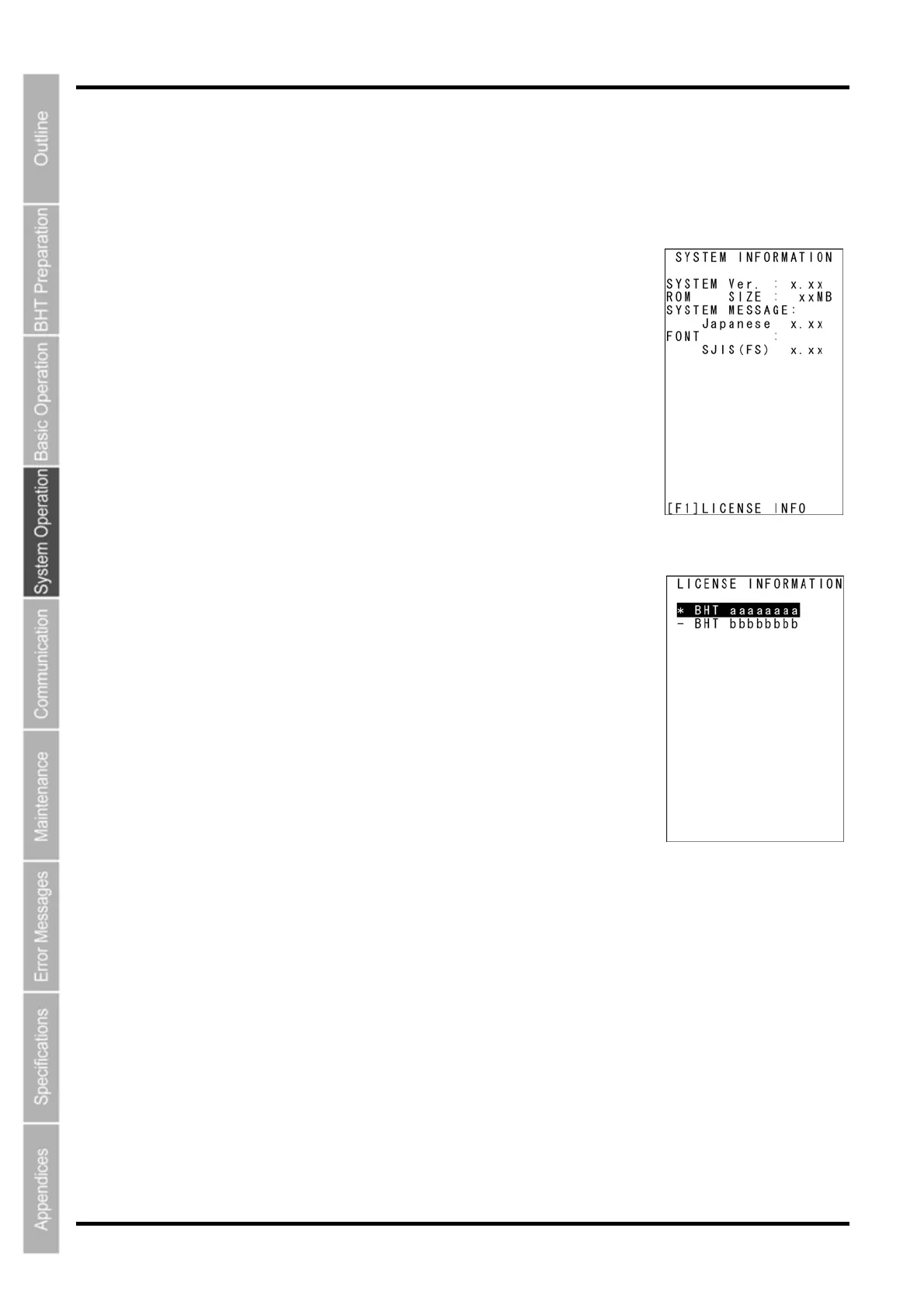
The SYSTEM INFORMATION screen on the right displays.
[SYSTEM Ver.]: System program version
[ROM SIZE]: ROM size
[SYSTEM MESSAGE]: System message version
[FONT]: Loaded font type and version
Press the BS/C key to return to the SYSTEM MENU.
License List
Press the F1 key at the LICENCE INFORMATION screen to display a
license list as shown on the right.
The license list displays the names of functions for which licenses are
required.
[1]”∗” symbol: Indicates that a license has been registered.
[2]”−” symbol: Indicates that no license has been registered.
∗ Even if functions for which licenses are required are loaded in the
system, these functions do not display in the list if they have never
been run.
Press the F1 key or press the BS/C key to return to the SYSTEM
INFORMATION screen.
110



 To Next Page