Barcode Handy Terminal
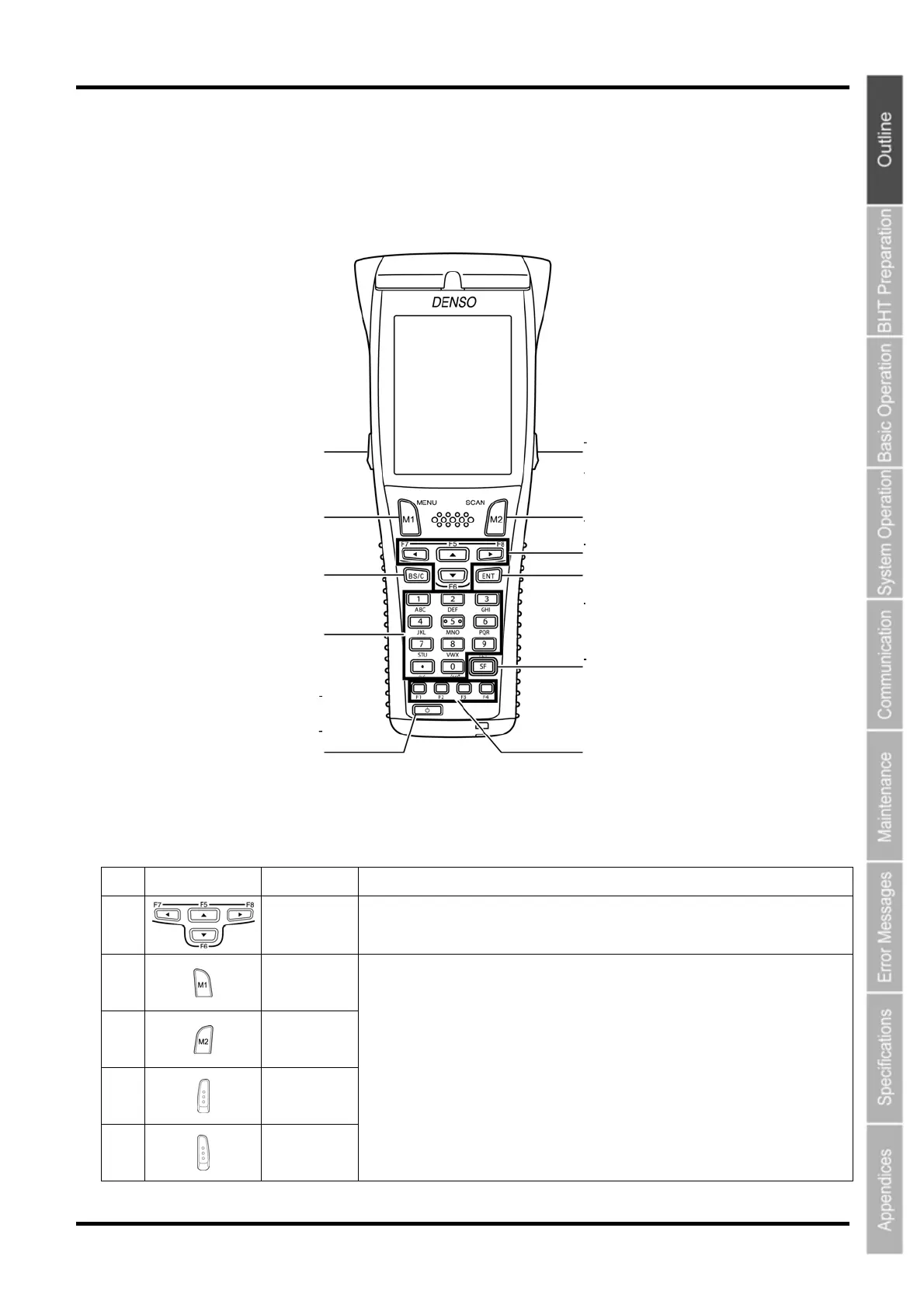
1.2.2 Keypad
The BHT key functions can be set at user programs.
The diagram below shows an example of settings for each key function.
(4)
(9)
(6)
3
(8)
(5)
(7)
(1)
2
(10)
(11)
No.
Key Name Function and Description
(1)
Cursor keys
Used to move the cursor and select menus.
(2)
Magic key
[M1]
(3)
Magic key
[M2]
(4)
Magic key
[M3]
(5)
Magic key
[M4]
• Each of the M3 and M4 keys is assigned a trigger switch by default.
• The SF, ENT, Backlight, MENU or C key functions can be assigned with SYSTEM
MENU.
• Character or character strings can also be assigned with the user programs.
• Hold down the M1 key to display the following setting screens when set to the default.
- Volume
- Vibrator
- LCD display brightness
- Power save
7



 To Next Page