BHT-805B
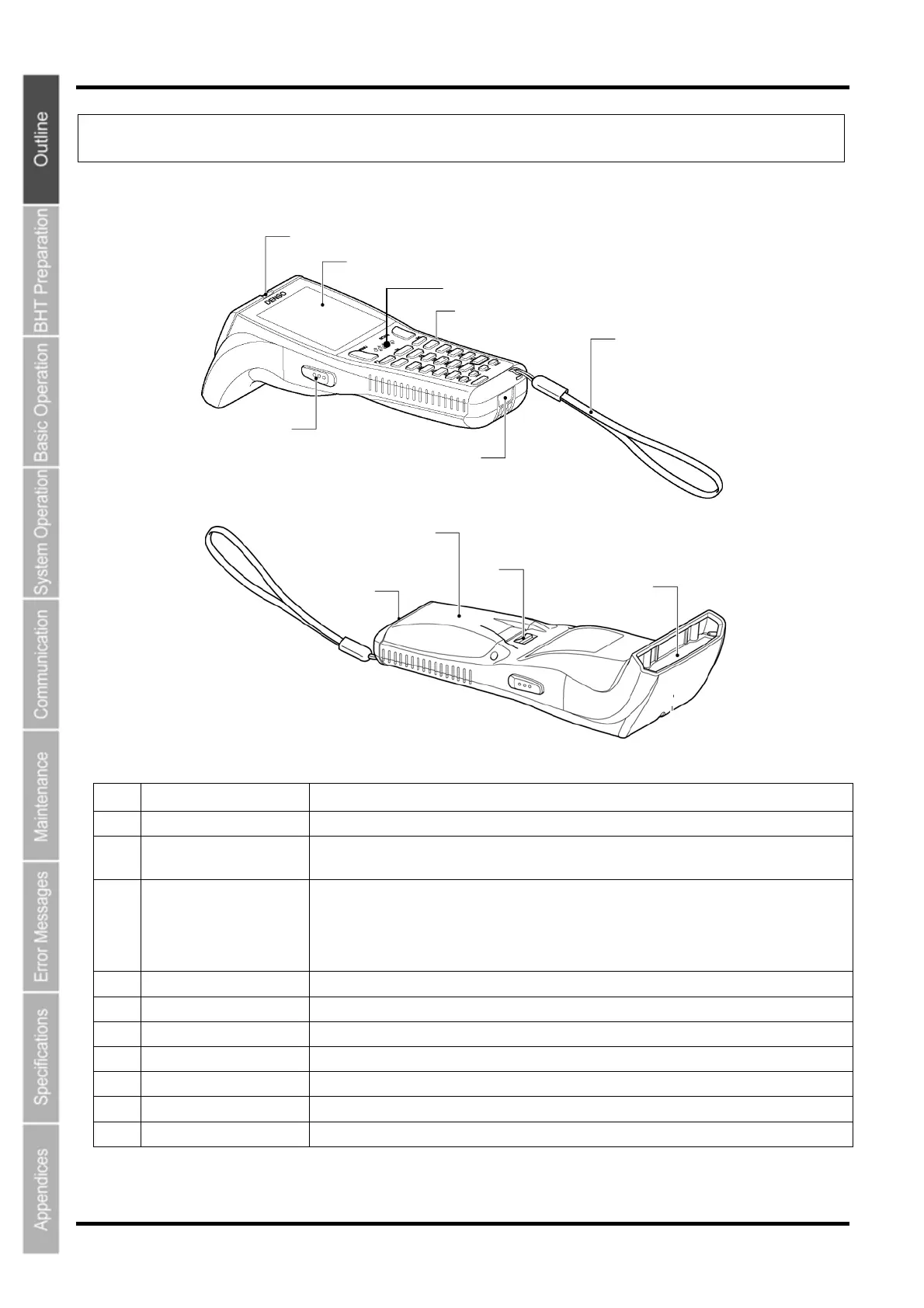
1.2 Component Names and Functions
1.2.1 BHT Front/Rear
(2)
(1)
(5)
(4)
(7)
(3)
(6)
(11)
(10)
(9)
(8)
No. Name Function and Description
(1) LCD (Liquid crystal display) Displays the characters and graphic patterns.
(2) Indicator LED Indicates the barcode read status.
Illuminates in blue when the BHT has successfully read a barcode.
(3)
(4)
Trigger switch
(M3 and M4 Magic keys)
Press when reading a barcode.
The SF and ENT key functions can be assigned to these magic keys by making settings at the
SYSTEM MENU.
Character strings can be assigned at user programs.
* Refer to “Chapter 4 System Operation” for details on how to operate the SYSTEM MENU.
(5) Speaker Emits sound.
(6) IrDA interface port Used to exchange data/programs with the communication unit CU-800 or other BHTs.
(7) Hand strap Wear this strap around your wrist to prevent you from dropping the BHT accidentally.
(8) Battery cover Remove this cover to replace the battery cartridge.
(9) Battery cover lock Use this to lock or unlock the battery cover.
(10) Barcode reading window Align the reading window with barcodes to perform barcode reading.
(11) Charge terminal Place on the CU to charge the BHT.
6



 To Next Page