BHT-805B
“
“2: PROTOCOL TYPE”: Setting the communication protocol
type
1. Select “2: PROTOCOL TYPE” at the SET COMMUNICATION menu
and then press the ENT key.
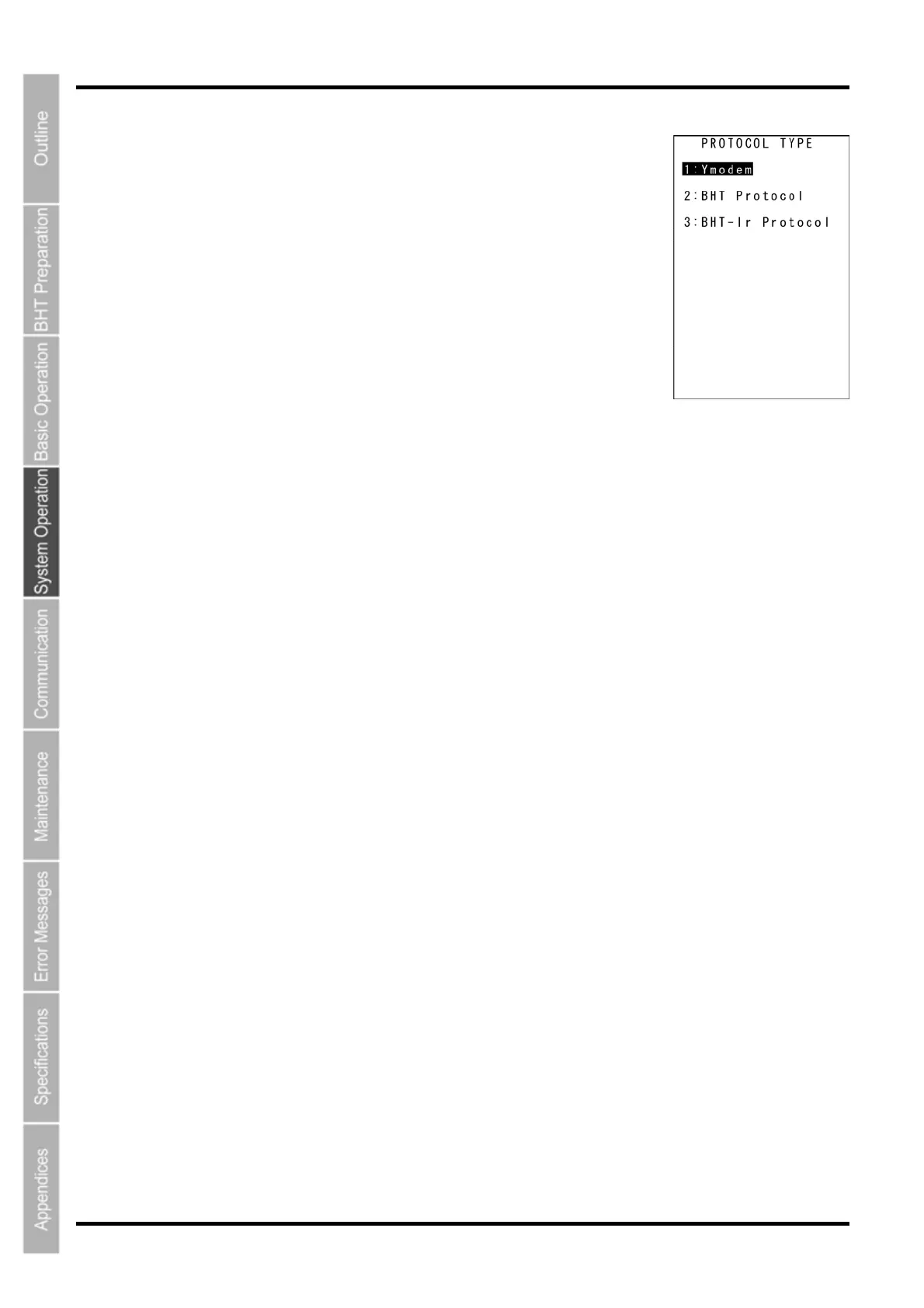
The PROTOCOL TYPE menu screen on the right displays.
The highlighted setting will be the current setting.
“1: Ymodem”:
Selects Ymodem when uploading/downloading in System Mode or for
the execution of the XFILE statement in BHT-BASIC.
“2: BHT Protocol”:
Selects the BHT-protocol when uploading/downloading in System Mode
or for the execution of the XFILE statement in BHT-BASIC.
“3: BHT-Ir Protocol”:
Selects the BHT-Ir protocol when uploading/downloading in System Mode or for the execution of the
XFILE statement in BHT-BASIC.
To make changes, use the cursor keys ([▲] [▼]) or numerical keys ([1] [2] [3]) to highlight the setting item,
and then press the ENT key.
To use the BHT-BASIC 4.0 Transfer Utility, select Ymodem or BHT-Ir protocol.
Press the BS/C key to return to the SET COMMUNICATION menu.
74



 To Next Page