Technical Specification DESKO PENTA Scanner
®
&
Page 16 of 37
DESKO PENTA Scanner
®
BGR & DESKO PENTA Scanner
®
CKI
6 Usage
This section explains how to scan different kinds of documents with the DESKO PENTA
Scanner
®
, DESKO PENTA Scanner
®
BGR, DESKO PENTA Scanner
®
CKI. All possible features of
the DESKO PENTA Scanner
®
family are explained below.
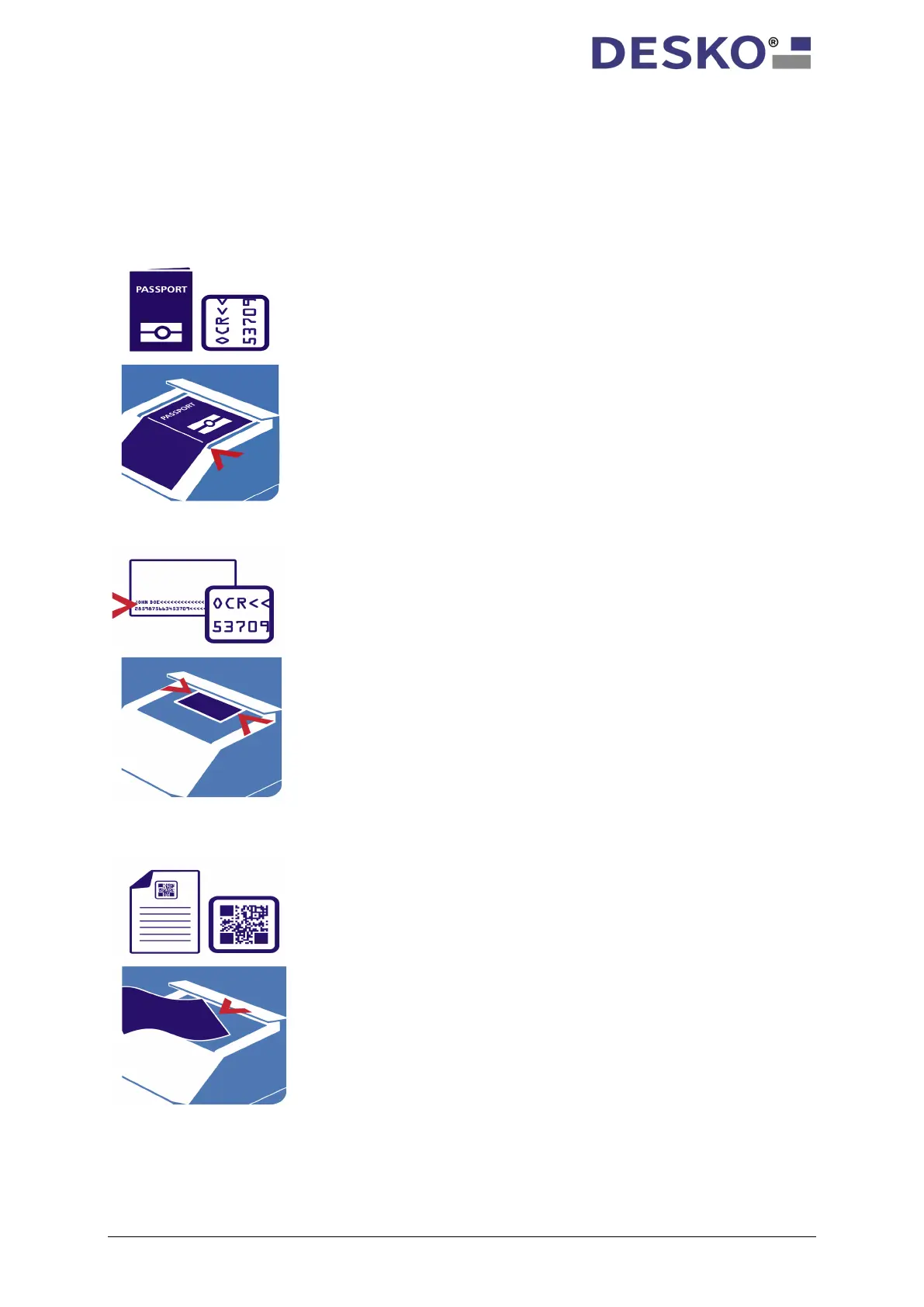
Scanning an ID1 document (e.g. ID card
with three-line MRZ):
To scan an ID1 document, you have to place
the document flat on the scan window with
the MRZ (machine-
downwards. The card should be positioned in
the middle of the scan window and be
pushed against the stop.
Scanning a barcode document (e.g.
ticket):
To scan a barcode document, you have to
place the document flat on the scan window
with the barcode facing downwards. To
obtain optimal read results, the barcode
should be placed in the middle of the scan
window.
Scanning an ID3 size document (e.g.
passport):
To scan an ID3 passport document, you have
to place the passport flat on the scan window
with the MRZ (machine-readable zone) facing
downwards and push it against the stop.



 To Next Page