Technical Specification DESKO PENTA Scanner
®
&
Page 28 of 37
DESKO PENTA Scanner
®
BGR & DESKO PENTA Scanner
®
CKI
12.2.2 Installing / Removing the Battery
Switch off the DESKO PENTA Scanner
®
, DESKO PENTA Scanner
®
BGR or the DESKO PENTA
Scanner
®
CKI before inserting a battery pack. In order to insert the battery pack, it has to be
plugged into the battery adapter. Please make sure that the side of the battery with the label
“This Side Up” is facing upwards and the connectors on the battery show towards the battery
adapter. Push the battery pack completely into the battery adapter. At the end, you have to
push stronger to overcome the battery mount secure springs.
To remove the battery please switch off the DESKO PENTA Scanner
®
, DESKO PENTA Scanner
®
BGR or the DESKO PENTA Scanner
®
CKI. Now you can extract the battery pack by grabbing
it via the recess on the left and right side and pulling it towards you. Please note that you
have to overcome some resistance at the beginning.
The following steps describe the correct battery pack exchange in detail:
12.2.3 Battery Indicator
1. Turn the DESKO PENTA Scanner
®
, DESKO PENTA
Scanner
®
BGR or the DESKO PENTA Scanner
®
CKI off.
The switch is on the back of the device.
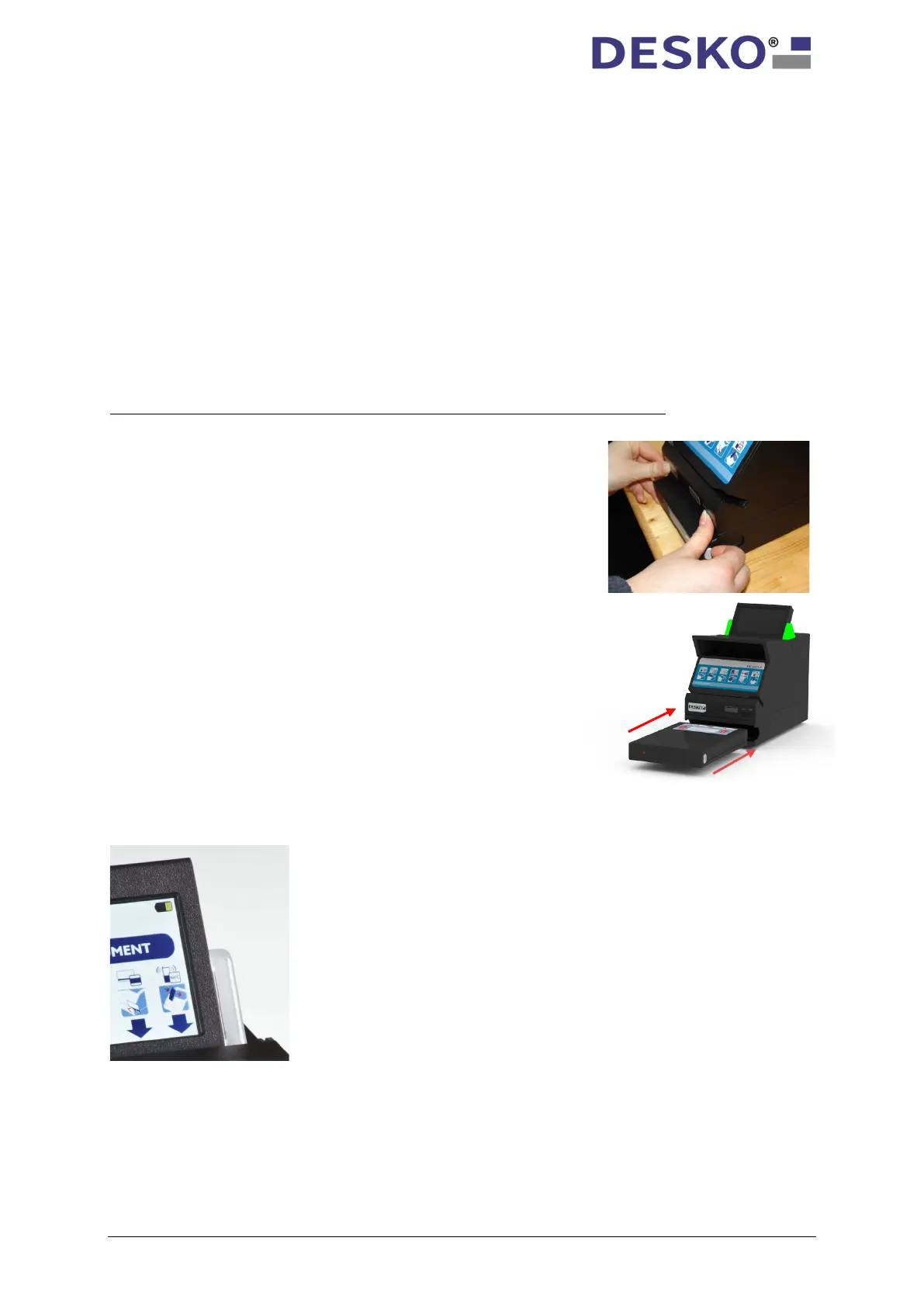
2. Pull out the discharged battery pack from the battery
adapter. Use two hands and a firm grip, as shown in
the picture.
3. Make sure leads and battery contacts are clean and free
from any dirt. This will insure proper contact and
maximize current flow.
4. Take the new battery pack and push it slowly and
carefully back into the battery adapter.
5. Turn the DESKO PENTA Scanner
®
, DESKO PENTA
Scanner
®
BGR or the DESKO PENTA Scanner
®
CKI on.
Note: The battery is kept in place by secure mounting springs.
Therefore, you have to overcome a resistance when pushing
in or pulling out the battery pack. There is no additional
A battery sign is displayed on the upper right side of the
display of the DESKO PENTA Scanner
®
, DESKO PENTA
Scanner
®
BGR, DESKO PENTA Scanner
®
CKI. The battery sign
reflects the actual battery charge status.



 To Next Page