Technical Specification DESKO PENTA Scanner
®
&
Page 19 of 37
DESKO PENTA Scanner
®
BGR & DESKO PENTA Scanner
®
CKI
6.1 How to Use the SAM Card Reader
The SAM card module provides the option to manually insert or exchange the SAM card.
Therefore, please follow the steps described below:
6.1.1 Remove Cover
Please turn the DESKO PENTA Scanner
®
,
DESKO PENTA Scanner
®
BGR, DESKO PENTA
Scanner
®
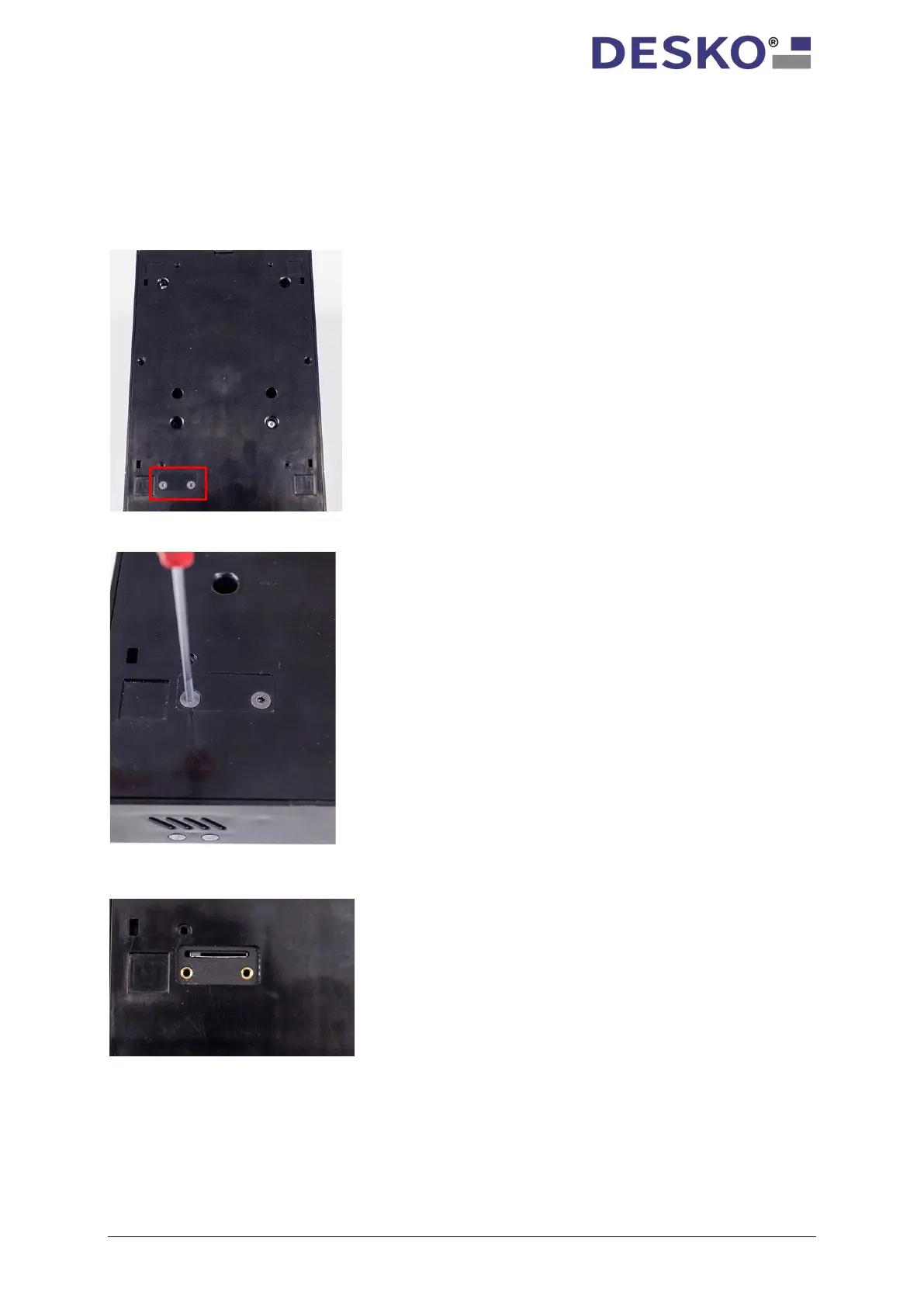
CKI around. The SAM slot is
integrated in the bottom of the device,
hidden behind a small cover plate to protect
it from unauthorized access.
To access the SAM slot, please remove the
cover by loosening the two crosshead screws
with a screwdriver.
Having removed the cover, the SAM slot is
now freely accessible.



 To Next Page