Technical Specification DESKO PENTA Scanner
®
&
Page 33 of 37
DESKO PENTA Scanner
®
BGR & DESKO PENTA Scanner
®
CKI
13.2 Hardware Setup
Note: there is no extra power switch to turn the device on. The system is all set by simply
connecting the power cable.
To start the DESKO PENTA Scanner
®
, DESKO PENTA
Scanner
®
BGR, DESKO PENTA Scanner
®
CKI with
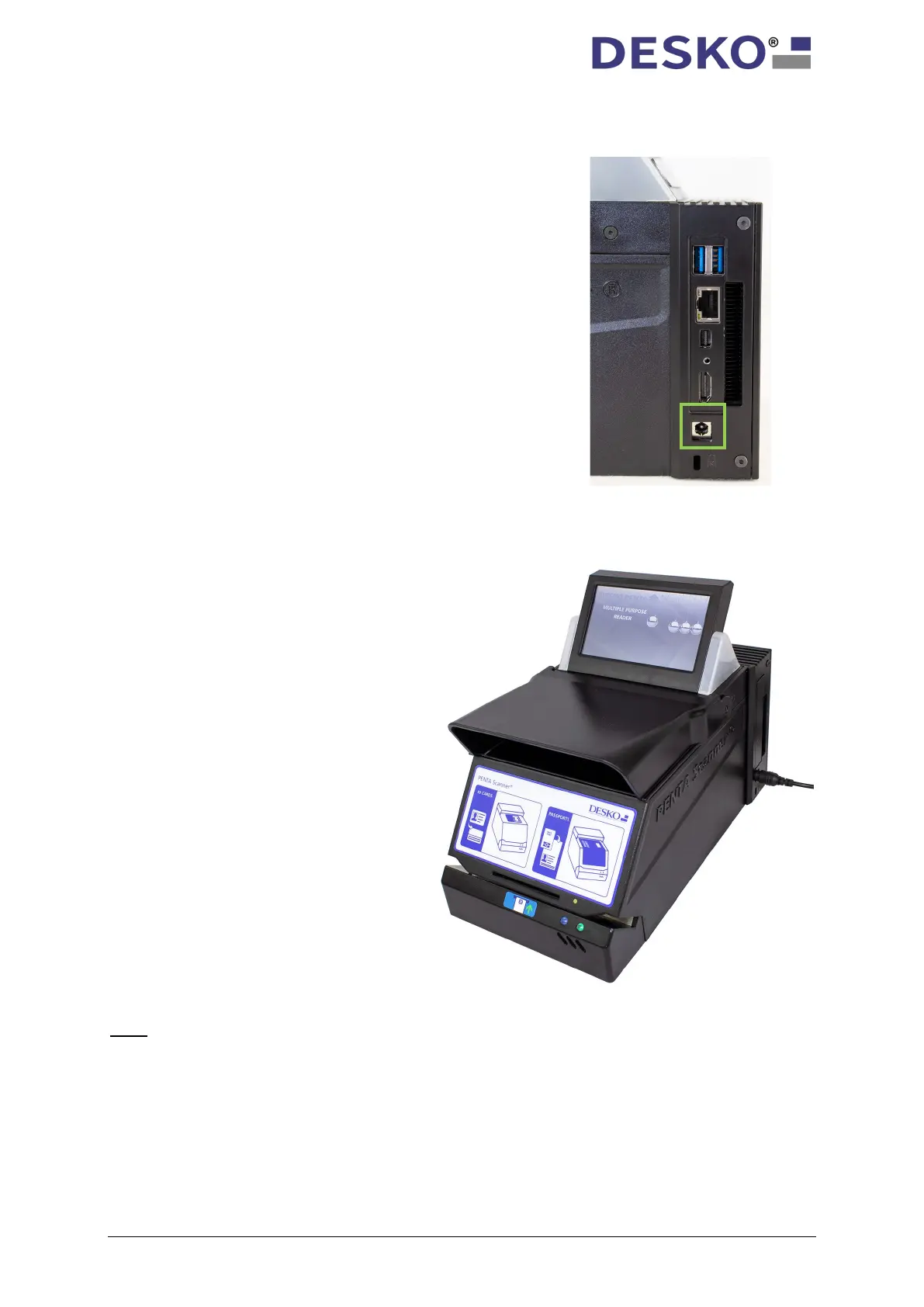
embedded PC, please connect the device to the
power plug (green box). Only use the power supply
provided by DESKO! Make sure that the device is
plugged into an easily accessible outlet.
Having connected the DESKO PENTA
Scanner
®
, DESKO PENTA Scanner
®
BGR,
DESKO PENTA Scanner
®
embedded PC starts to boot. This may
take a few seconds.
During booting, the LEDs next to the
display do not light up. The small left
status LED on the front of the device
flashes blue.
Having successfully booted, the D
ESKO
PENTA Scanner
®
Scanner
®
BGR, DESKO PENTA Scanner
®
CKI with embedded PC is now ready for
usage.



 To Next Page