Technical Specification DESKO PENTA Scanner
®
&
Page 22 of 37
DESKO PENTA Scanner
®
BGR & DESKO PENTA Scanner
®
CKI
6.2.2 Reading ICAO Compliant Documents
The DESKO PENTA Scanner
®
, DESKO PENTA Scanner
®
BGR or the DESKO PENTA Scanner
®
CKI
is also equipped with two RFID antennas for reading of ICAO compliant documents, e.g.
biometric passports (ePassports). The antennas cover the entire surface of the device.
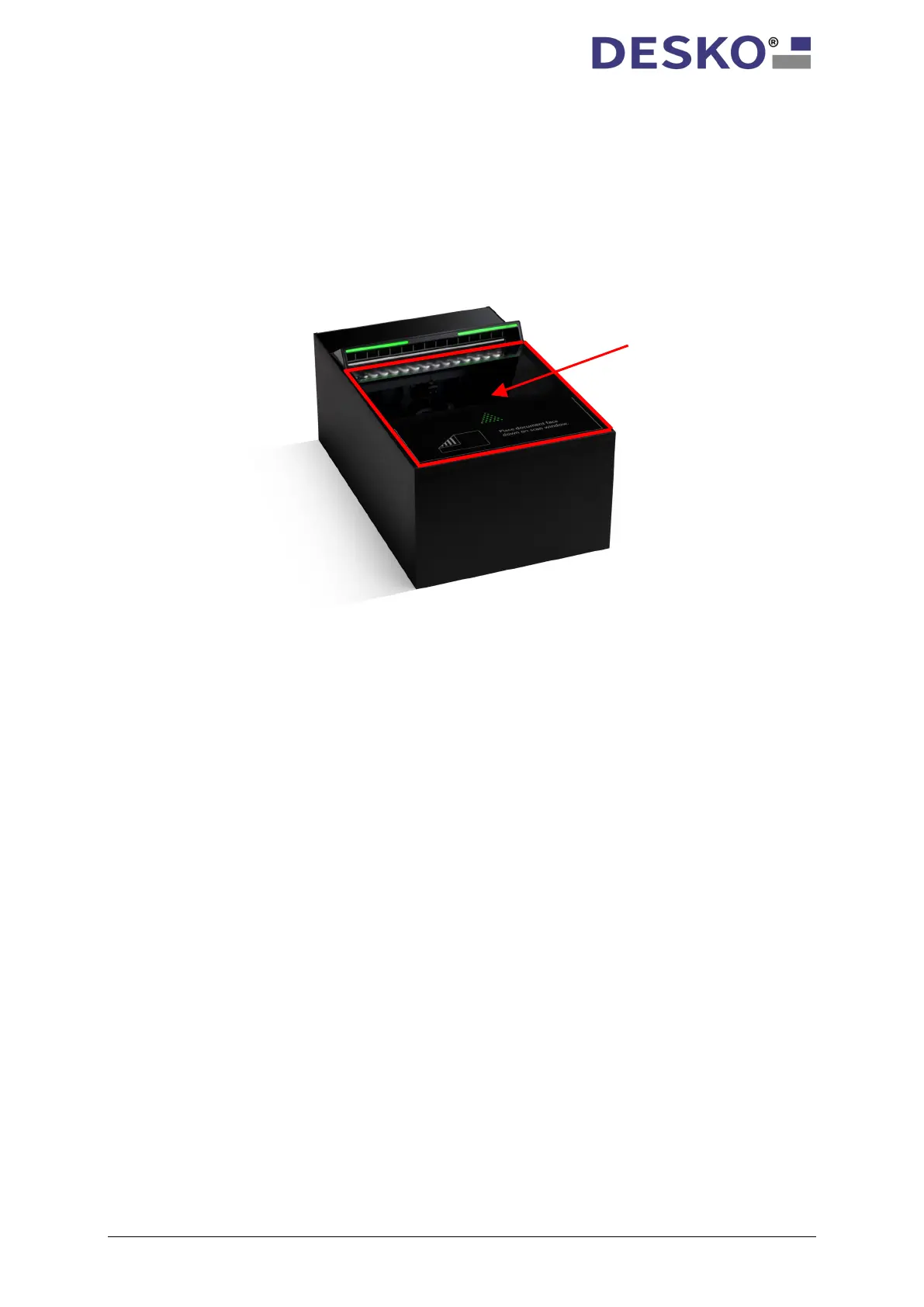
To start an RFID read, please place the document within the blue highlighted scan area as
indicated in the picture below (example DESKO PENTA Scanner
®
Cube):
6.2.3 Switching between ePassport and China ID Reading
By default, the ePassport reading function is enabled. In order to switch between ePassport
and China ID reading specific APDUs need to be sent via PC/SC interface to the DESKO RFID
reader which are as follows:
• APDU to enable China ID reading: FF680030010101
• APDU to enable Passport RFID reading: FF680030010001
After a reboot of the device the default setting (ePassport RFID reading) is enabled.
ePassport reading: entire
surface of the device; dual
antenna design



 To Next Page