Technical Specification DESKO PENTA Scanner
®
&
Page 20 of 37
DESKO PENTA Scanner
®
BGR & DESKO PENTA Scanner
®
CKI
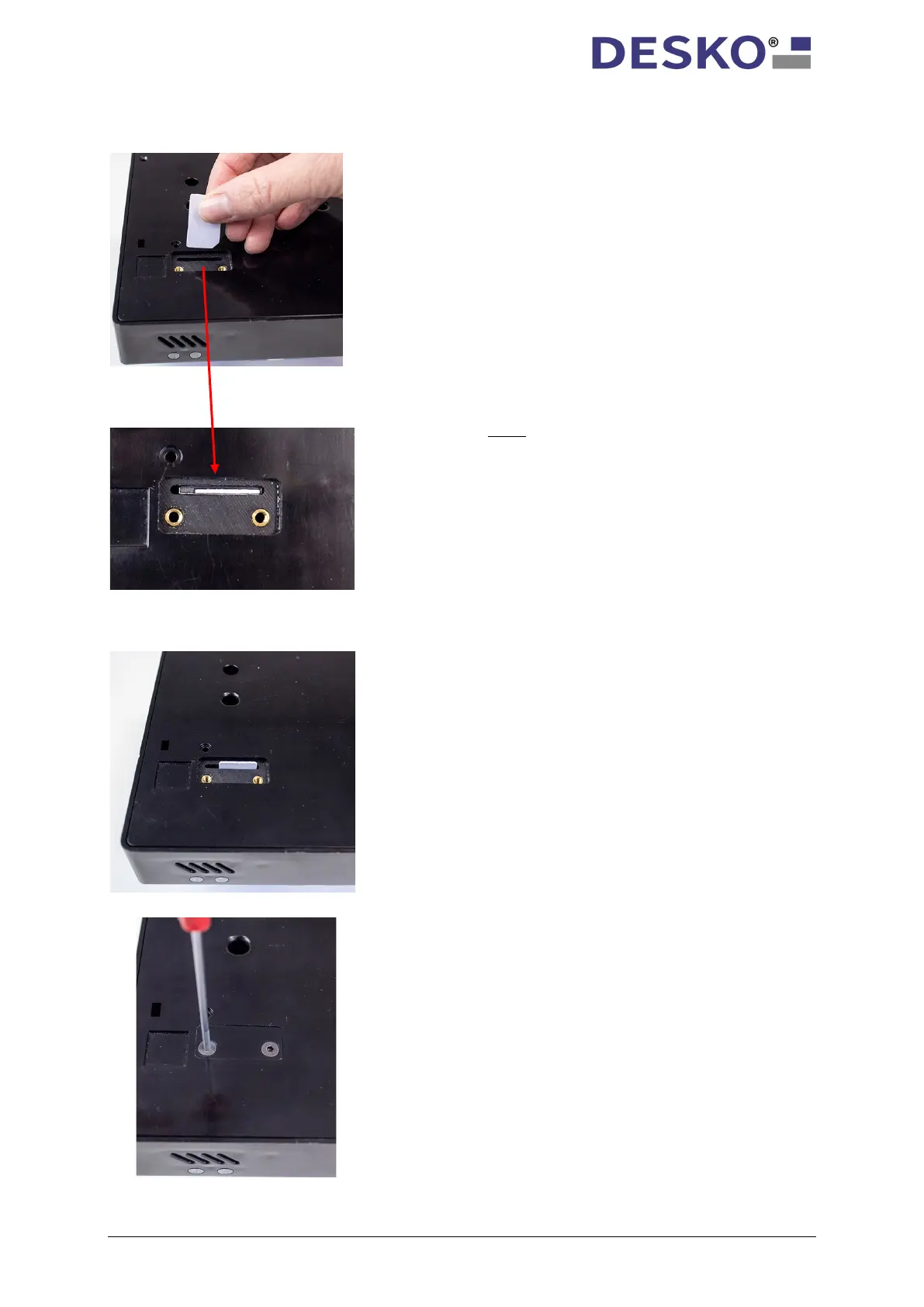
6.1.2 Insert SAM Card
To insert the SAM card properly, please push
it gently into the card reader slot until it is
completely sunk in.
Note: the chip on the card needs to face
towards the backside of the device.
To eject the card, gently push the card once
again. The card pops out and you can remove
it from the slot.
To guarantee maximum protection against
unauthorized access, please fix the cover
again with the two crosshead screws using a
screwdriver.



 To Next Page