Technical Specification DESKO PENTA Scanner
®
&
Page 35 of 37
DESKO PENTA Scanner
®
BGR & DESKO PENTA Scanner
®
CKI
14 Appendix D – Device Mounting Options
The DESKO PENTA Scanner
®
, DESKO PENTA Scanner
®
BGR, DESKO PENTA Scanner
®
CKI
provides the option to be mounted in different ways. Therefore, the DESKO PENTA Scanner
®
,
DESKO PENTA Scanner
®
BGR, DESKO PENTA Scanner
®
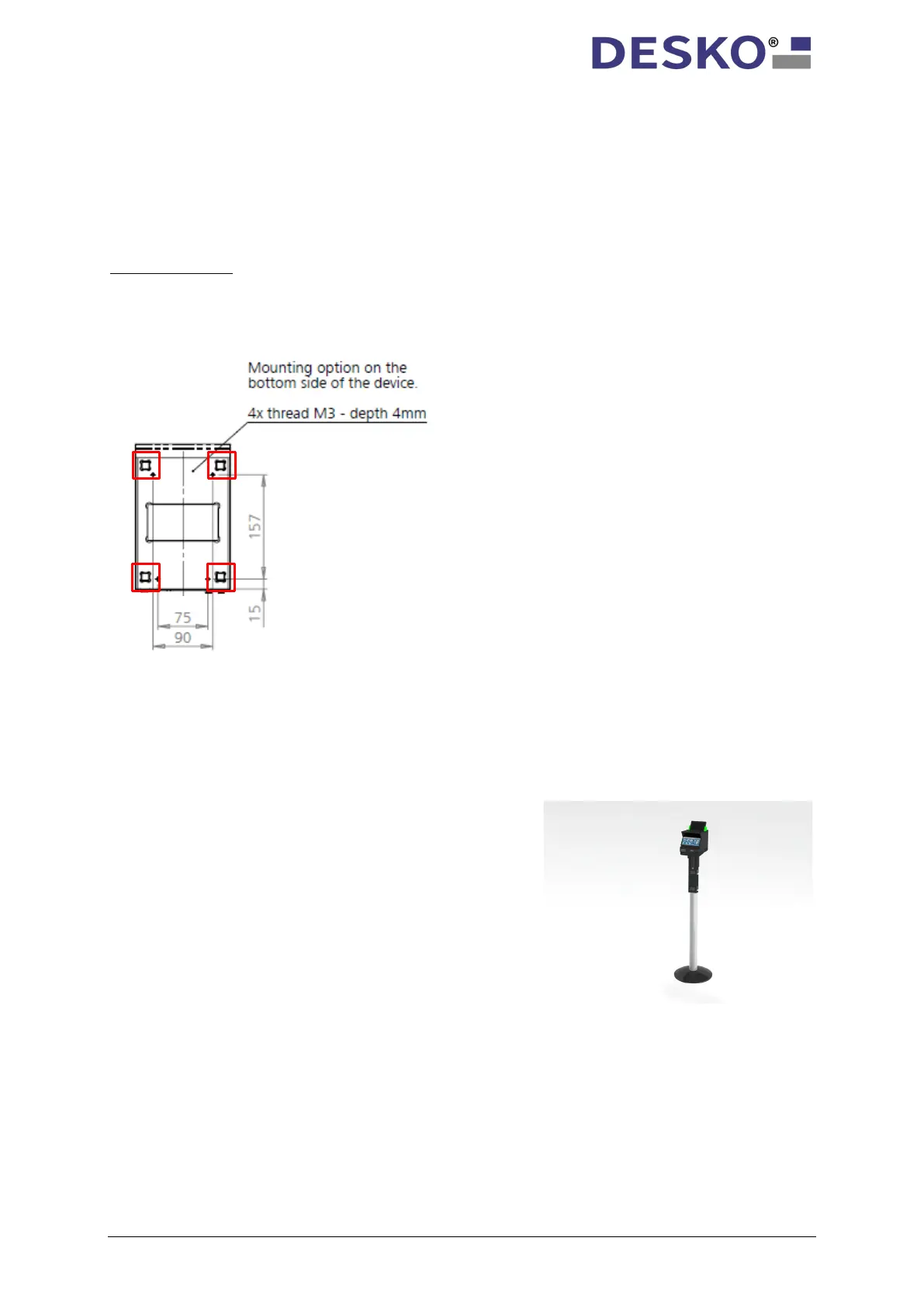
CKI is equipped with four thread inserts
M3 – depth 4 mm at the bottom side of the device, as indicated in the picture below.
Important note:
When mounting the DESKO PENTA Scanner
®
, DESKO PENTA Scanner
®
BGR or the DESKO
PENTA Scanner
®
CKI on one of the following mounting options, please remove the four
rubber feet on the bottom plate of the device (highlighted in red color).
You can also purchase the following mounting kits. Each mounting kit also works with the
optional available Battery adapter and Battery Pack. A detailed description for assembly is
included in each mounting kit.
14.1 Pole Mount
Equipped with a battery adapter and battery
pack, the Pole Mount is the best way to use the
DESKO PENTA Scanner
®
, DESKO PENTA Scanner
®
BGR, DESKO PENTA Scanner
®
CKI as a stand-
alone device e.g. for boarding pass validation



 To Next Page